# useUser
https://www.sanity.io/learn/course/build-content-apps-with-sanity-app-sdk/use-user.md
Filter the queried list of documents based on the current user and other selections.
Now that feedback documents can be marked as assigned to specific users, it would be useful to filter the feedback list of documents to just those the current user is responsible for.
The `useDocuments` hook you setup initially in `FeedbackList` only has a `documentType` option set:
```groq
documentType: 'feedback'
```
However, this hook can also take `filter` and `params` options which may be dynamically updated by the application. Let's add some UI elements which will dynamically filter the list of returned documents.
1. **Create** a new component to dynamically filter documents by `status`
```tsx:app-feedback/src/StatusSelector.tsx
import { Button, Grid } from "@sanity/ui"
type StatusSelectorProps = {
status: string
setStatus: (nextStatus: string) => void
}
const STATUSES = ["All", "Pending", "Spam", "Approved"]
export function StatusSelector({ status, setStatus }: StatusSelectorProps) {
return (
{STATUSES.map((statusOption) => (
)
}
```
1. **Create** another document to toggle an additional filter for the `assignee` field.
```tsx:app-feedback/src/OnlyMine.tsx
import { Switch, Inline, Text, Card } from "@sanity/ui"
import { useCurrentUser } from "@sanity/sdk-react"
import { Dispatch, SetStateAction } from "react"
type OnlyMineProps = {
userId: string | null
setUserId: Dispatch>
}
export function OnlyMine({ userId, setUserId }: OnlyMineProps) {
const currentUser = useCurrentUser()
return (
Only mine
{
if (currentUser) {
setUserId((currentId) =>
currentId === currentUser.id ? null : currentUser.id
)
}
}}
/>
)
}
```
Now you'll need to import these into the `FeedbackList` and set a `filter` that will conditionally use the `params`.
1. **Update** the `FeedbackList` component
```tsx:app-feedback/src/FeedbackList.tsx
import { Suspense, useState } from "react"
import { type DocumentHandle, useDocuments } from "@sanity/sdk-react"
import { Stack, Button, Spinner } from "@sanity/ui"
import { FeedbackPreview } from "./FeedbackPreview"
import { StatusSelector } from "./StatusSelector"
import { OnlyMine } from "./OnlyMine"
type FeedbackListProps = {
selectedFeedback: DocumentHandle | null
setSelectedFeedback: (feedback: DocumentHandle | null) => void
}
export function FeedbackList({
selectedFeedback,
setSelectedFeedback,
}: FeedbackListProps) {
const [userId, setUserId] = useState(null)
const [status, setStatus] = useState("all")
const { data, hasMore, loadMore } = useDocuments({
documentType: "feedback",
filter: `
select(defined($userId) => assignee == $userId, true)
&& select(
$status == "pending" => !defined(status) || status == "pending",
$status == "spam" => status == $status,
$status == "approved" => status == $status,
true
)
`,
params: { userId, status },
orderings: [{ field: "_createdAt", direction: "desc" }],
batchSize: 10,
})
return (
{data?.map((feedback) => {
const isSelected = selectedFeedback?.documentId === feedback.documentId
return (
)
})}
{hasMore && }
)
}
```
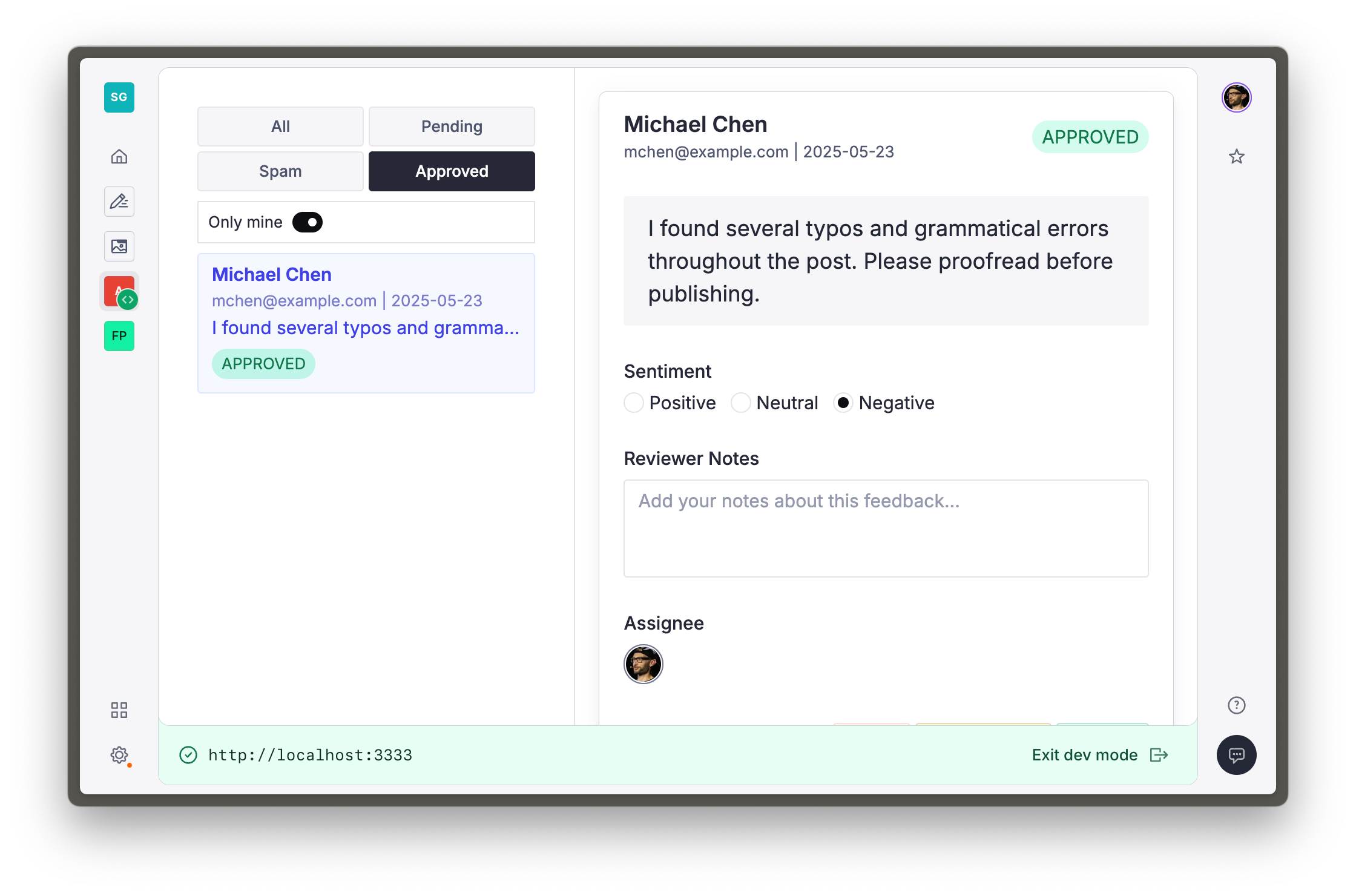
You should now be able to click the buttons to filter based on user assignment or document status. Our app's really useful now!
## Conditional GROQ params
The GROQ filter we wrote is a bit gnarly! The `select()` function is used here to only filter by a param value if it is not `null`.
First it uses `defined()` to check if `$userId` is not `null`. If not, it will only find documents where the `assignee` field matches `$userId`. If it is `null`, the value of the assignee field is not used as part of the filter.
It also applies selective filtering looking at the value of the `status` field—first checking for documents without that value (or the value of "pending"), then only showing "spam" or "approved" documents if that's what the current filter matches. Lastly, it just returns everything regardless of the `status` field.
We can go _further_. Let's link your app and the Studio more closely together.