# Fetching Shopify products
https://www.sanity.io/learn/course/sanity-and-shopify-with-hydrogen/fetching-shopify-products.md
With the Hydrogen app connected to Shopify, you will next need to create “routes” to fetch and display products.
For a more functional Hydrogen app, we’ll need these **three** new route documents.
## Create the “home” route
1. If you get stuck or need more details, see the [React Router documentation on routes](https://reactrouter.com/start/framework/routing).
1. **Create** a home page route with a link to the product index page.
```tsx:web/app/routes/_index.tsx
import {Link} from 'react-router';
export default function Index() {
return (
Home
All Products
);
}
```
The home page of your Hydrogen App should look much like the image below.

You can click the “All Products” link, but it will 404.
## Create the “products” route
This route uses React Router's [loader function convention](https://reactrouter.com/start/data/route-object#loader) to query data on the server and pass it down to the client.
Hydrogen has a preconfigured `storefront` variable which is available to all loaders via the `context` variable. This is explained further in the next exercise.
Using `storefront`, queries to Shopify can be performed.
1. **Create** a products index route
```tsx:web/app/routes/collections.all.tsx
import {Link, useLoaderData, type LoaderFunctionArgs} from 'react-router';
import {type Product} from '@shopify/hydrogen/storefront-api-types';
export async function loader({
params,
context: {storefront},
}: LoaderFunctionArgs) {
const {products} = await storefront.query<{
products: {nodes: Product[]};
}>(
`#graphql
query Products {
products(first: 10) {
nodes { id title handle }
}
}
`,
);
if (!products.nodes.length) {
throw new Response('Not found', {status: 404});
}
return {products: products.nodes};
}
export default function Index() {
const {products} = useLoaderData();
return (
All Products
{products.map((product) => (
{product.title}
))}
);
}
```
Visit `/collections/all` on your Hydrogen store now, you should see a list of up to 10 products with links to their individual product pages.

These will return 404 if you click them; let’s fix that.
## Create the “product” route
This route below also uses the same loader to fetch data but also takes advantage of the variable `$handle` to find a specific product.
1. **Create** a new product page route
```tsx:web/app/routes/products.$handle.tsx
import {Link, useLoaderData, type LoaderFunctionArgs} from 'react-router';
import {type Product} from '@shopify/hydrogen/storefront-api-types';
export async function loader({
params,
context: {storefront},
}: LoaderFunctionArgs) {
const {product} = await storefront.query<{product: Product}>(
`#graphql
query Product($handle: String!) {
product(handle: $handle) { id title }
}
`,
{variables: params},
);
return {product};
}
export default function Product() {
const {product} = useLoaderData();
return (
{product.title}
← Back to All Products
);
}
```
Now you should be able to view a specific product from the `/products` page and click through.
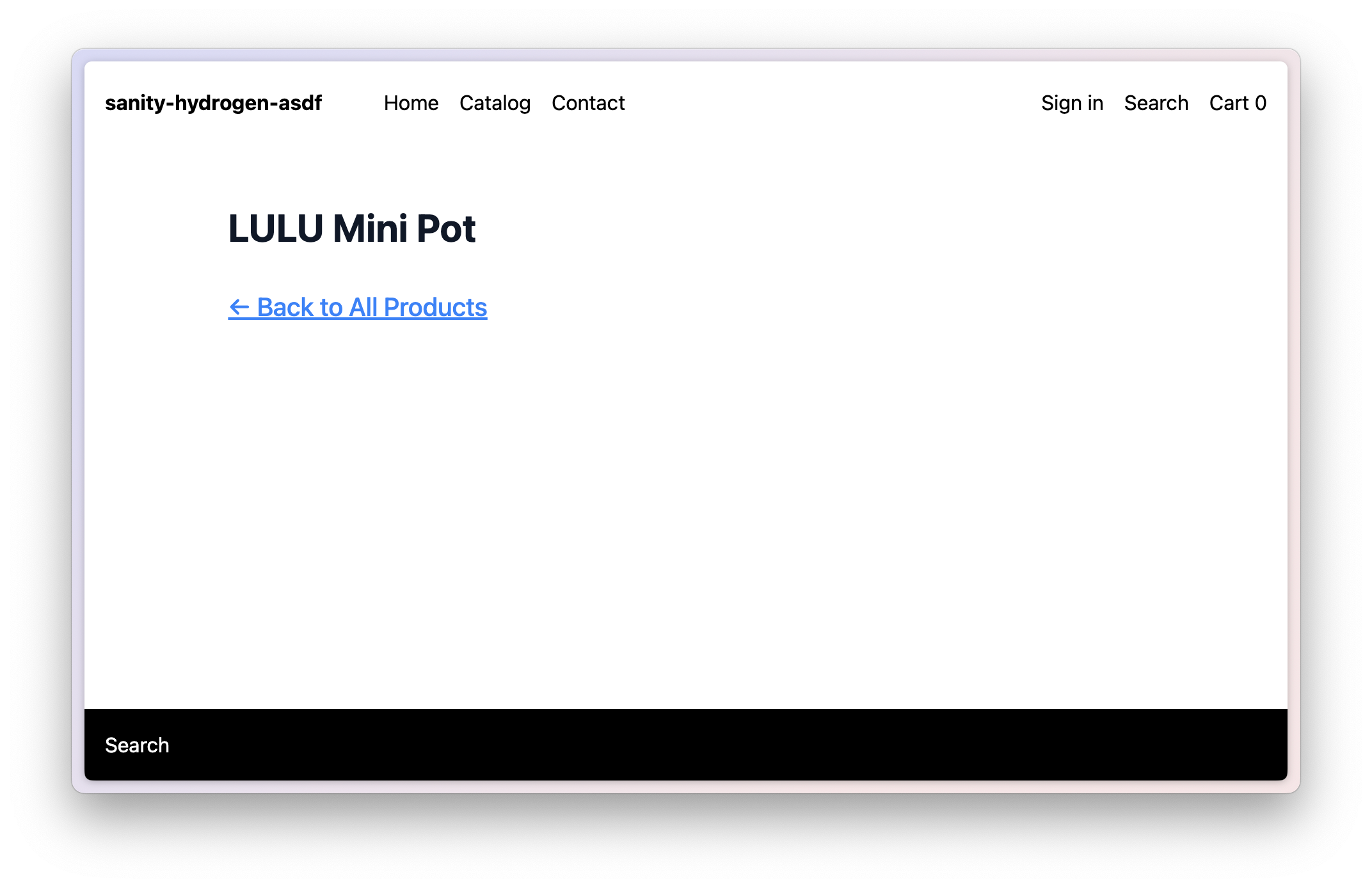
If your site looks like this, congratulations! Your Hydrogen app now queries Shopify content directly from your store.
What you don’t have is the additional content from your Sanity Studio. Let’s fix that next.