Generating types
Thanks to Sanity TypeGen, the schema types in your Studio and the response shape of your GROQ queries can be fully typed.
There's a few steps involved to make this happen:
- Export the Studio schema configuration to a JSON file
- Configure Sanity TypeGen to look through your application to look for GROQ queries that use the
defineQueryhelper function - Generate Types from both the schema export and GROQ queries
apps/studio directory to extract the Studio schema# in apps/studionpx sanity schema extractYou should now have a schema.json file in the root of your apps/studio directory.
sanity.cli.ts in the apps/studio directory to configure TypeGen to use the extracted schema and search the Next.js project for queriesimport {defineCliConfig} from 'sanity/cli'
export default defineCliConfig({ // ...your existing project config
typegen: { path: '../web/src/**/*.{ts,tsx,js,jsx}', schema: './schema.json', generates: '../web/src/sanity/types.ts', },})apps/studio directory to generate Types# in apps/studionpx sanity typegen generateIn the terminal you should see a message similar to the following:
✅ Generated TypeScript types for 14 schema types and 2 GROQ queries in 2 files into: ../web/src/sanity/types.tsAnd you should also have a new file apps/web/src/sanity/types.ts file inside your Next.js project.
While you could now manually use Types throughout the Next.js application, Sanity Client supports "automatic type inference." That is, the response of a query should be automatically typed.
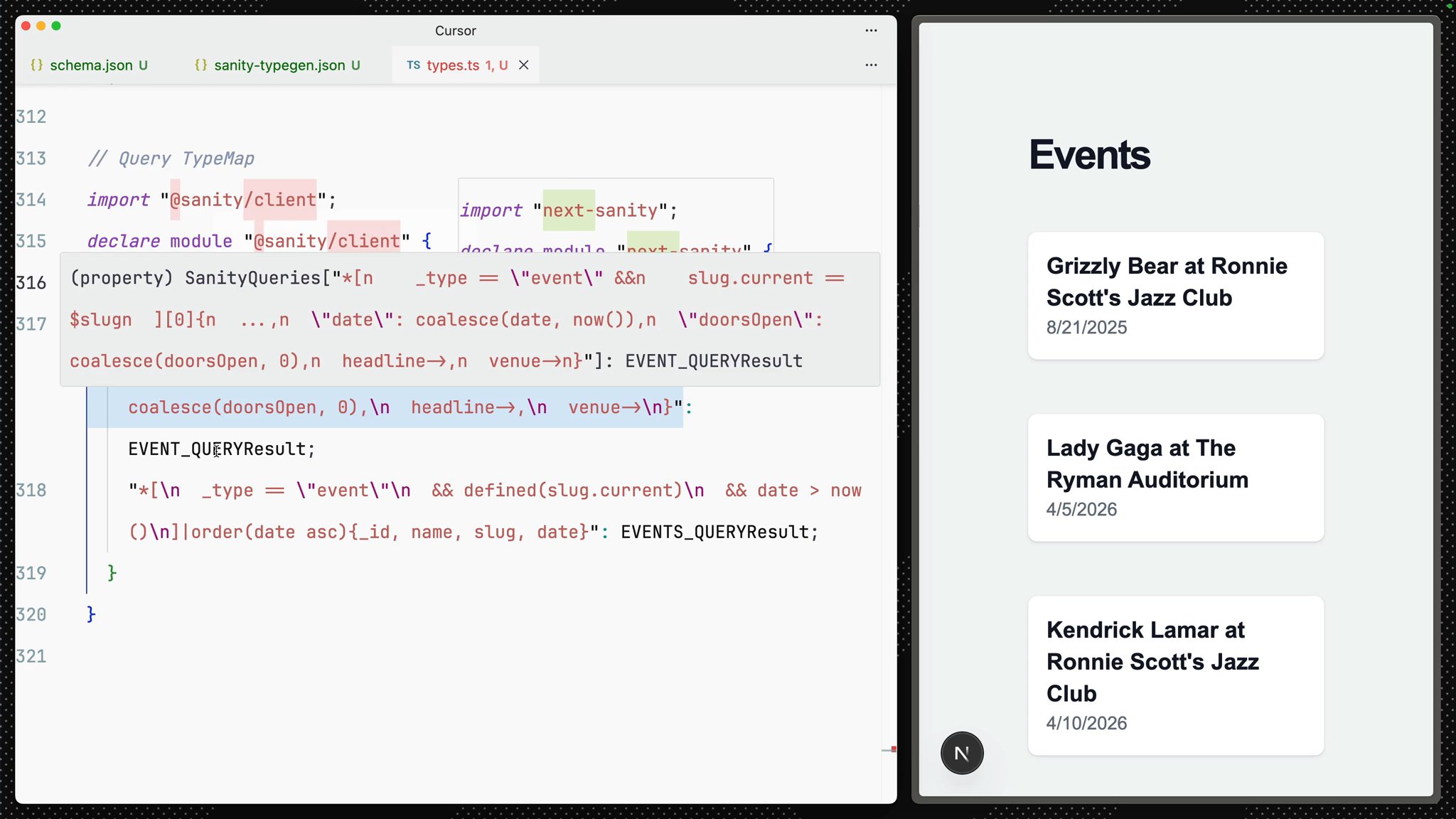
If you open apps/web/src/sanity/types.ts and scroll to the bottom, you will see something like the following
// ...all schema types
// Query TypeMapimport "@sanity/client";declare module "@sanity/client" {  interface SanityQueries {    '*[\n    _type == "event" &&\n    slug.current == $slug\n  ][0]{\n  ...,\n  "date": coalesce(date, now()),\n  "doorsOpen": coalesce(doorsOpen, 0),\n  headline->,\n  venue->\n}': EVENT_QUERYResult;    '*[\n  _type == "event"\n  && defined(slug.current)\n  && date > now()\n]|order(date asc){_id, name, slug, date}': EVENTS_QUERYResult;  }}
As you add more queries to your application and re-run TypeGen, this automatic mapping between queries and responses will be updated.
You may notice there are red squiggly lines beneath @sanity/client. Because these types extend that dependency, automatic type inference will not work until it is installed as a dependency.
@sanity/client# in apps/webnpm install -D @sanity/clientAll the "redlines" from TypeScript in your route files should now be gone.
You should also see that the response from sanityFetch in the home and individual page routes are typed.
Previously, you had to re-run schema extraction and type generation manually every time you changed your schema or queries. With Sanity v5, you can automate this.
Adding enabled: true to your typegen config means types will regenerate automatically when you run sanity dev or sanity build. No more manual re-running.
sanity.cli.ts to enable automatic type generationimport {defineCliConfig} from 'sanity/cli'
export default defineCliConfig({ // ...your existing config
typegen: { enabled: true, path: '../web/src/**/*.{ts,tsx,js,jsx}', schema: './schema.json', generates: '../web/src/sanity/types.ts', },})schema extract and typegen generate support a --watch flag for continuous regeneration.# Watch for changes and regenerate types continuouslynpx sanity typegen generate --watchThis will watch for file changes and regenerate types automatically whenever you save.
With either approach, your types will stay in sync with your schema and GROQ queries as you develop.
You've now laid the groundwork for a Sanity Studio for your content backend and a Next.js front end with Types. This is a great start for most use cases!
As projects mature, parts of your foundation will likely need to change. This is where the next course, Handling schema changes confidently, can help you update schema types and configuration without downtime.
If you have the time, complete that course next, otherwise let's move onward to building content applications.