Incoming references view, automatic type generation, external studio support + improvements and bugfixes
Published: February 3, 2026
This release adds views for incoming references, automatic type generation, URL-to-link pasting in Portable Text, external studio registration, improved dialog interactions, and includes performance improvements and bug fixes for document loading and validation.
Add typegen to dev and build commands
This feature adds automatic TypeScript type generation during development and build. When enabled, the Sanity CLI generates types on startup and whenever files change, providing real-time type safety for your queries.
To enable this feature, add the enabled flag to your typegen configuration in sanity.cli.ts:
export default defineCliConfig({
  // ...
  typegen: {
    enabled: true,

    // Optional: customize paths
    schema: 'schema.json',
    generates: 'sanity.types.ts',
  },
})
Watch mode for typegen generate command
The sanity typegen generate command now features a watch flag that you can use to start type generation in watch mode. It will listen for changes in the schema JSON file and files in your project.
sanity typegen generate --watch
Selection state indicators for all menu items (actions, etc.)
Adds support for toggle/selected state on custom menu items in document list panes. The selected state checkmark can optionally be hidden if it’s not wanted for .menuItem in document list panes.
S.menuItem()
   .title('No checkmark')
   .icon(EmptyIcon)
   .action(() => console.log('you clicked!'))
   .params({hideSelectionIndicator: true}),
You can also read the params to check in an .action() in a .menuItem whether the action is selected or not in document list panes.
S.menuItem()
  .title('View Mode: Default')
  .icon(DocumentIcon)
  .group('view')
  .params({value: 'default'})
  .action((params) => console.log('default', params?.isSelected, params)),
Allow external studio deployments
Users can now register externally-hosted studios with the --external flag:
sanity deploy --external
This registers the studio URL without building or uploading assets, enabling features using the studio manifest for studios hosted on custom infrastructure.
To unregister an external studio:
sanity undeploy
For external studios, this uses “unregister” terminology and does not warn that the hostname will become available (since you control the external URL).
Note: External studio deployment requires a sanity.config.ts.
Display incoming references
New incoming references panel
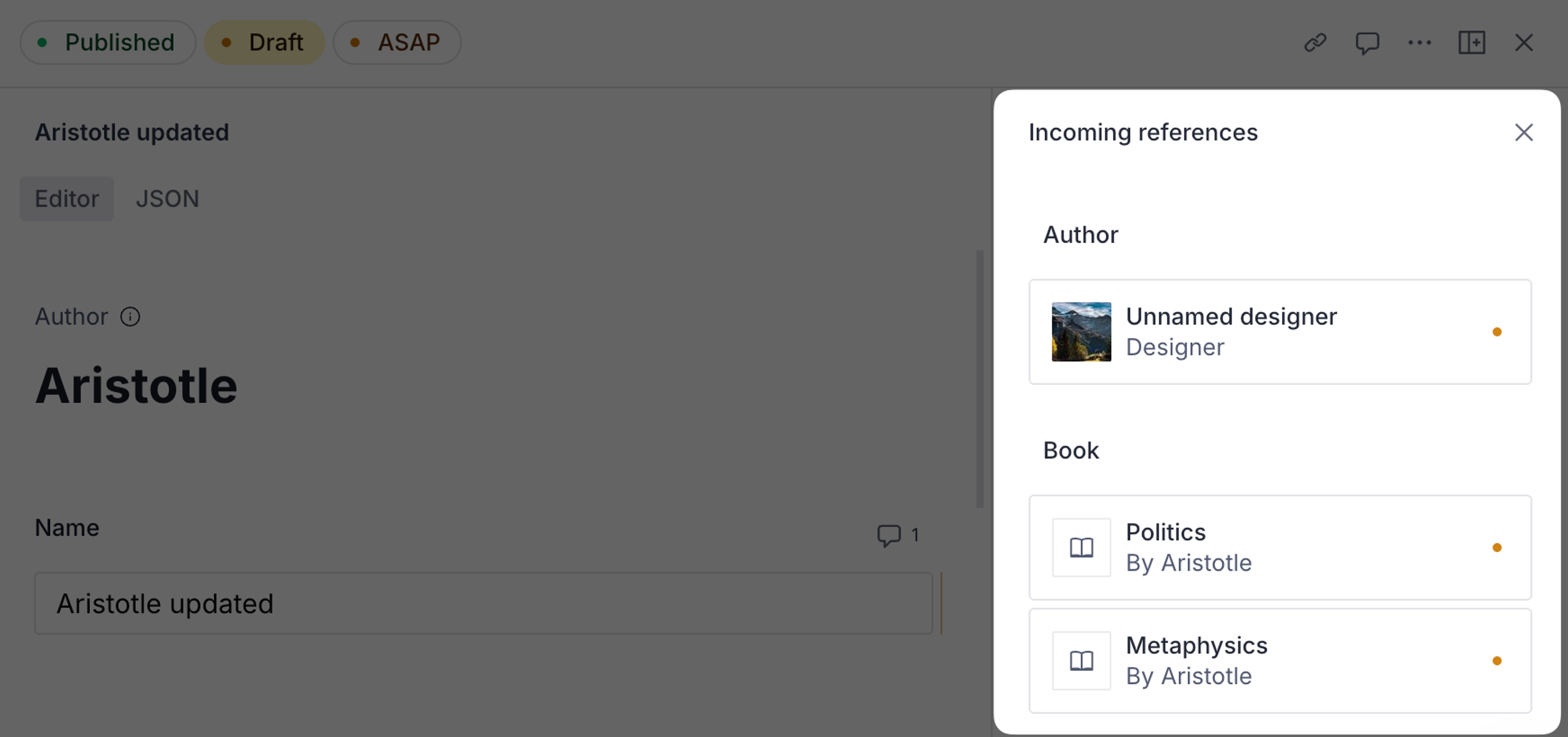
You can now see which documents reference the active document without creating a custom document view.
When viewing a document:
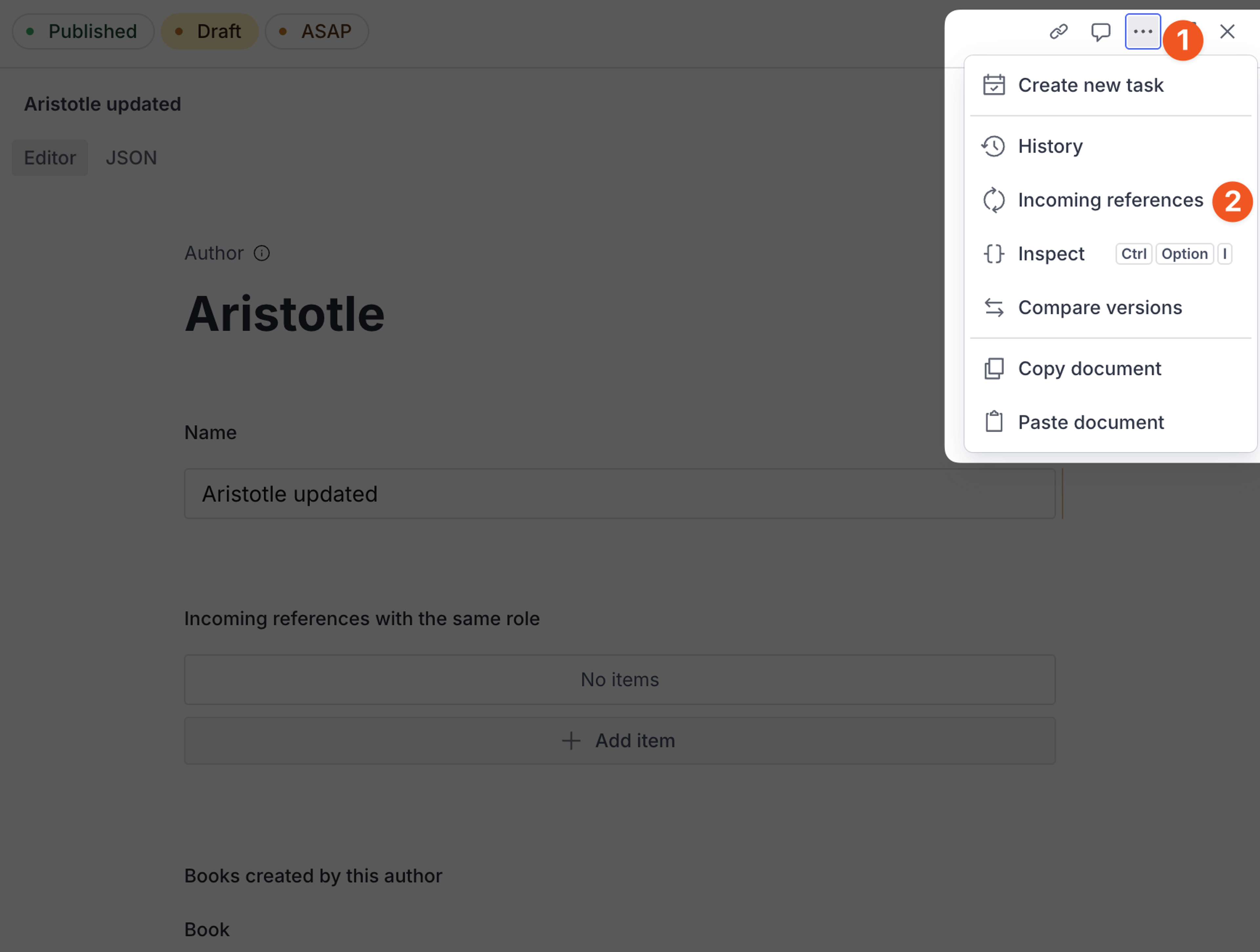
- Select the ellipsis (...) menu at the top of the document.
- Select Incoming references
This opens a side pane with the incoming references by type.
Incoming references decoration
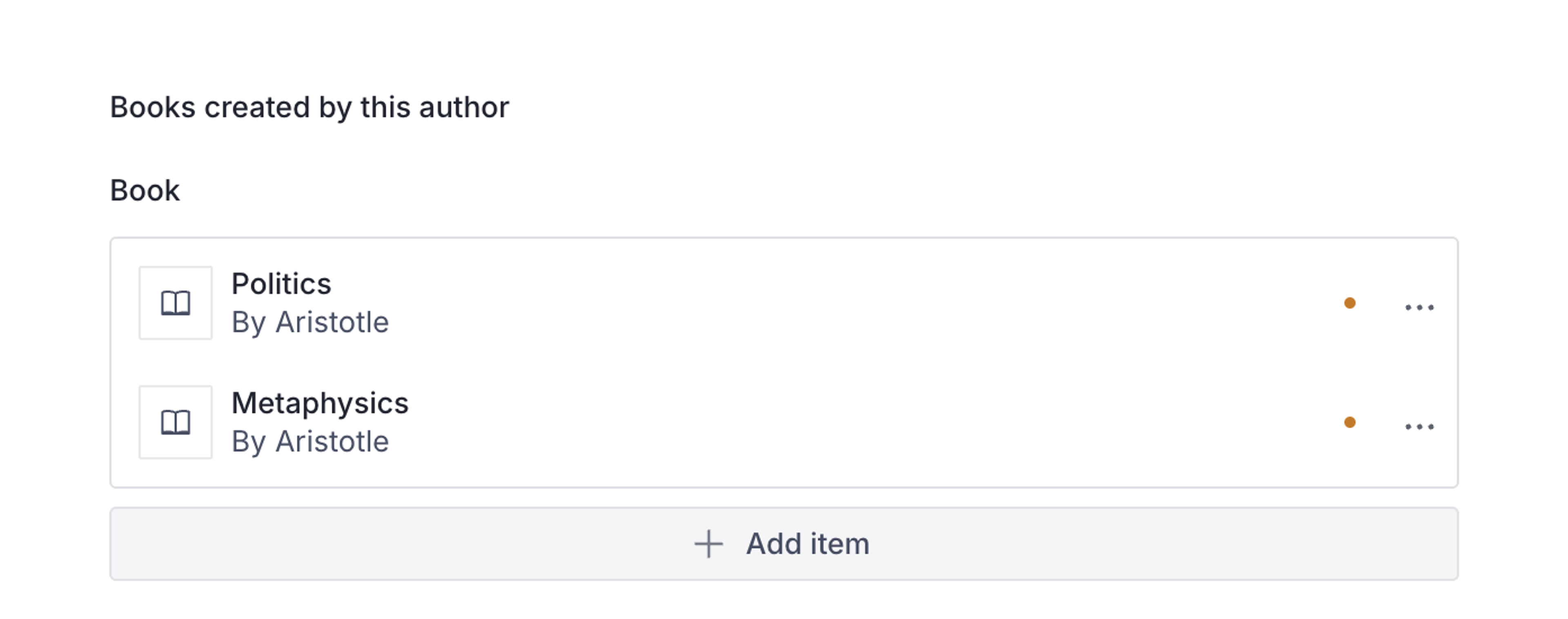
In addition to the incoming references panel, developers can also embed an incoming reference decoration alongside other fields in the document. This involves updating the document schema by using the new renderMembers functionality.
To get started, see the incoming reference field documentation.
Built-in Portable Text pasteLink plugin enabled by default
Pasting a URL in a Portable Text Input now automatically creates a link.
Add disableNew option for image fields
New disableNew option for image and file fields - when enabled, hides the upload UI while preserving the ability to select existing assets from the media library. Useful for centralized asset management workflows where teams want to prevent ad-hoc uploads and enforce selection from a curated library.
Filter release documents by action and validation status
When viewing a content release, it’s now possible to filter the list of documents in the release by whether they have validation errors or by release action type (unpublish, add, or change).
Display validation icon for groups
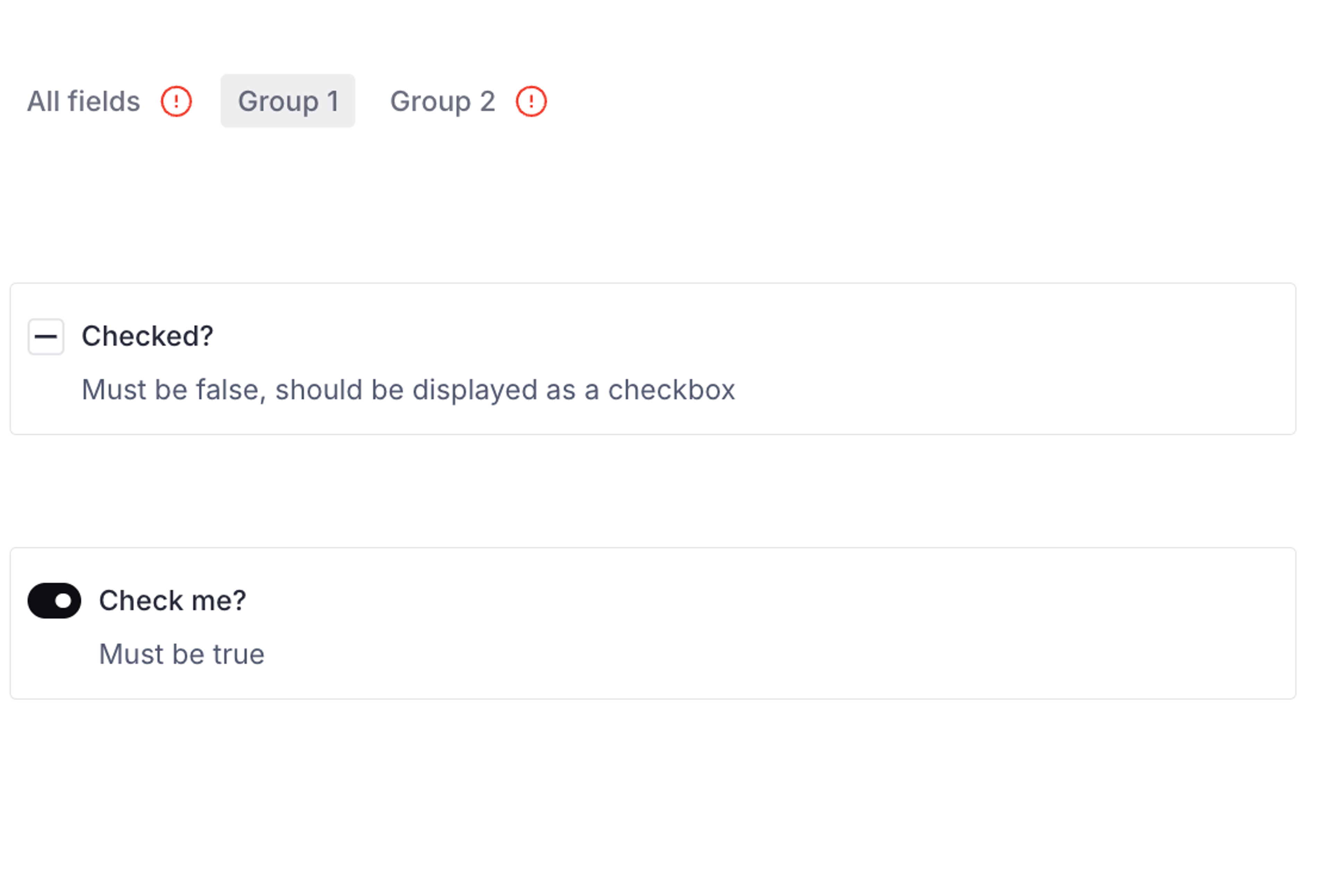
Fieldgroup tabs will now show a validation status icon to indicate if any fields in that group needs attention.
Adds path to ConditionalPropertyCallbackContext
Adds path to ConditionalPropertyCallbackContext allowing users to hide or disable fields according to the path they are in.
import * as PathUtils from '@sanity/util/paths'
import { defineType} from 'sanity'

export const conditionallyHiddenField = defineType({
  name: 'conditionallyHiddenObject',
  type: 'object',
  title: 'Conditionally Hidden Object',
  description: 'Object with a conditionally hidden field',
  fields: [
    defineField({
      name: 'title',
      type: 'string',
      title: 'Title ',
      description: 'Title (hidden if path starts with "hiddenTitles")',
      hidden: ({path}) => {
        if (PathUtils.startsWith(['hiddenTitles'], path)) {
          return true
        }
        return false
      },
    }),
    defineField({
      name: 'description',
      type: 'string',
      title: 'Description',
    }),
  ],
})
Click outside dialogs to close
Click outside of an object dialog to close all of the dialogs in a single go.
🐛 Notable bugfixes and improvements
- Fix references between media libraries and datasets.
- Improved performance when loading up Studio.
- Styled components code in the studio is now minified while publishing to npm, reducing the amount of JS executed by browsers, speeding up initial load, and lazy-loading views.
- Fixes an issue in live-edit documents where the first transaction is lost when created. Users needed to do the first action twice.
- Fixes an issue in Safari where object array items weren’t opening on first click.
- Fixes issues where large releases would sometimes hang on document loading and validation.
- Fixes an issue where the confirm dialog, before discarding a version that was going to be unpublished was showing the wrong preview