Grid layout for primitive arrays, new blueprints plan preview, and improved Studio validation and media handling
Published: March 3, 2026
This release adds grid layout support for primitive type arrays, introduces a new blueprints plan feature to preview deployments, improves array size limit handling, and fixes issues with Word paste formatting and video field loading.
Primitive types now show a grid layout when the grid option is set
Previously, primitive type arrays allowed you to set a grid layout, but didn’t display it. They now show a grid layout as expected if the option is chosen in the schema.
Updates to blueprints doctor and plan commands
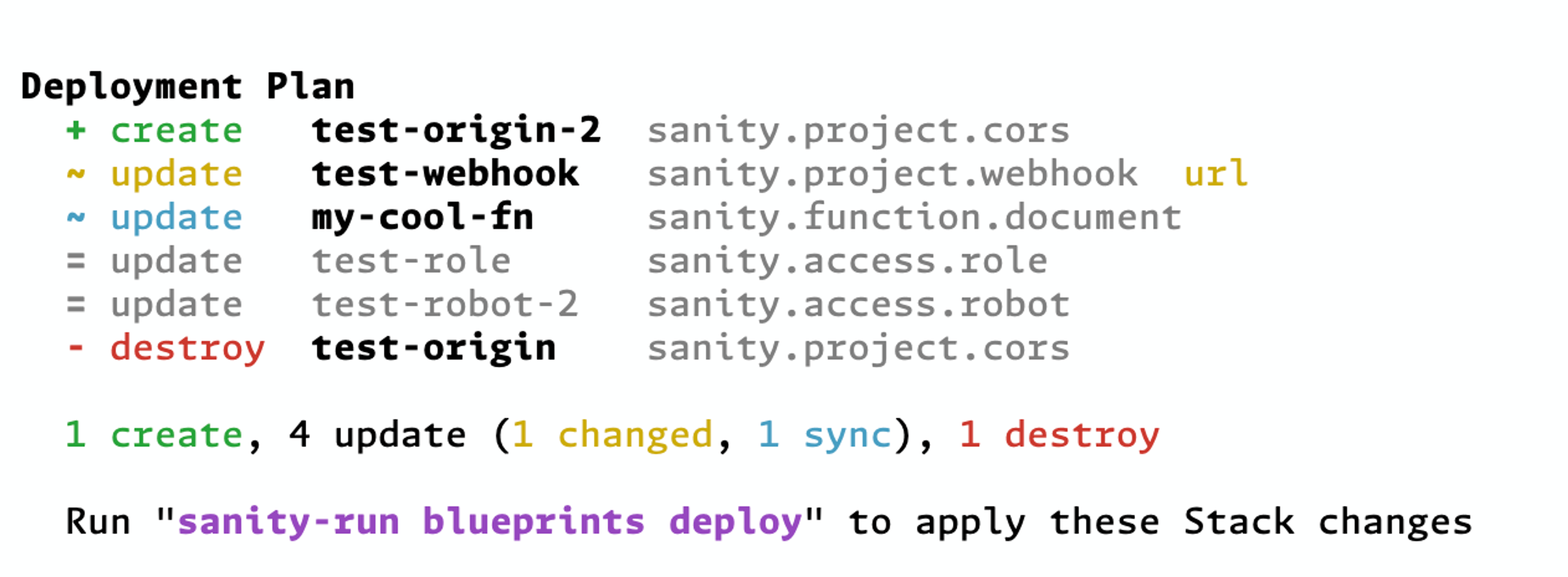
New blueprints plan feature: this command outputs a summarized plan generated by the Blueprints API detailing what will happen during a deploy. It uses the same server-side logic as a real Stack update.
We’ve also updated the blueprints doctor output to be better organized and more specific to help diagnose issues locally and in the Stack deployment configuration.
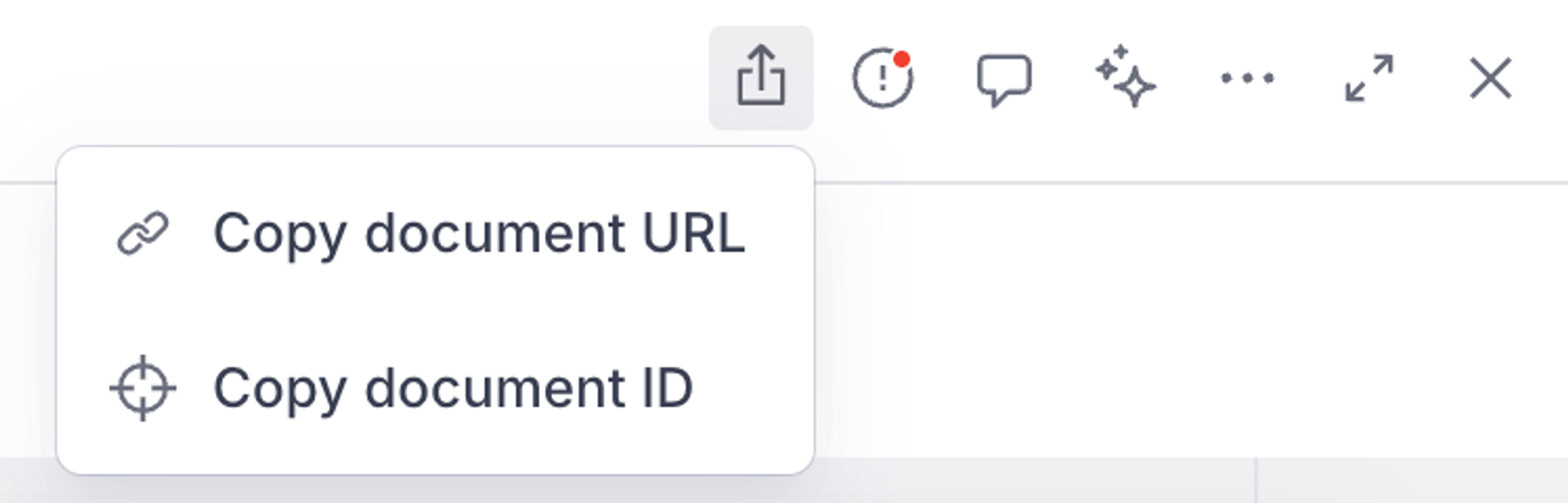
New interface to copy the document ID
There’s a new icon in the document pane that lets you copy a link to the document (in studio), or copy the document’s ID.
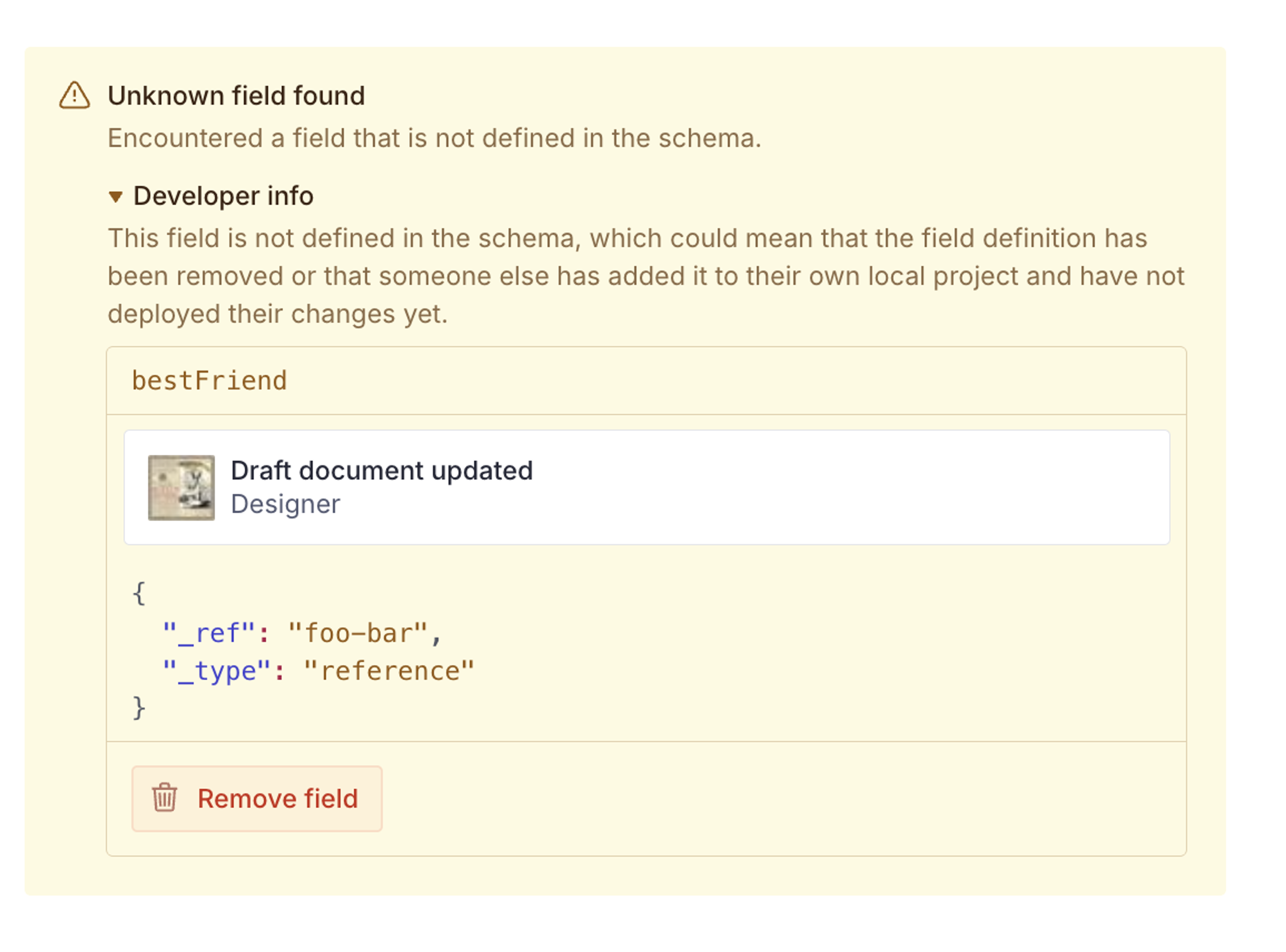
Improved reference preview for unknown fields
When unknown fields include a reference, the warning will now provide additional details about the reference itself to help with debugging.
Disables adding further items when at validation max limit
When array fields reach their maximum valid size, the Studio UI now more clearly expresses this by disabling the ability to add new items to the array. Thanks to @wotan-allfather for this contribution! We ❤️ PRs from the community.
Improved Studio experience when a release is not found
Studio will now show an improved warning when trying to view a release that no longer exists.
DocumentLocation now supports icon and showHref
The DocumentLocation type now supports optional icon and showHref properties for customizing location entries in the Presentation tool.
resolve: {
  locations: {
    page: defineLocations({
      select: { title: 'title', slug: 'slug.current' },
      resolve: (doc) => ({
        locations: [
          {
            title: 'Email Preview',
            href: `/email/${doc?.slug}`,
            icon: EnvelopeIcon,  // Custom icon
            showHref: false,     // Hide URL
          },
          {
            title: 'Web View',
            href: `/pages/${doc?.slug}`,
            // Defaults: DesktopIcon, URL visible
          },
        ],
      }),
    }),
  },
}
Existing configurations will continue to work without changes.
🐛 Notable bugfixes and improvements
- Fixes an issue where pasting from Microsoft Word could sometimes cause ordered and unordered lists to flip type.
- Fixes ordering by multiple object fields.
- Fixed an issue where the video input field would show an infinite loading skeleton when the Media Library ID didn’t match an expected format. The video input now properly validates the asset reference format, shows meaningful error messages when playback info fails to load, and uses a correctly-sized placeholder during loading to prevent layout shift.
- Updates the fileAsset and imageAsset’s required fields to better align with the client library.
- Improves visual distinction between release types in the Studio.