New Activity Log and Blueprints docs, improved access tutorials, plus AI- and editor-focused docs platform improvements
Published: July 16, 2026
Lots of updates this month on both the content and platform side—including open sourcing a new PTE plugin we’re using to make writing with blocks easier.
New and updated docs
New Activity Log API reference and guide. Two new pages cover management activity events: invites, role changes, plan changes, and the rest of the audit trail for your users, projects, and organizations.
- Activity Log API Reference documents the HTTP endpoints for fetching organization and project activity logs.
- Retrieve management events with the Activity Log API is the practical companion: token and API version requirements, the user, organization, and project scopes, pagination, CSV export, and a table of common filters.
Roles and permissions, rewritten around the Access API. The Roles and permissions concepts page now treats the Access API as the preferred way to work with roles. The project-scoped Roles API is still available, but it is no longer the default path. Newly added:
- A comparison table for the built-in roles, covering publishing, content management, project infrastructure, and member management.
- An explanation of dotted versus hyphenated permission names (
sanity.project.membersversussanity-project-members), and which fields and endpoints expect which form. - A note that the five built-in project roles carry implied organization-level access to Media Library, Canvas, and Dashboard, which matters if you're designing a role meant to restrict someone to a single surface.
- Guidance on when to reach for a custom role, plus an explicit list of what filter GROQ can and cannot express (no joins, no subqueries, and no reference traversal).
- How role changes propagate, including the fact that a running Studio session caches permissions until the user reloads.
New guide: building custom roles with the Access API. Build a custom role with the Access API walks the four-step flow (create a custom permission, bundle it into a role, assign the role, then tear it down in reverse), then gets specific with copy-paste recipes.
Seven new Blueprints guides. The Blueprints section gained a start-to-finish tutorial, a set of conceptual pages, a scopes reference, and a glossary.
- Your first Blueprint: a seven-step tutorial that goes from initializing a blueprint to deploying a real CORS origin to a live stack.
- Stacks and scope: how one blueprint file maps to many stacks, what project versus organization scope means, and why the difference matters.
- The resource graph: the
$reference syntax, values versus resource references, and referencing across stacks. - Errors and rollbacks: why most errors surface before a deploy ever runs, what a rollback actually does, and how to recover.
- Manage environments with Blueprints: deploying one file to staging, production, and beyond, plus how stack targeting works.
- Blueprints scopes reference: which resource types need which scope, how the CLI resolves scope, and what changes after promotion.
- Blueprints glossary: stacks, scopes, values, deletion policies, and the rest of the vocabulary in one place.
Platform improvements
We’re continuing to improve the agent-readiness of Sanity Docs while also enhancing the editorial experience for both Sanity members and customers.
Better for AI agents
llms.txt is now a per-section index instead of one oversized file. /docs/llms.txt had grown to nearly 117,000 characters, past the point where most agents truncate it. It is now a compact index under 4,000 characters linking one file per navigation section. Coverage remains at 100 percent with dramatically reduced context usage, since agents follow those section links one level deep.
Every page now tells agents where to find its Markdown version. Each docs page renders a hidden pointer as the first element in the document body, telling agents to append .md to the URL and where the full index lives. Markdown responses carry a matching note. Agents no longer have to guess that a Markdown twin exists, or read through navigation markup before reaching actual prose.
Markdown output now matches what the page shows. Card descriptions, article descriptions, image captions, data types in method and property reference tables, and paid-feature wording were all silently missing from .md twins. Install commands were the widest gap: the HTML expands a single npm install into npm, pnpm, yarn, and bun tabs, while Markdown emitted only the stored command. Both now share one expansion helper.
Editorial tooling
A block-insert picker in the docs article editor. Our editorial team is now using our new @sanity/block-insert-picker plugin, which adds quick access to all block object types to any Portable Text field.
Typing / at the start of an empty block, or Cmd+/ (Ctrl+/ on Windows and Linux) anywhere, opens a filterable list of every block type the field allows. Items are derived from the schema, so titles and icons stay correct without separate authoring, and choosing one inserts the block and opens it for editing in a single undoable step.
The plugin also includes support for triple-backticks to quickly create a code block with the language and a sensible filename already filled in. Typing > then a space creates an info callout.
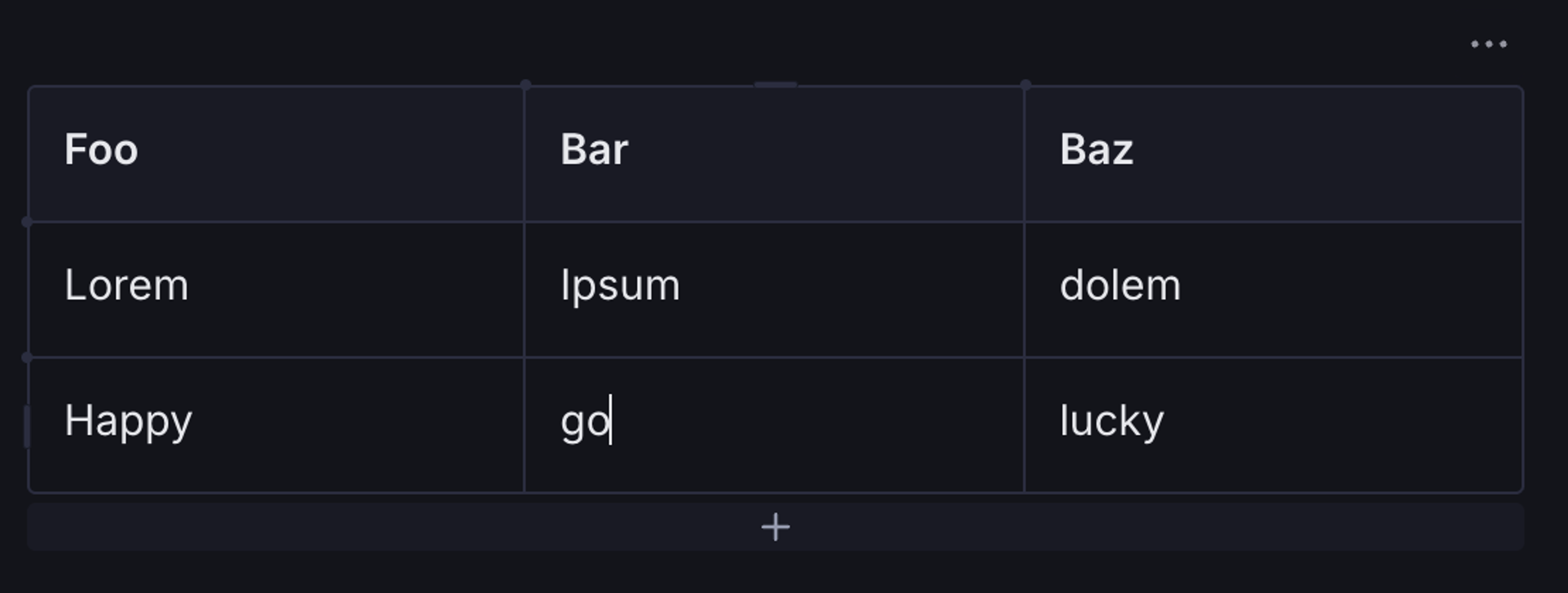
Real tables in the docs editor. Our docs tables used to store only plain strings, so a cell could not hold inline code or a link. This release now includes support for real, editable tables via the new @portabletext/plugin-table (courtesy of @christianhg)!
This plugin gives writers a genuine table editing surface (row and column handles, insert affordances, a header-row toggle, Tab between cells) with cells that hold real Portable Text.
Fixes
/docs/getting-started.mdno longer redirects to an archived article while the HTML URL serves the Getting Started section. Markdown URLs now resolve sections, redirects, and section-less articles in the same order the HTML routes do.- The Markdown version of
/docs/canvas/canvas-user-guideserved a superseded article, because .md requests bypassed CMS redirects. Redirects now apply before content negotiation. - Fifteen section-less articles, including
/docs/setting-up-your-studio, had no Markdown version at all. They do now. - Top-level documentation links in sanity.io/llms.txt dropped their section segment, producing 22 hard 404s plus 85 more that survived only on legacy redirects. Links are now built from each article's primary section.