Context MCP reference
The reference for Context MCP: endpoints, URL parameters, configuration fields, and text search.
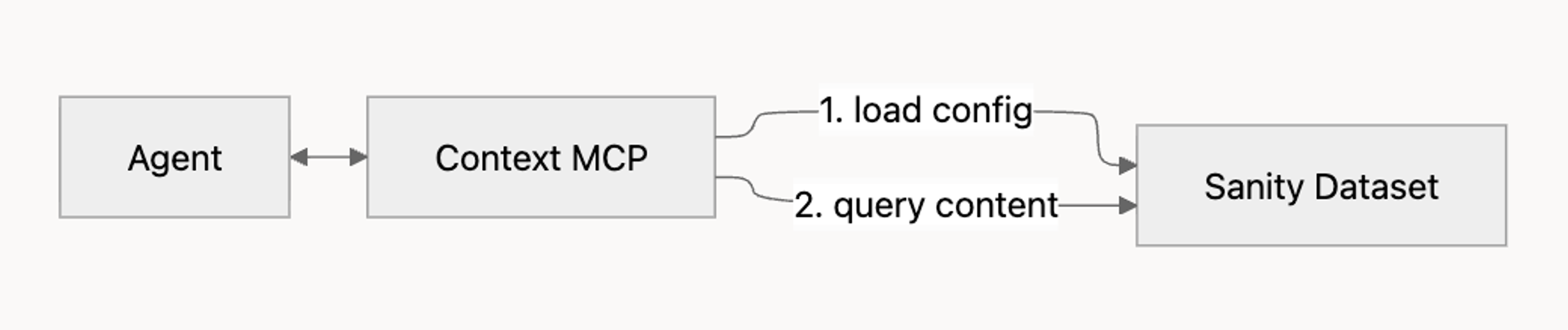
Context MCP is the hosted Model Context Protocol server behind Sanity Context. It gives agents structured, read-only access to your content: in GROQ mode, the schema and the documents your configuration allows; in Knowledge Base mode, the Knowledge Bases you choose to serve. It doesn't run the agent loop itself, and it can't write back to your dataset; see Mutations. To connect your first agent, start with Sanity Context.
MCP configuration fields
An MCP defines what an agent can access and how it should behave. You create and manage MCPs in the Context app in the Dashboard; see Configure an MCP for the procedure. Each MCP has the following fields:
- title. Required. A short, human-readable title for the endpoint, up to 100 characters. Shown only in the Context app, and freely editable.
- name. Required. The identifier the endpoint URL uses. Lowercase letters, numbers, and hyphens only, up to 64 characters, unique within your organization, and immutable after creation. Set it to something short and stable, like
support-bot. Two shapes are reserved and rejected:by-name, and any name of the formmcpplus eight characters. - sources. Required. What the endpoint serves: between 1 and 100 entries. A Knowledge Base source is
{"type": "knowledge-base", "id": "KNOWLEDGE_BASE_ID"}, whereKNOWLEDGE_BASE_IDis the Knowledge Base's public id. Public ids begin withkband are not derived from anything else. A dataset source is{"type": "dataset", "id": "PROJECT_ID.DATASET_NAME"}. If an endpoint has both, the dataset source wins and knowledge-base sources are ignored. - instructions. Optional. Custom instructions for the agent, in plain language, up to 10,000 characters. For example: "Only answer questions about product documentation; for anything else, suggest contacting support."
- groqFilter. Optional. A GROQ filter expression, up to 10,000 characters, that limits which documents the agent can read. It scopes dataset sources only. See Filtering content.
There is no mode field and no knowledgeBases field. An endpoint's mode is derived from its sources: an endpoint with a dataset source serves GROQ mode, and an endpoint whose sources are all Knowledge Bases serves Knowledge Base mode. To change it for a single request, pass ?mode= on the endpoint URL.
Filtering content
The groqFilter field accepts a GROQ filter expression, the part inside the [ ... ] of a full GROQ query. It restricts the agent to a subset of your dataset. It applies in GROQ mode only; in Knowledge Base mode, the agent can read everything in the Knowledge Bases the MCP serves.
Commonly used operators and functions:
| Operator or function | Use |
|---|---|
| ==, != | Equality |
| >, <, >=, <= | Comparison |
| &&, || | Boolean combination |
| in | Membership |
| defined() | Field existence check |
| match | Text matching, with * as a wildcard |
| references() | Reference to a given document |
| count() | Array length |
| pt::text() | Portable Text as plain text |
There is no operator allowlist. groqFilter accepts anything that parses as a GROQ filter expression, including sub-queries such as _id in *[_type == "category"]._id. A value that starts with *, a bare slice such as [0...10], and a bare pipe function such as order(title asc) are rejected. Pass a predicate, not a projection: an object such as { name, price } passes validation and then matches every document. Use it to scope, not to shape; the agent applies its own queries on top of whatever filter you set.
A filter that fails to parse is rejected when you save the MCP endpoint, with 422 Unprocessable Entity, code invalidGroqFilter, and the parser message in the response body. The same check runs on a ?groqFilter= override, where it surfaces as JSON-RPC error -32602 rather than a REST error envelope.
// Only products
_type == "product"

// Articles and authors
_type in ["article", "author"]

// Only products marked public
_type == "product" && public == true

// Articles whose title starts with "Summer"
_type == "article" && title match "Summer*"
Authentication
Every request carries a bearer token in the Authorization header. An MCP endpoint needs an organization API token with Context Viewer permissions, created in Manage under API > Tokens at the organization level. Viewer is the least privilege that works; Editor also works. For custom roles, the grant behind Context Viewer is sanity.knowledge-base.read.
A project API token is not accepted, however broad its project permissions. Without an organization token the connection is refused with 403 Forbidden and code contextGrantRequired. Reaching for a project read token is the most common reason a first connection fails.
MCP endpoint
Once you save an MCP endpoint, the server is reachable at:
https://api.sanity.io/v1/context/organizations/:organizationId/mcp/:mcpEndpointName| Segment | Description |
|---|---|
| :organizationId | Your organization ID |
| :mcpEndpointName | Name of the MCP endpoint. Immutable after creation |
A GROQ mode connection also requires a deployed schema for the project and dataset. Run sanity schema deploy from a Studio on v5.1.0 or later. Without one the connection is refused with JSON-RPC error -32004: Only datasets with deployed Studio applications are supported. Please deploy a Studio (v5.1.0+) for this project/dataset.
A Knowledge Base mode endpoint with no readable Knowledge Bases is refused outright rather than serving an empty tool list, with JSON-RPC error -32005: Mode is set to "knowledge_base" but no knowledge bases are configured. Add knowledge-base sources to the MCP endpoint, or switch mode to "groq".
URL parameters
The endpoint accepts the following query parameters. These apply at request time and are not stored on the MCP endpoint. If you pass a parameter that also exists on the endpoint, the URL parameter wins for that request, with one exception: groqFilter narrows the configured filter instead of replacing it.
| Parameter | Description |
|---|---|
| instructions | Overrides the MCP's instructions for this request |
| groqFilter | Narrows the MCP endpoint's GROQ filter for this request. The configured filter always still applies; the two are combined with && |
| perspective | Content perspective to query. Defaults to published. Also accepts drafts, raw, or a release id |
| embeddings | Set to true to enable semantic search, or false to force keyword-only. Omit to auto-detect |
| workspace | Workspace name. Specify it whenever more than one workspace could match; without it the first workspace is used |
| mode | Overrides the mode implied by the endpoint's sources: groq serves GROQ tools; knowledge_base serves Knowledge Base tools |
| knowledgeBases | Comma-separated Knowledge Base public ids (they start with kb) to serve when mode is knowledge_base |
For the tools each mode serves, see Context MCP tools.
Text search
This section covers GROQ mode. In Knowledge Base mode, agents find entries through the outline and knowledge_base_search, a keyword search over entry content. See Context MCP tools. On top of Content Lake, Context MCP supports keyword text search ranked with BM25, semantic search over dataset embeddings, and a hybrid of the two with selectable boosting. Keyword search matches exact tokens: there is no fuzzy matching and no stemming, so a misspelling returns nothing. Use prefix* to match variants.
Semantic search is available when embeddings are enabled on the dataset and have finished indexing (status: ready), and when the project has AI usage credits remaining. Both checks fail soft: the connection succeeds without semantic search rather than erroring. Semantic search works through the text::semanticSimilarity() GROQ function. The function is only valid as an argument to score(); used anywhere else it returns an error. The agent calls it inside a groq_query. To enable embeddings on the dataset, see Dataset Embeddings.
Auto-detecting embeddings
Context MCP detects embeddings itself: it reads the dataset's embeddings setting on your behalf, so nothing needs enabling on the MCP endpoint and no grant on your token affects detection. Pass ?embeddings=true or ?embeddings=false on the endpoint URL to force the behavior instead of auto-detecting.
For when semantic search is worth enabling, see Context retrieval modes.
Mutations
Context MCP cannot write to your dataset. If you need an agent that creates or updates documents, run those mutations server-side in your own code after the agent decides what to do. For an MCP-based write path, see the Sanity MCP server.
Next steps
- Context MCP tools. Every tool the endpoint serves, by mode.
- Content access and security. What an agent can reach, and how to bound it.
- Sanity Context patterns and best practices. Scoping, routing, and instructing agents once the basics work.