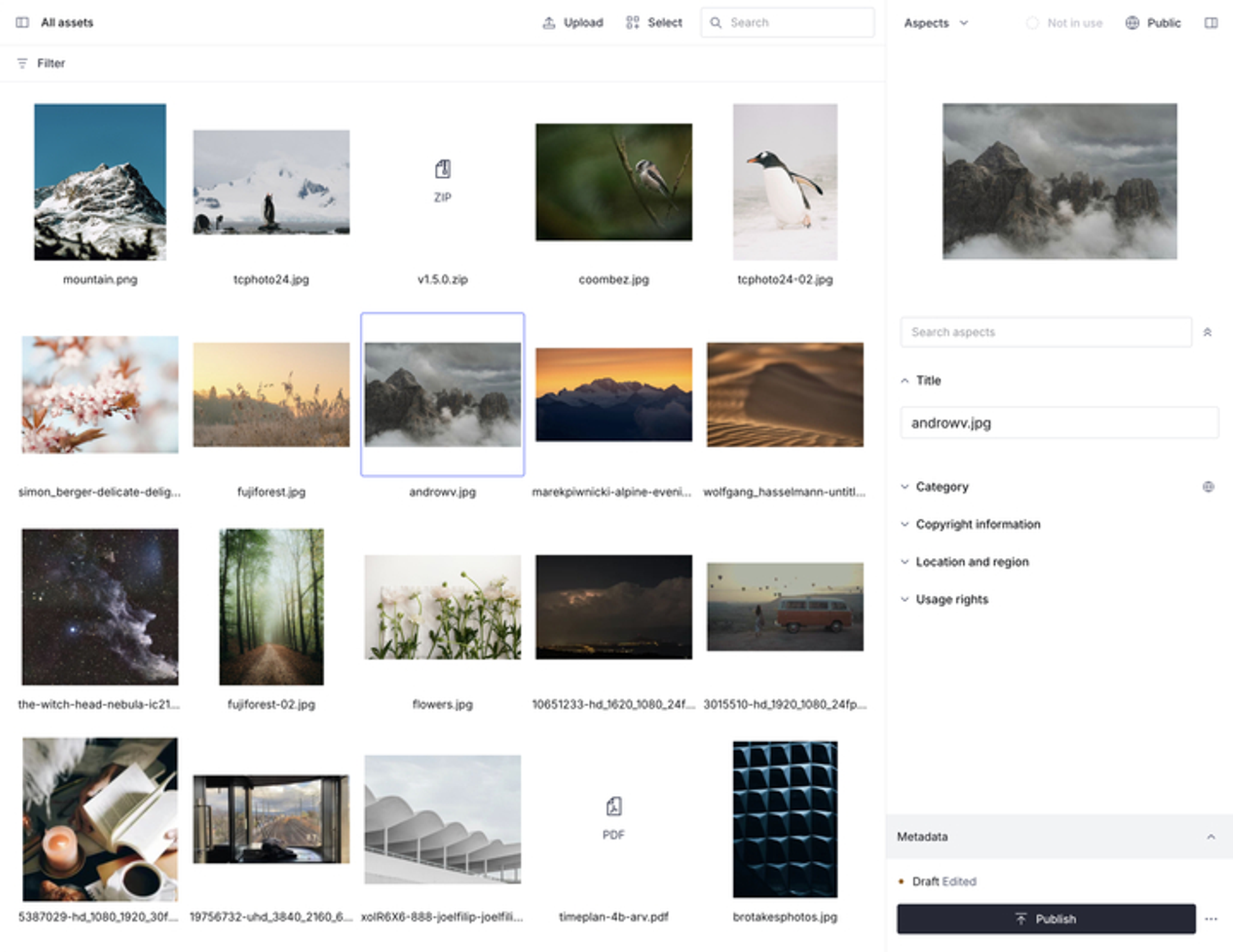
Redesigned aspects sidebar + improvements and bug fixes
Published: November 26, 2025
v2025-11-26
✨ Highlights
Redesigned the aspects sidebar
Loading...
The aspects sidebar has been rebuilt for better usability. All defined aspects now appear in collapsible accordion sections with sticky headers, making it easier to navigate complex metadata structures. You can filter aspects by name to quickly find what you need, and your form state and scroll position are preserved when switching between assets.
When selecting more than one asset, the selection count is displayed in the sticky sidebar header, so you always know how many assets you're updating. Public aspects are clearly marked with icons and tooltips.
We have also simplified how aspects work: all defined aspects are displayed by default, eliminating the need to add or remove them from individual assets manually.
🐛 Notable bugfixes and improvements
- Fixes an issue where Lottie and Rive animations wouldn't autoplay in full-screen view
- Fixes Rive previews getting stuck in the sidebar when navigating between assets
- Fixes stale image previews appearing when navigating quickly with the arrow keys
- Fixes a regression where the PDF viewer toolbar displayed a serif font instead of Inter
- Fixes the loading spinner not being centered on the auth screen