Content Agent quick start guide
Practical tips and instructions for managing content with the Content Agent
Content Agent understands your content: your schema, your structure, your relationships. Ask it to find, update, audit, and improve content across your entire library, without writing a single GROQ query or filing a developer ticket.
Surface your oldest articles, flag missing fields, bulk update SEO content, or add alt text across hundreds of documents in one prompt.
If your team is currently juggling Grammarly, spreadsheets, and a separate SEO tool, Content Agent handles all of it from inside the Studio, where your content already lives.
It can also go deeper. Ask it to identify content gaps, suggest improvements, or help your content perform beyond traditional search as answer engines like ChatGPT and Perplexity become primary discovery channels.
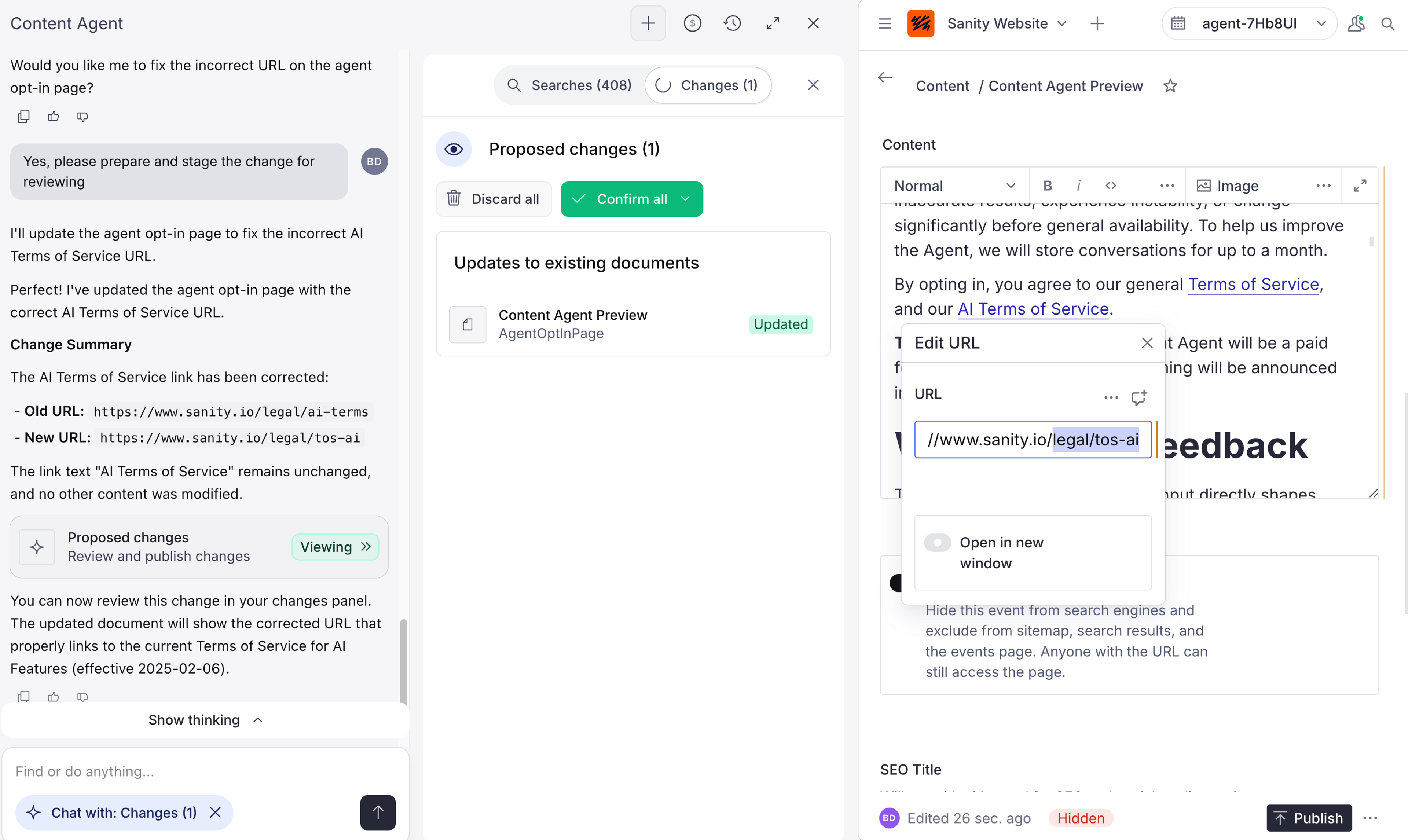
Nothing goes live until you're ready. Content Agent stages all edits as drafts in a bundle, so you can review, adjust, and publish on your own terms.
Log in to your organization's Dashboard at sanity.io/welcome to get started.
Here are practical examples, ordered from straightforward to more advanced, including bulk updates across your entire content library.
Searching through your content
- "Show me all [projects/products] in [location] that are currently [status]"
- "Find articles published in the last 3 months about [topic]"
- "List all [documents] with [specific criteria]"
- "What [member benefits/offers] are currently live?"
- "Which content types contain a [field name] field?"
- “Do we have any content about [topic]?"
- "List all [articles/documents] about [topic] published [this quarter/time period]"
- "Find all documents that reference [topic]"
- "Show content with the status draft for more than [time period]"
Contextual Awareness
Content Agent pays attention to what you have open. Open a document, and it focuses its answers on that content. Nothing open? It draws on your full project to answer.
This means you don’t need to explain what you’re working on every time.
Surfacing information
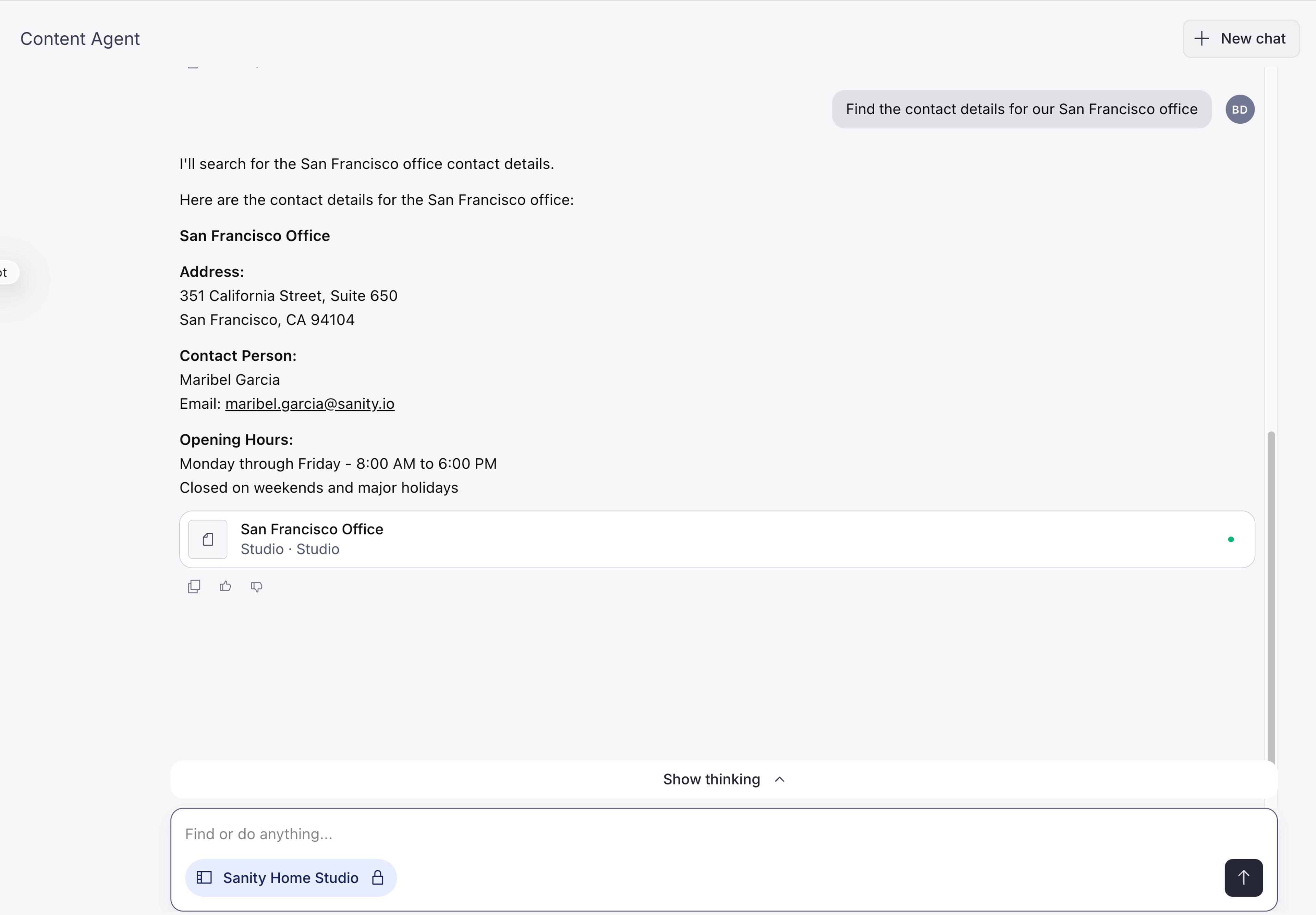
- "Find the contact details for our [location] office" (see screenshot below)
- "Show me the FAQ about [service/process]"
- "Pull up the press release about our [report/announcement]"
- "Find the [project/product] page for [name]"
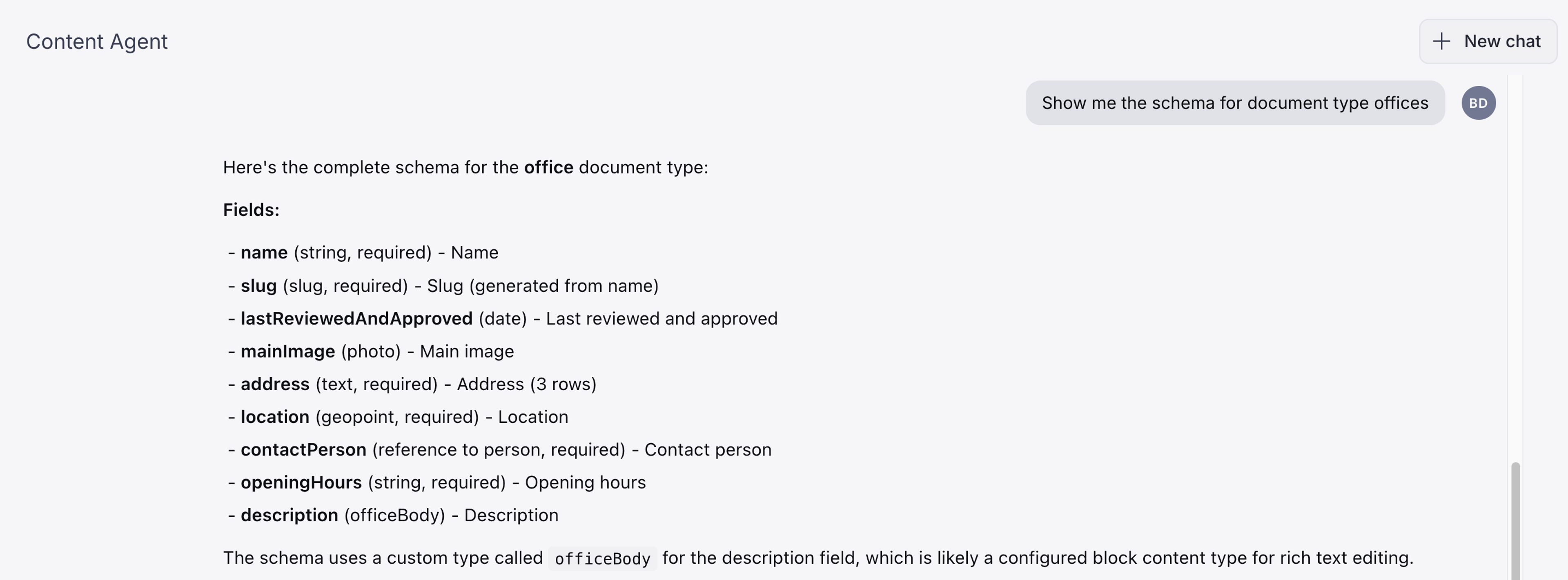
- "Show me the schema for [document type]" (see screenshot below)
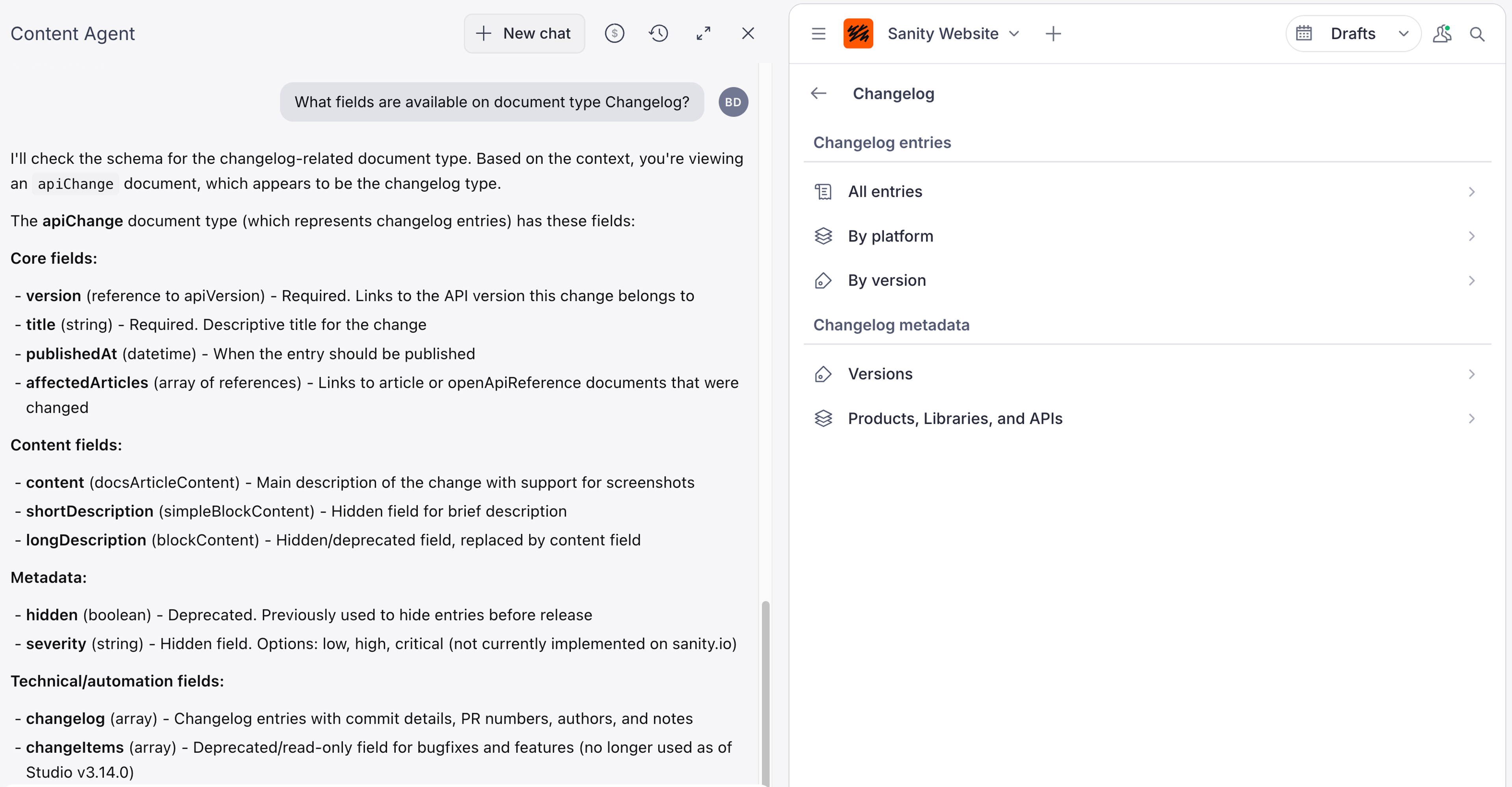
- "What fields are available on the [document type]?"
Identifying content opportunities
Generate insights
- "What are the most common topics across our [articles/blog posts]?"
- "Which [projects/products] have the most referenced content?" (see screenshot below)
- "Summarize the key themes in our [content type] from the past [time period]"
- "Map content across [customer journey/product line/topic]"
Analyze the market and trends
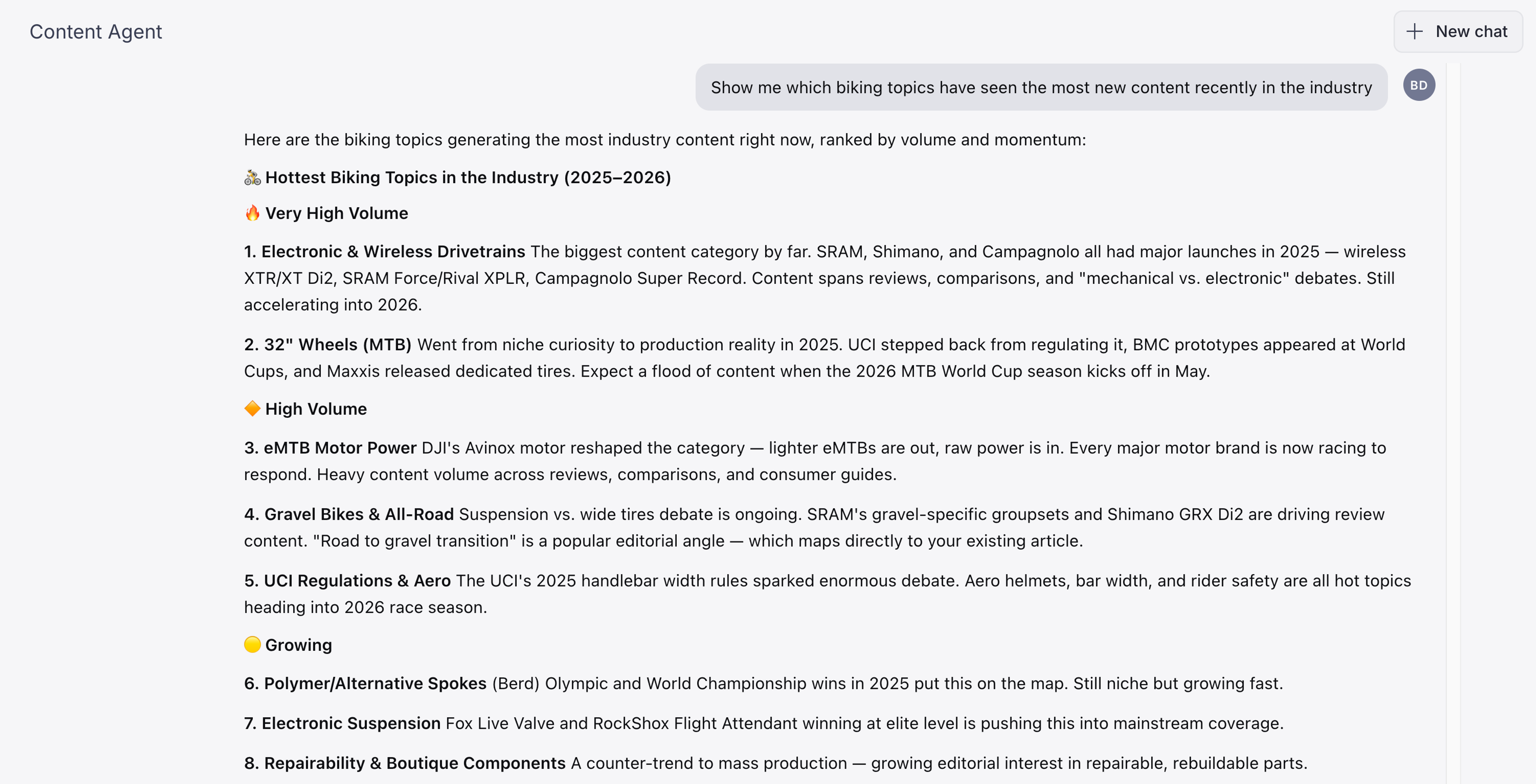
- "Show me which [topics/categories] have seen the most new content recently"
- "What [document type] are we publishing more of compared to last [time period]?"
- "Identify seasonal patterns in our [content type] publishing"
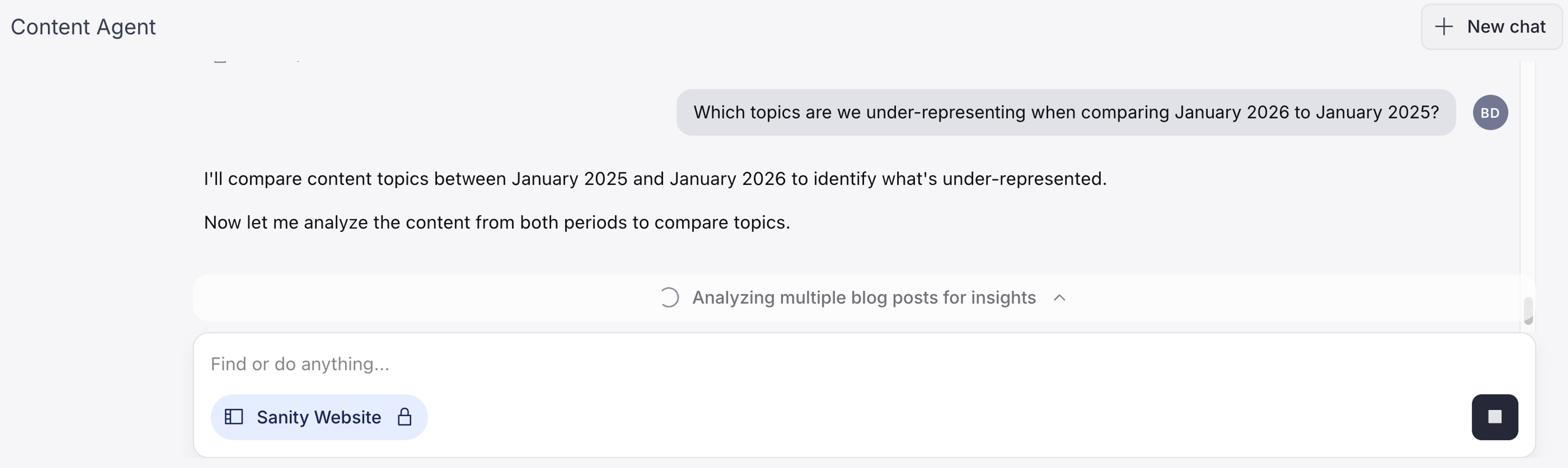
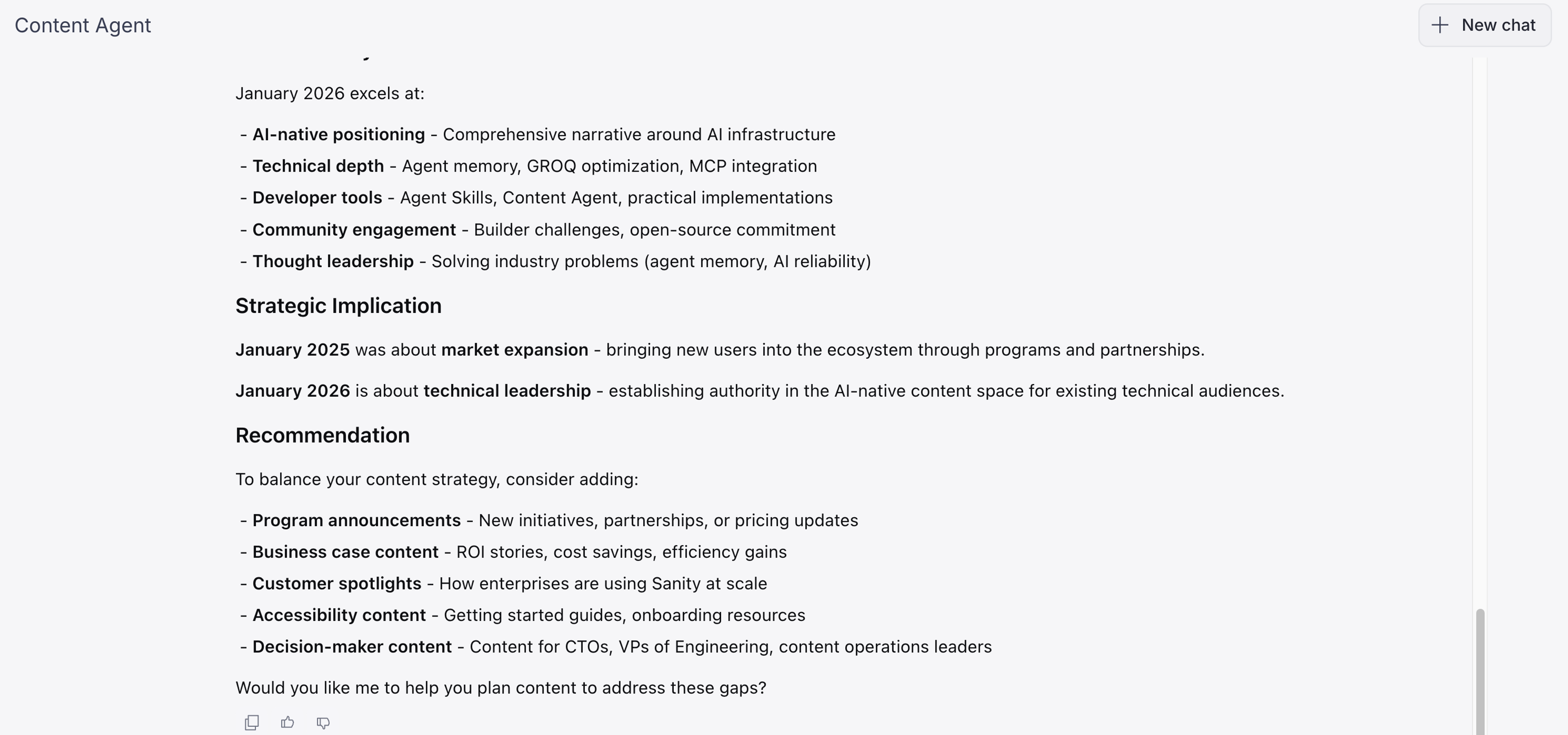
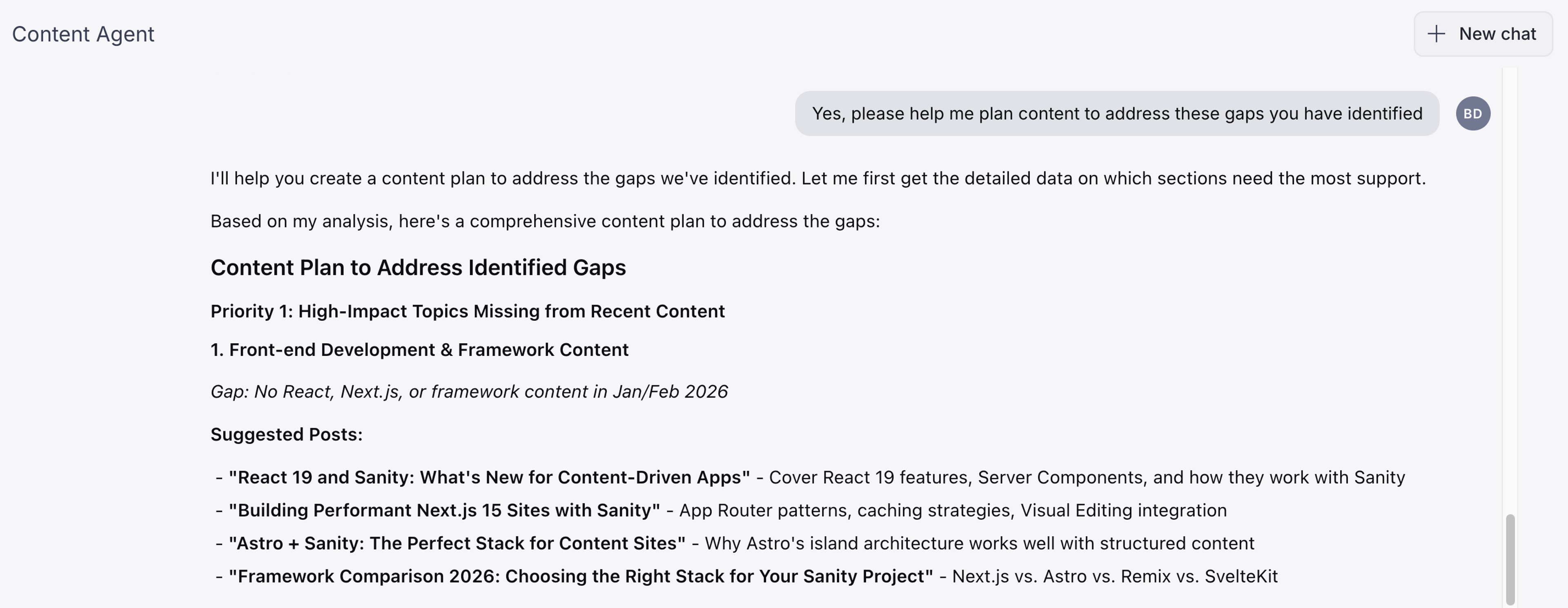
- "Which [topics/categories] are we under-representing compared to [previous time period]?" (see screenshot below)
- "Search the web for recent developments in [industry/topic]"
- "What are the current trends in [topic] we haven't covered yet?"
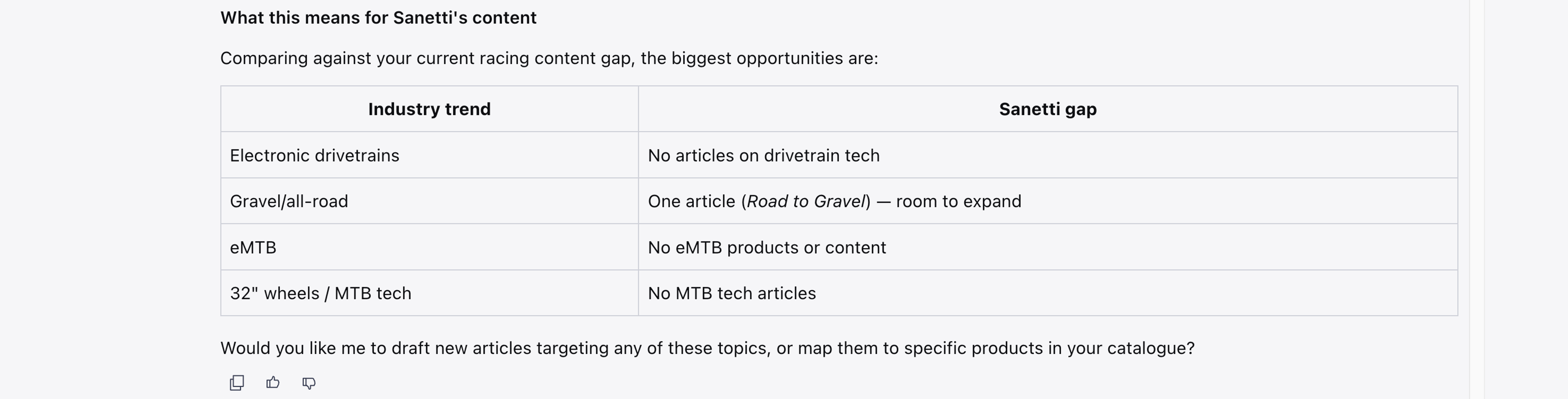
- "Identify gaps between our [content type] and current [market/industry] topics"
Identify gaps
- "Which [locations/categories] don't have a profile page yet?"
- "Are there any [projects/products] missing [asset type] images?"
- "What [topics/services] do we mention frequently but don't have dedicated pages for?"
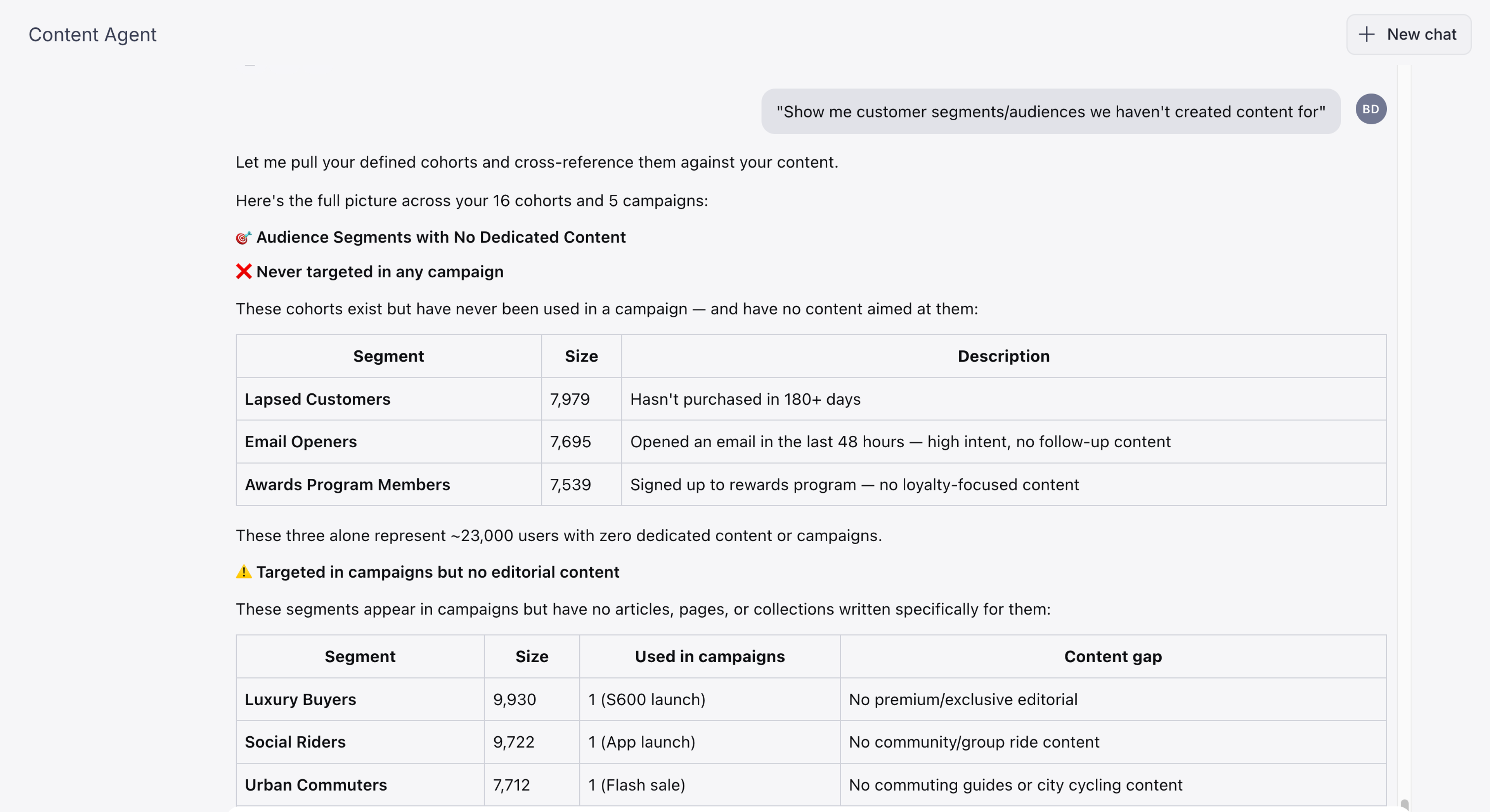
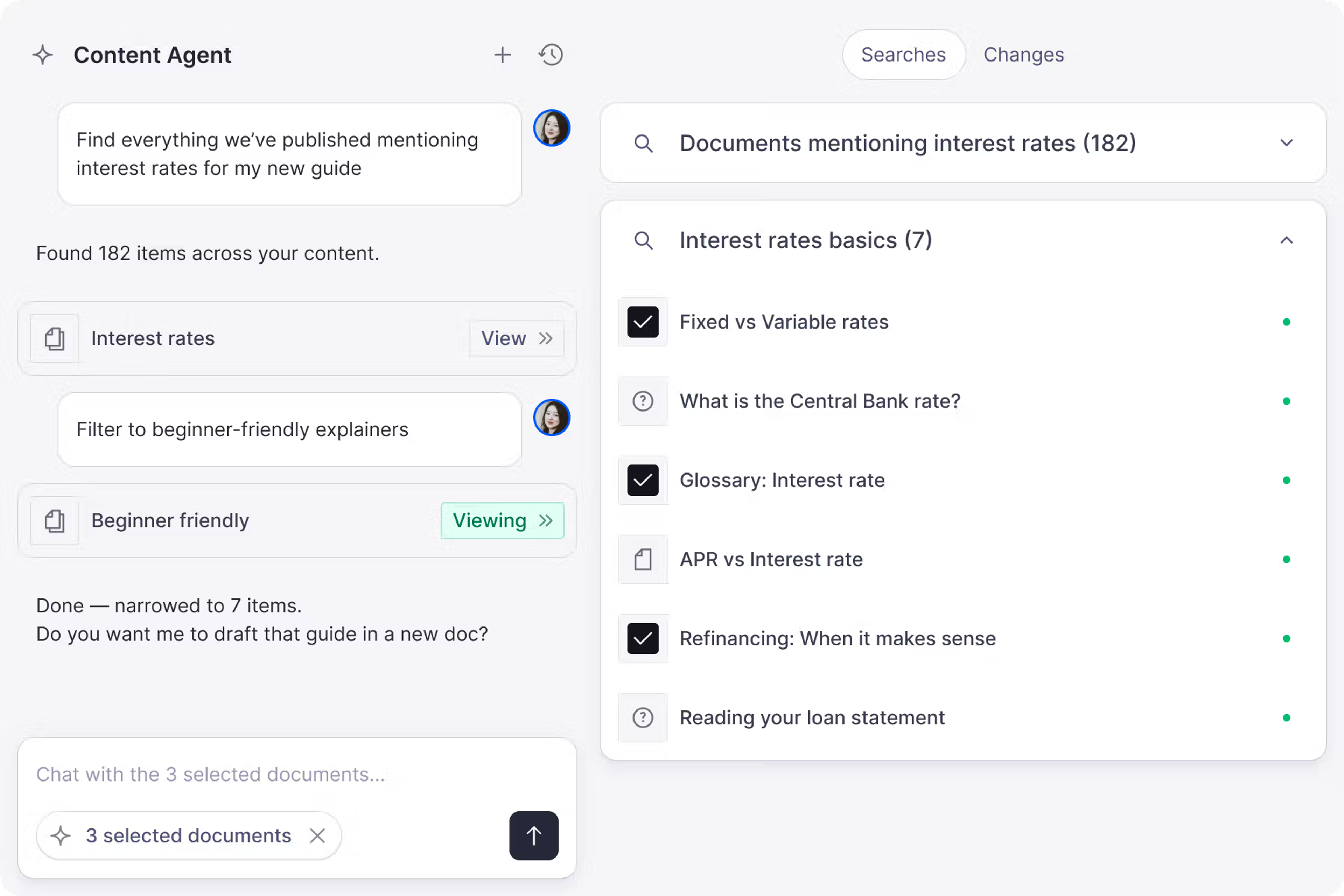
- "Show me [customer segments/audiences] we haven't created content for" (see screenshot below)
- "Which [product categories/sections] have fewer related [blog posts/supporting content]?" (see screenshot below)
Check facts
- "Flag any [articles/pages] that reference [statistics/data] older than [time period]"
- "Which [documents] mention [outdated term/name/policy]?"
- “Here are our current prices: [paste text]. Now check all pricing pages in Sanity and flag anything that doesn’t match.”
- “Verify pricing in Sanity against what’s on [URL]”
Audit content
Freshness and completeness
- "Show me [content type] that hasn't been updated in over a year"
- "Which articles about [topic] have the least content?"
- "List all [pages/documents] with missing [required field]"
- "Find [content type] with fewer than [number] words"
- “Which articles have no reviewer assigned, or were edited after their last review?”
- "Find articles with long unbroken text blocks and no subheadings”
Consistency and compliance
- "Check this [promotion/campaign/document] for internal contradictions"
- “Check if the [dates/numbers/details] in [document title/type] match across all fields”
- "Spot any conflicts between [field A] and [field B] in this [content type]"
- "Flag any [pricing/offers] that have expired but are still published"
- "Find blog posts that reference docs articles, then check the top 10 pairs for whether the post summarizes, extends, or contradicts the docs"
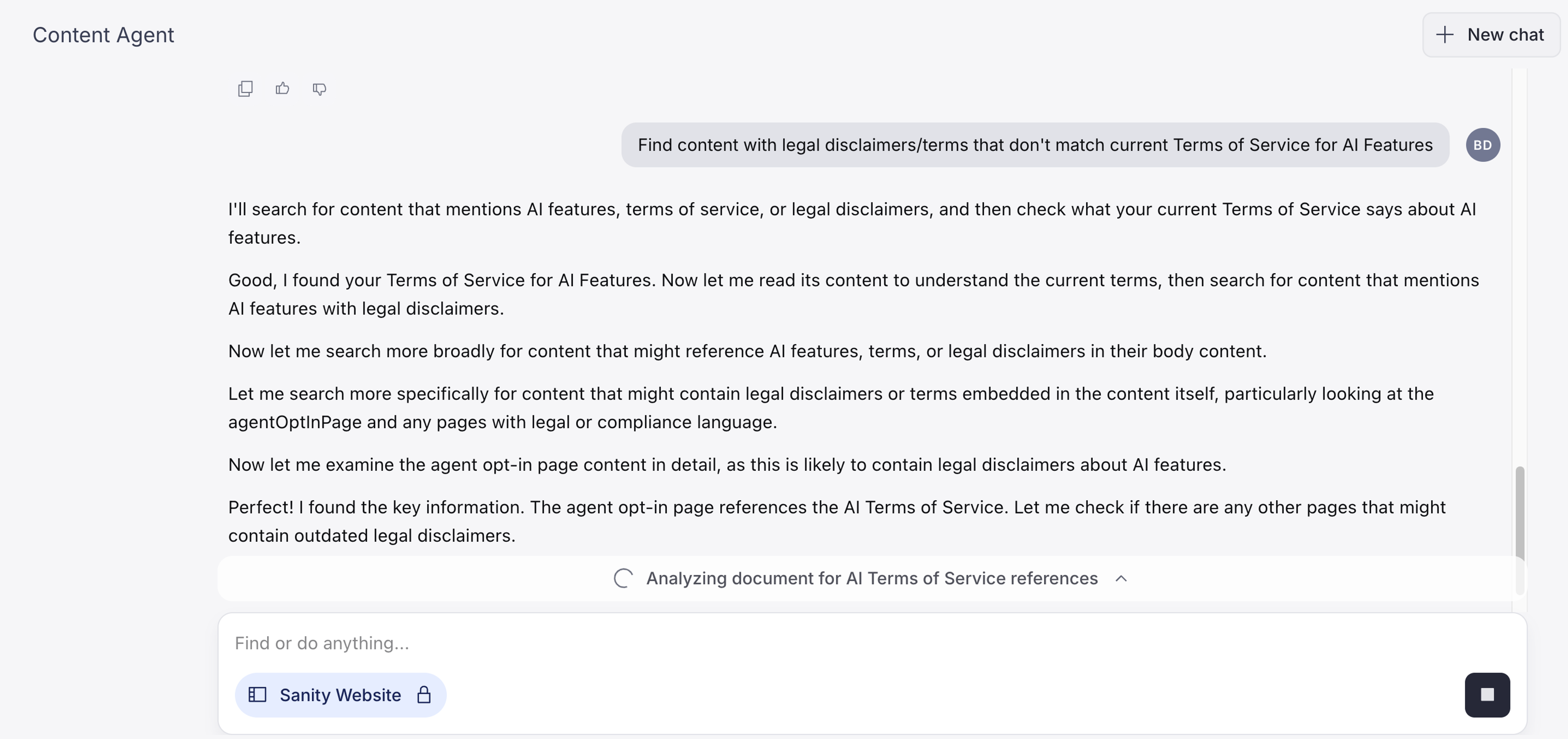
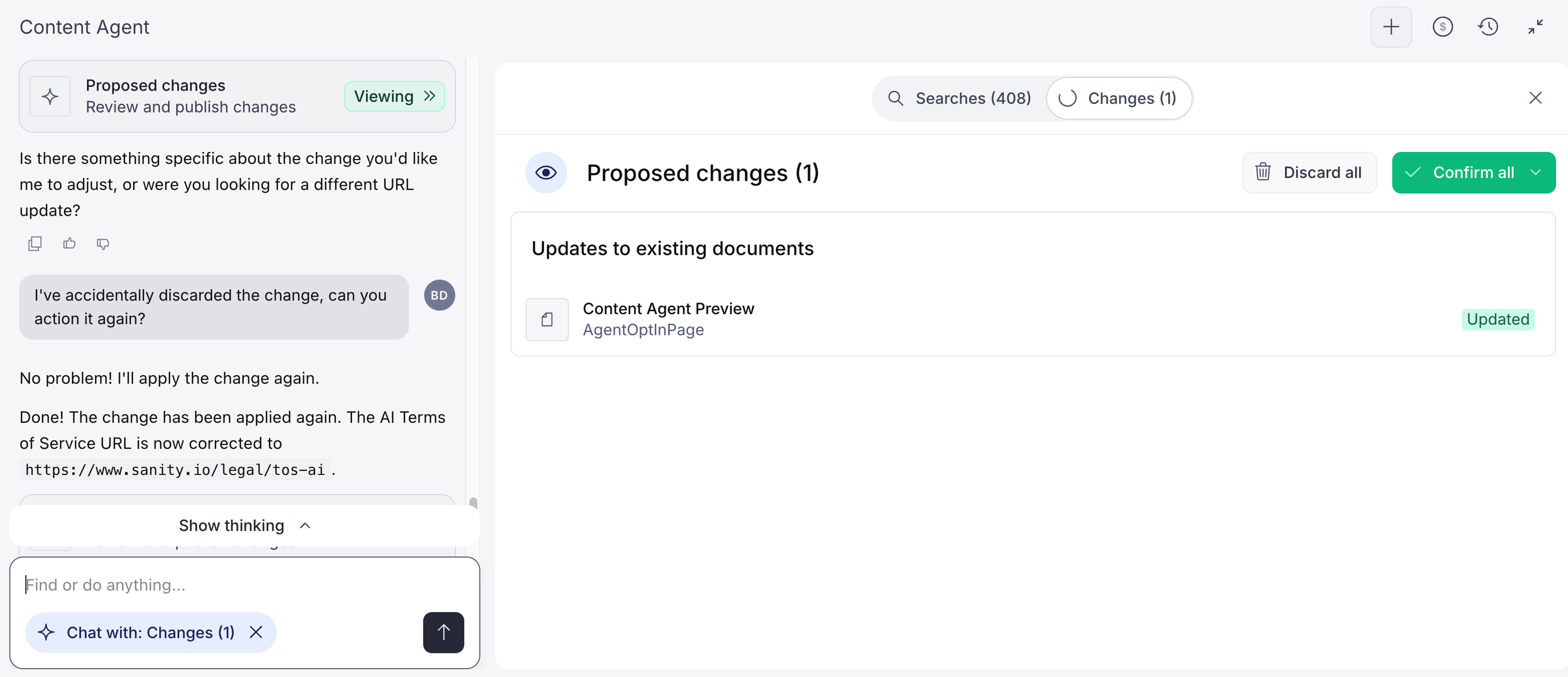
- "Find [content] with [legal disclaimers/terms] that don't match current [policy/regulations]" (see screenshot below)
- "Show [documents] referencing [products/services] with status [discontinued/out of stock/archived]"
Tone and writing style
- "Which [articles/pages] don't match our [brand voice/tone guidelines]?"
- "Identify documents in the [category name] category with inconsistent tone compared to others in the same category. Focus on the description field. Flag any products that feel noticeably different in voice, formality, sentence structure, or use of technical vs. aspirational language and explain specifically what makes them stand out for our audience."
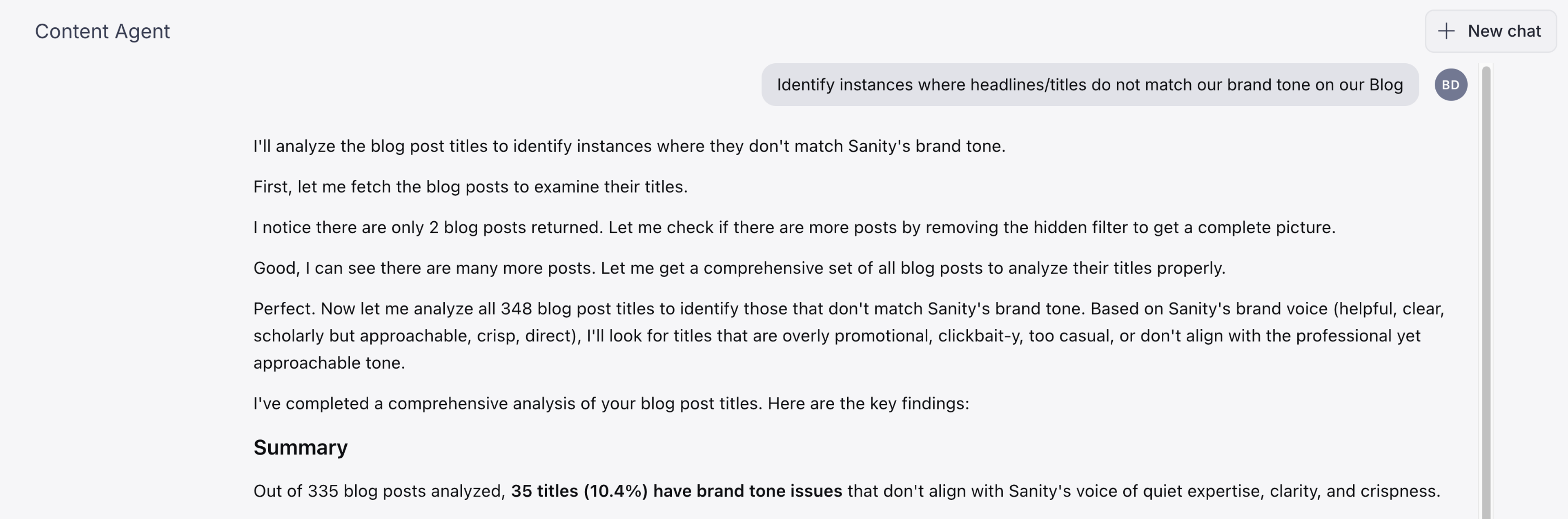
- "Identify instances where [headlines/titles] do not match our brand tone" (see screenshot below)
Duplicates and overlaps
- "Find the [docs/help] section with the most articles and then check which ones cover overlapping ground and could be merged"
- "Find [docs/help] articles that answer the same question, then identify which is the most complete and up-to-date, mark the others as candidates for redirection"
- "Find glossary terms that match a docs article title for a potential definition overlap between glossary"
- "Show docs articles referenced by more than 2 blog posts, then check whether those blog posts explain the same concepts differently from the docs"
Terminology and accuracy
- "Find [content] using [deprecated term] instead of [preferred term]"
- "Scan article and post titles and descriptions for known product name variants and flag any using unofficial or deprecated names"
- "Flag [content type] with terminology that doesn't match our [style guide/glossary]"
Tagging and categorization
- "Which [tags/categories] are overused or underused?"
- "Show me [content] that's missing [tags/categories] entirely"
- "Identify [documents] with inconsistent or mismatched [tagging/categorization]"
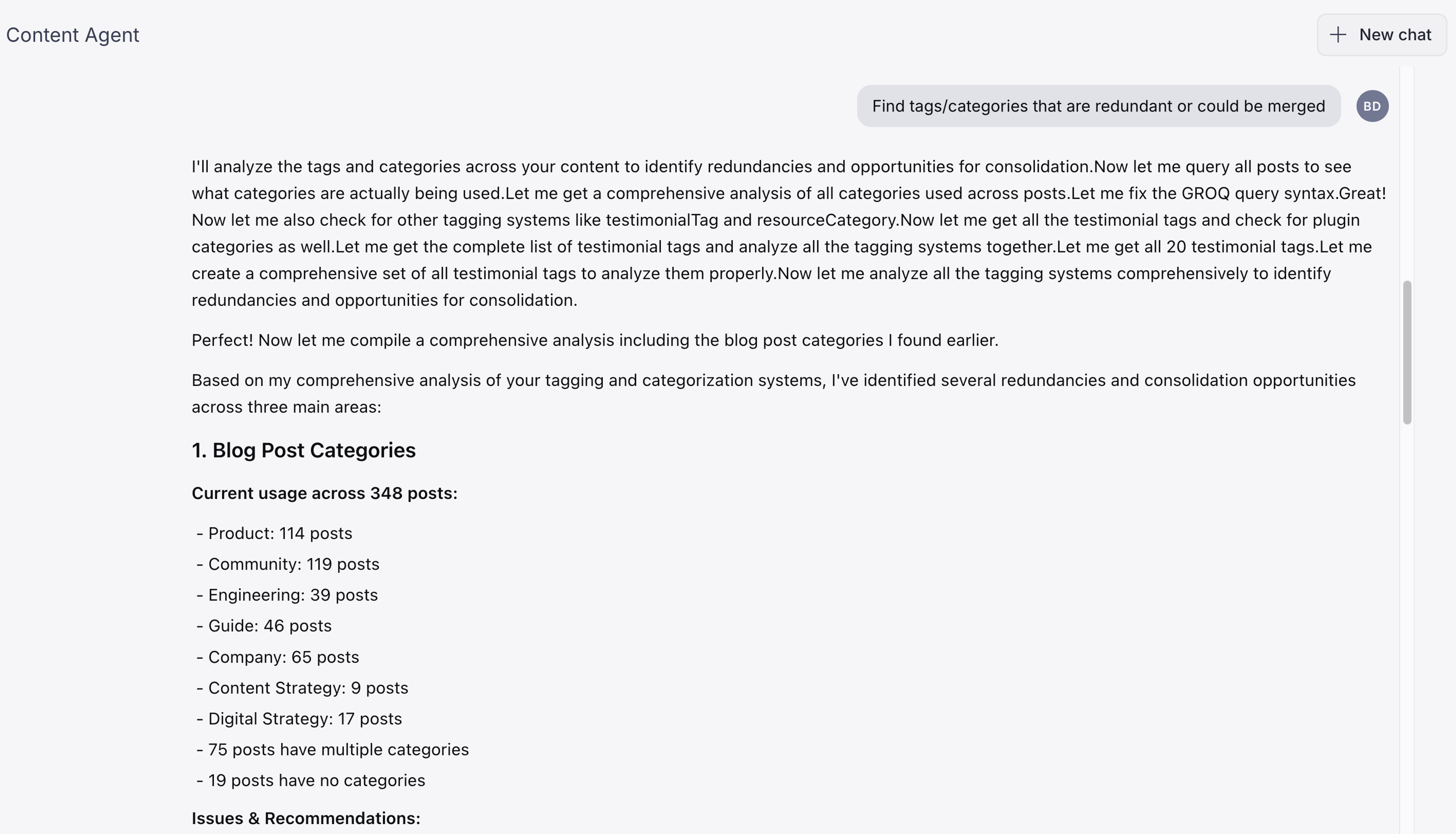
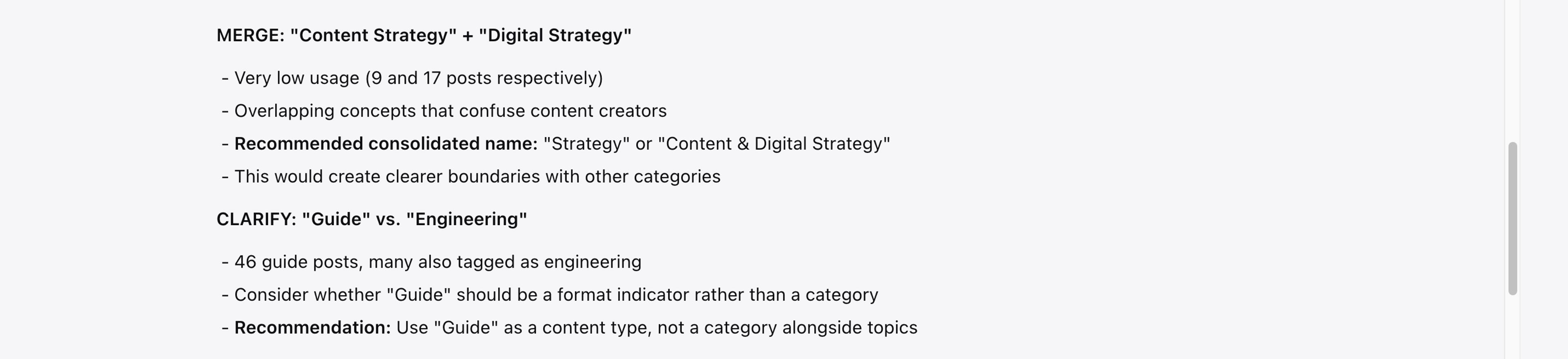
- "Find [tags/categories] that are redundant or could be merged" (see screenshot below)
Inconsistent tone
- "Review this [page/article] and rewrite it to match our [brand voice/tone guidelines]"
- "Make this description more [conversational]: use second person ('you'), active voice, and sentences under 20 words. Don't change any facts or product names."
- "Standardize the tone across all [document type] descriptions."
- "Rewrite this [introduction/section] to align with our brand guidelines."
- "Suggest [number] meta description options for this [page]."
Cost Awareness
As with human work, AI-assisted work requires energy to deliver results. Looking at a prompt like “Read the body of [blog post from the last 12 months] and flag any links whose text is non-descriptive” this is what you can expect:
Cost estimate: For a website like Sanity.io this amounts to 64 blog posts, typically run 1–5KB of body content each. Total ~100–300KB of content. That's roughly 2–4 tool executions on top of the initial query and about 10–12 AI credits total for the full set.
What you'll get back: A list of posts with flagged links, showing the link text and enough surrounding context to understand what the link is pointing to.
One important caveat: This will catch pattern matches like short, generic link text. It won't catch every bad link (e.g. a URL used as link text, or a vague phrase like "this approach" that happens to be linked). Those require editorial judgment, not pattern matching.
Tip: You can start your planning by asking Content Agent to “Estimate how many AI credits you'd need to…” and then write the instructions of the action you’d want it to plan for.
Accessibility
- "Show me articles/posts that have a hero image but no alt text"
- "Which [videos/media] are missing captions or transcripts?"
- "Read the body of [blog post from the last 12 months] and flag any links whose text is non-descriptive"
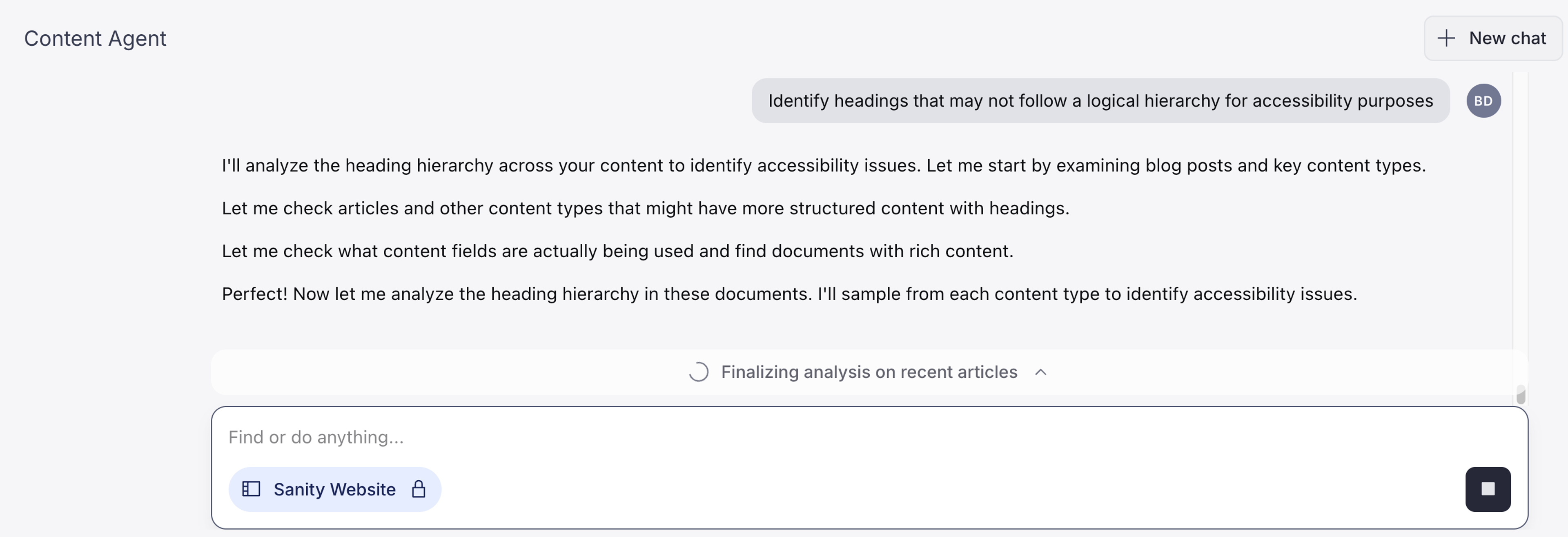
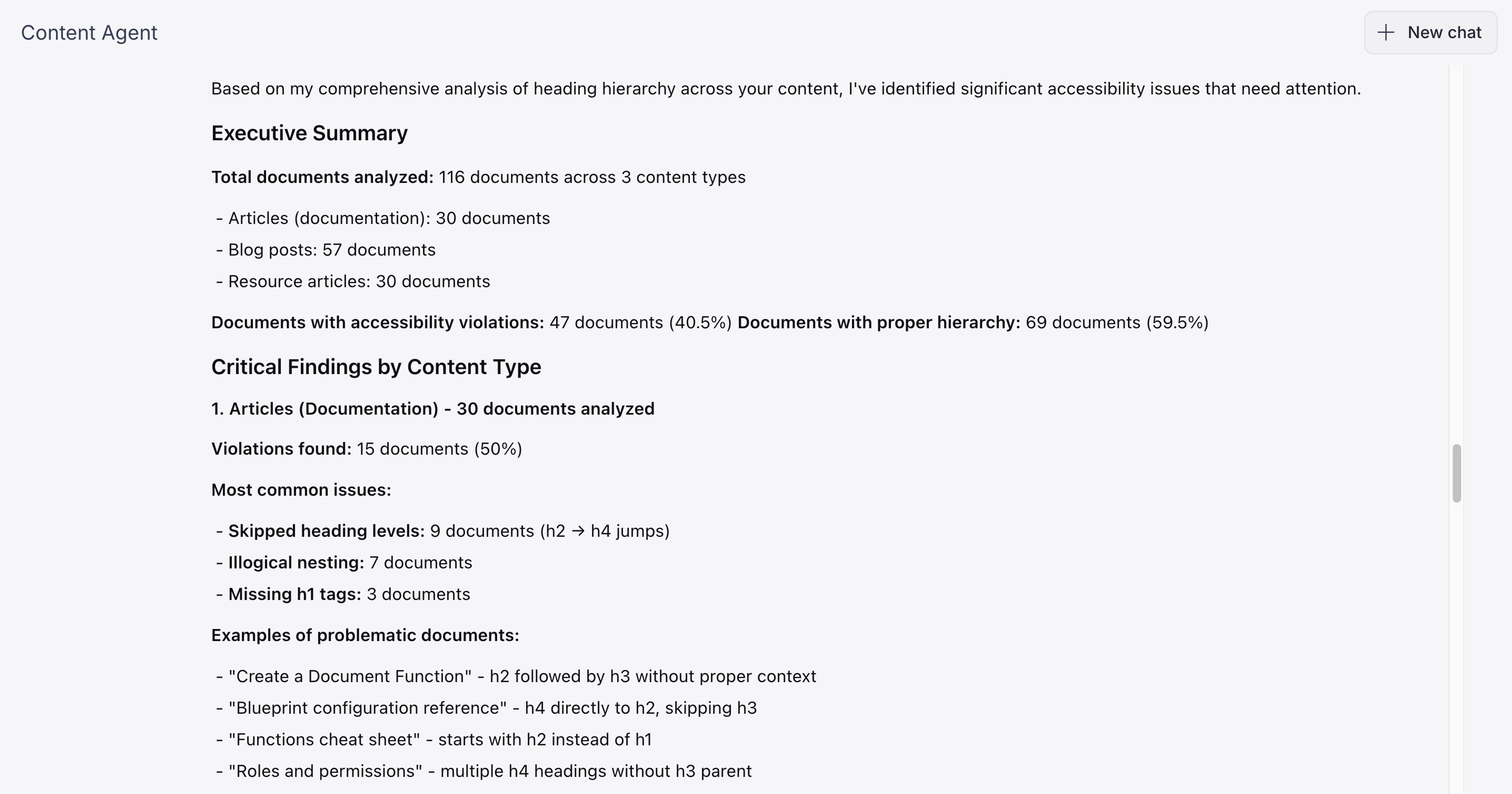
- "Identify [headings/content] that may not follow a logical hierarchy" (see screenshot below)
Specific QA tasks
- "Check this [article/page] for spelling and grammar errors"
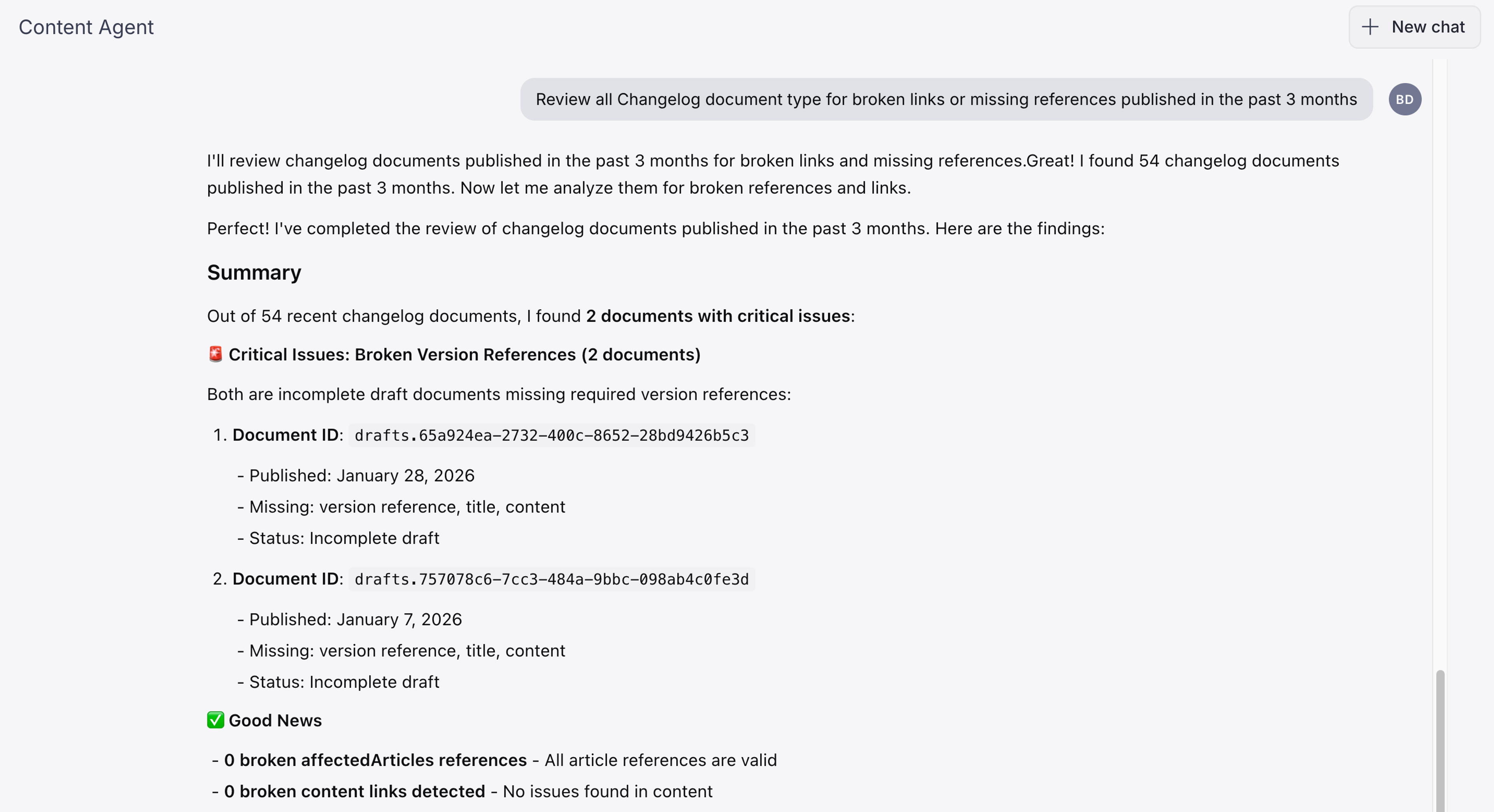
- "Review all [document type] for broken links or missing references published in the past [x months]" (see screenshot below)
- "Flag any [content] that mentions outdated [pricing/dates/names]"
- "Verify that all [listings/items] have complete [required fields]"
Ops planning
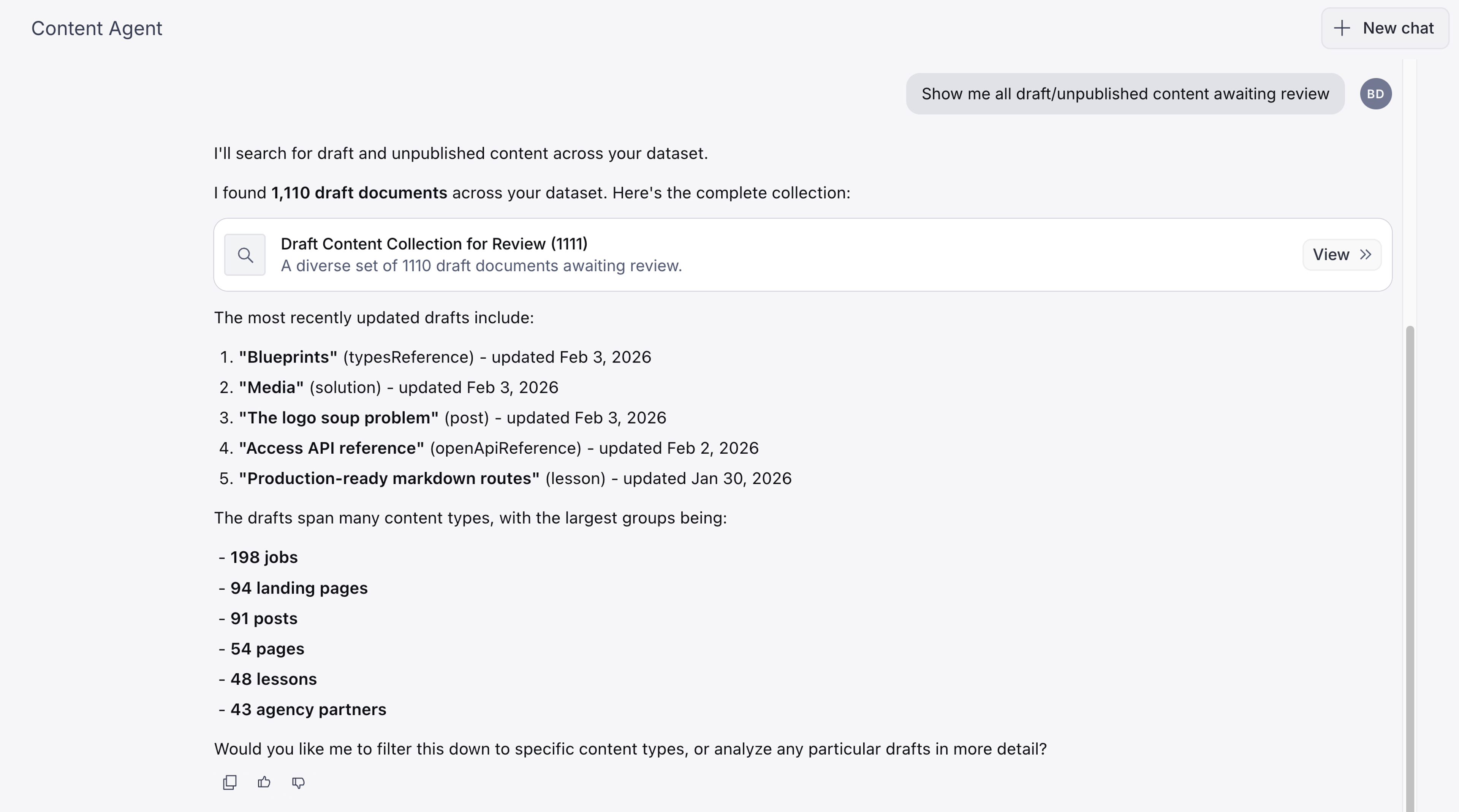
- "Show me all [draft/unpublished] content awaiting review" (see screenshot below)
- "List [campaigns/launches] coming up that need supporting content"
- "Generate a content calendar for [topic/initiative] over the next [time period]"
- “Which campaigns will expire in the next [x days] -> (continued by) -> “What content is associated with [campaign]?” -> “What else on the site links to that content?” --> “Create redirect documents for the old URLs” (add to a release A with publish date = campaign expiry date) -> “[Hide/disable] the expired pages” (add to a release B with publish date = day after expiry)
Generating content updates
New content generation
- "Write a short description for our new [project/product] targeting [audience]"
- "Generate a summary of this [document] for our news section"
- "Create a welcome email draft for new [members/customers]"
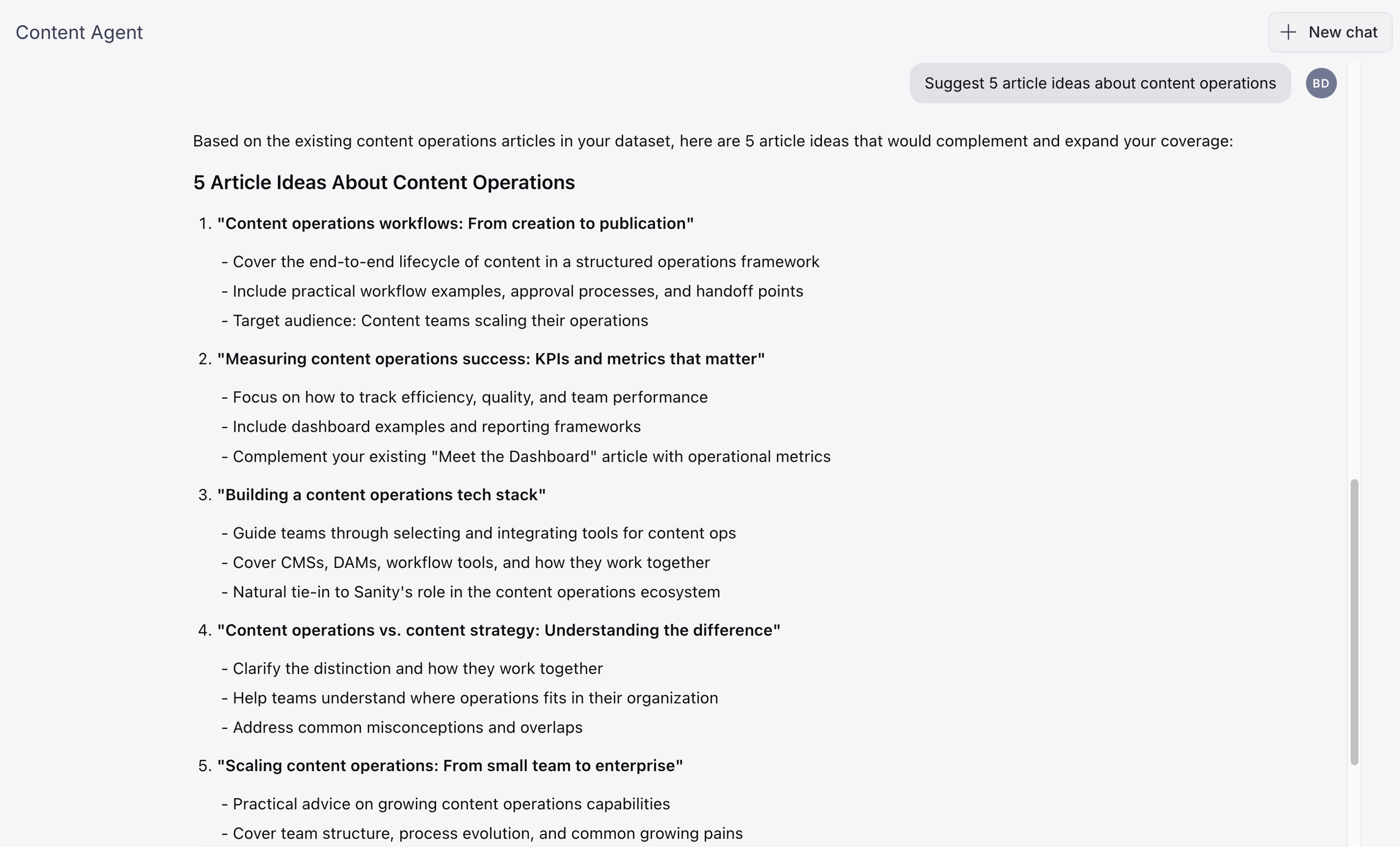
- "Suggest 5 article ideas about [topic/trend]" (see screenshot below)
- "Create [number] headline options in our brand tone"
- "Draft a FAQ section for this [page/topic]"
- "Draft a [product announcement/release note] for this update"
- "Create a structured [event page/landing page] for [webinar/campaign]"
- "Turn this [press release/brief/document] into a [blog post/article]"
Bulk updates
- "Replace [old URL/brand name/term] with [new value] across all [document type]"
- "Bulk update [field name] to [value] on all documents matching [criteria]"
Create translations
- "Translate this [article/page] into [language]"
- "Generate [language] versions of all [product/service] descriptions"
- "Localize this [content] for our [region/market] audience"
Not sure how your content is structured?
Ask Content Agent. It can walk you through your document types, explain what each field does, and tell you what’s required before you can publish.
Discover available fields
- "What fields are available on [document type]?" (see screenshot below)
- "Which document types have fields related to [keyword]?"
- "Show me all required fields for [document type]"
Explore field values
- "Show me all [document type] options"
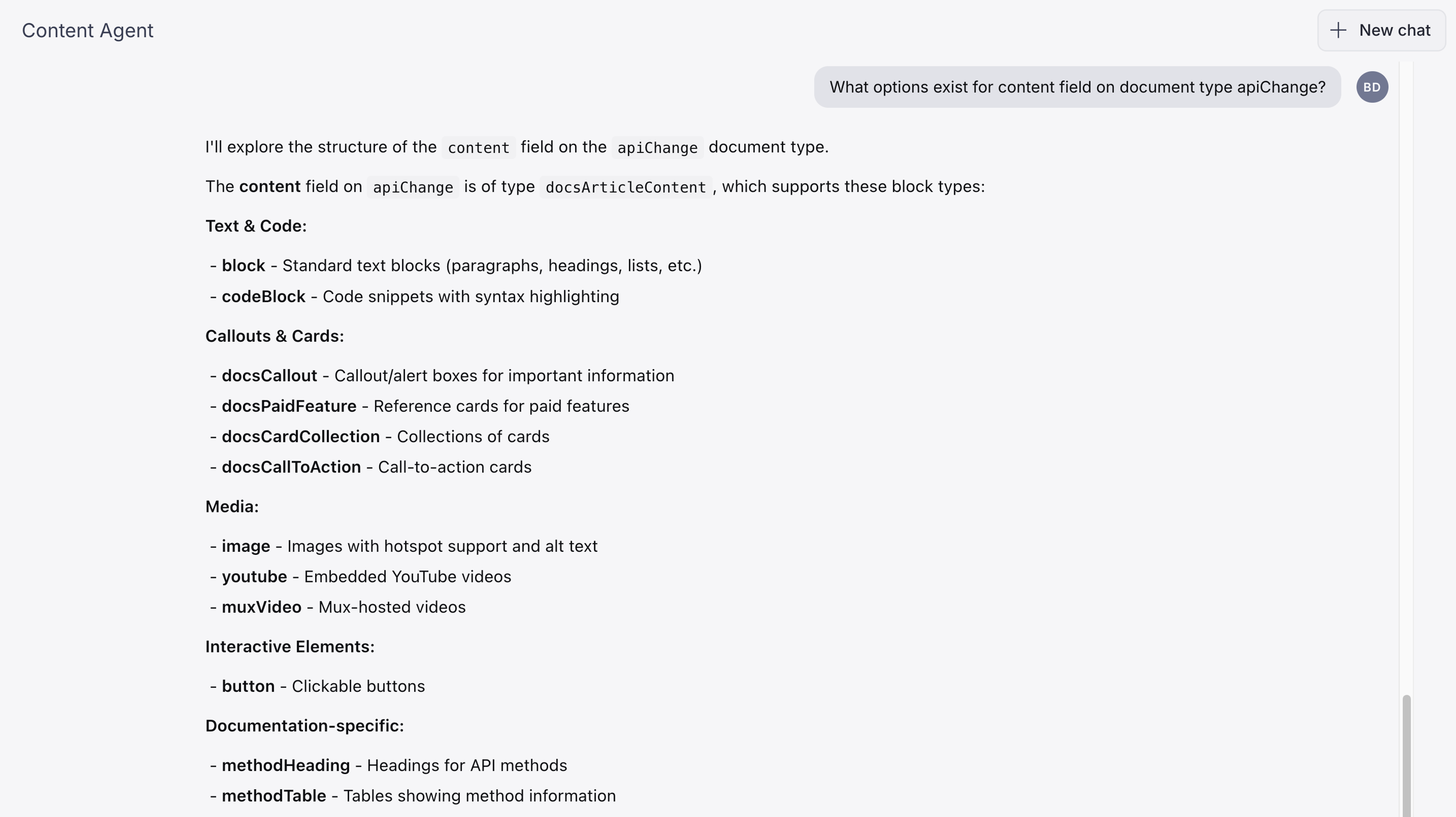
- "What options exist for [field name] on [document type]?" (see screenshot below)
- "What are the most common values in [field name] across [document type]?"
Understand relationships
- "Which [document type] share the same [field value]?"
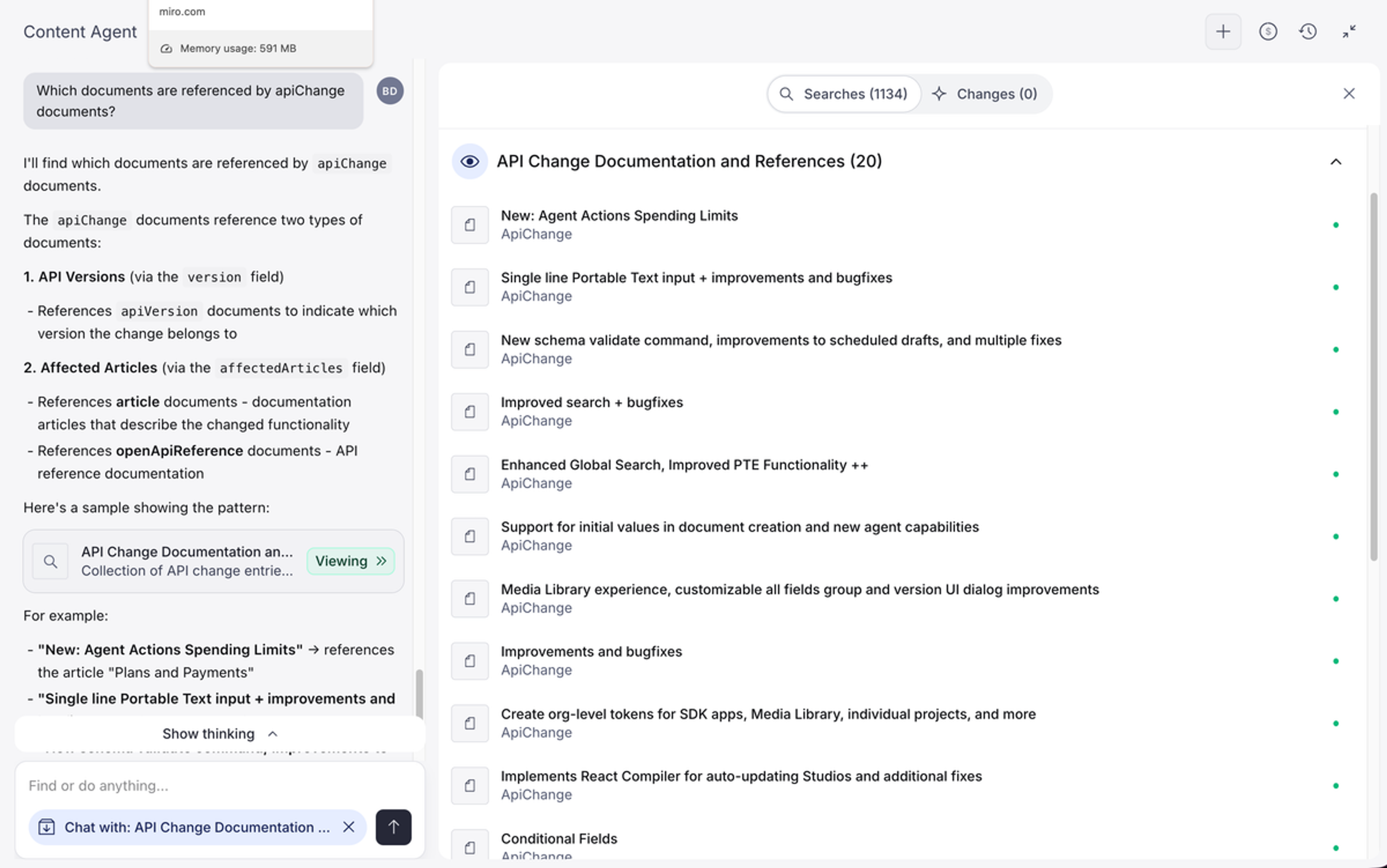
- "Which [document types] reference [other document type]?" (see screenshot below)
- "Show me all [document type] with no [reference field] for orphaned/unlinked content."
- "Map content across [customer journey/product line/topic]."
Outdated or missing content
- "Find all [articles/pages] that haven't been updated in over [time period] and suggest refreshed copy"
- "Rewrite this [description/intro] to reflect our current [offerings/messaging]"
- "Find the latest [specific statistic] from [source or topic area], show me what you found and where, then update [document] if I confirm."
- "Generate meta descriptions for all [document type] missing meta descriptions"
- "Write alt text for images in [section/document type] that don't have any"
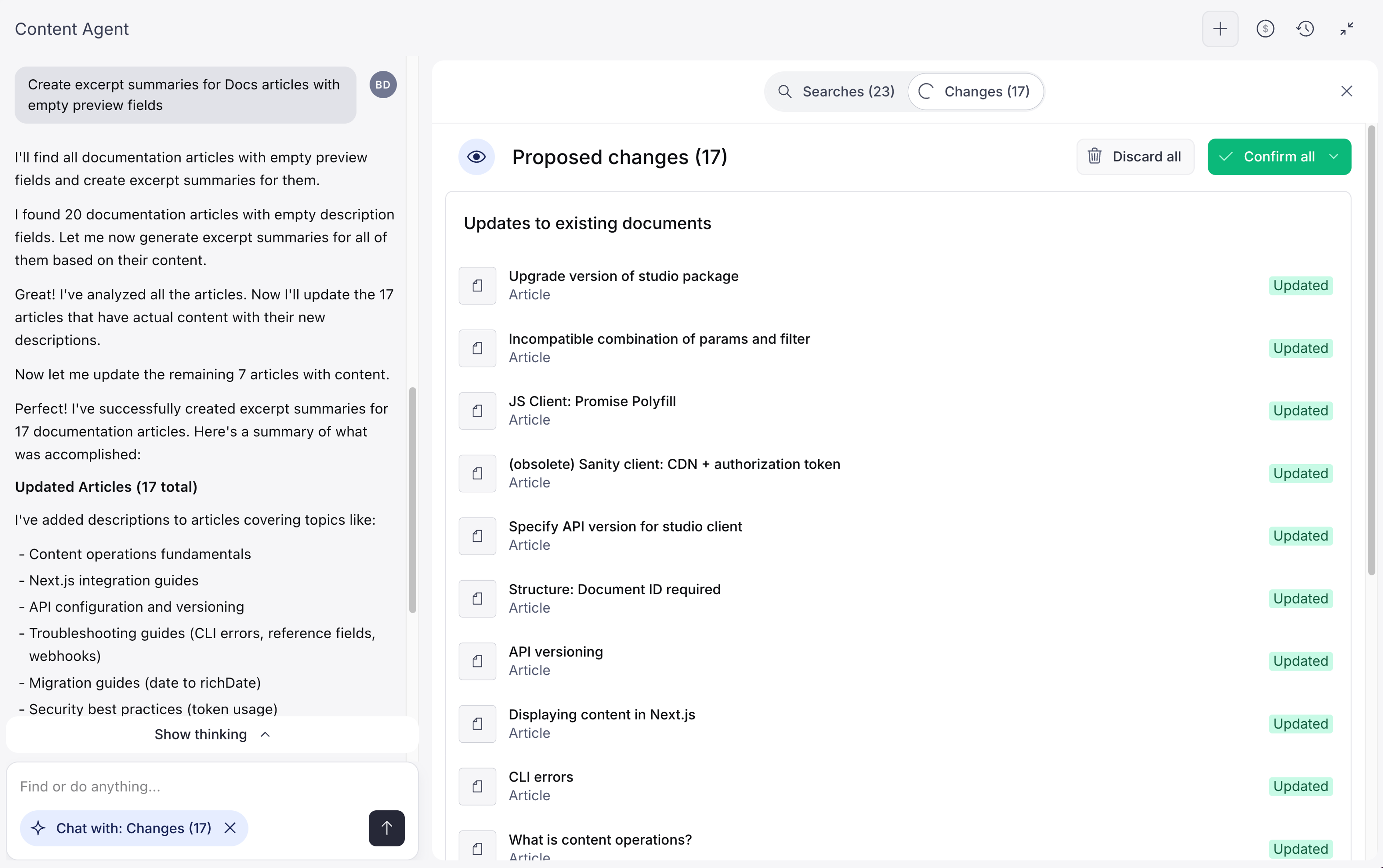
- "Create excerpt summaries for [articles/pages] with empty preview fields" (see screenshot below)
Workflow tips
- Use specific field names in your prompts for more accurate results.
- Before running a bulk action, test your prompt on one document first.
- Review, adjust, and share staged bundles with a teammate before publishing.
- Filter your document selection before running bulk actions. Fewer documents means fewer unnecessary changes and keeps your AI usage in check.
- Once you’re happy with your changes, collect them in a bundle and share with a teammate before publishing. Nothing goes live until you say so.
Creating and transforming images
- "Change this image to a [white/transparent/colored] background"
- "Adjust the [colors/lighting/composition] on this image"
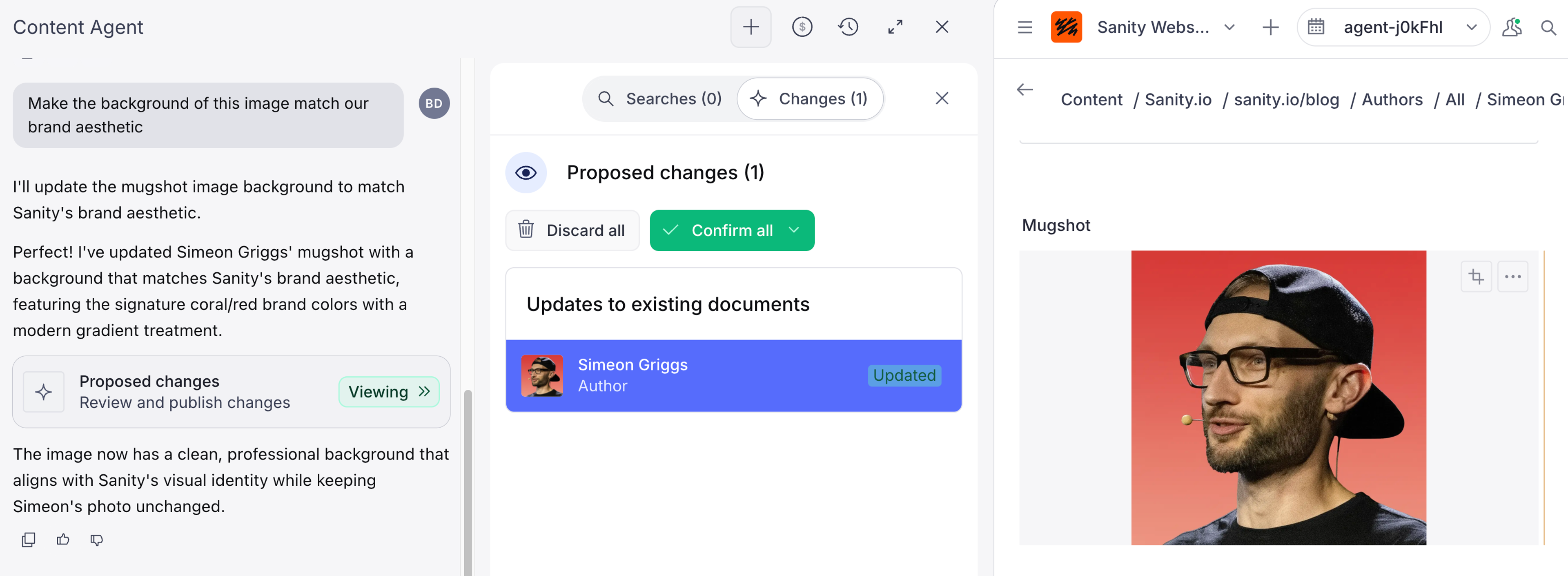
- "Make this image match our brand [colors/style]" (see screenshot below)
- "Generate a hero image for this article in the style of [description or reference to existing images and/or using our brand's visual style: color palette, illustration style, etc.]"
- "Create [number] hero image concepts for [topic/page], one abstract/structural, one human/team-focused, one product-interface-focused. Describe each as a visual brief before generating."
- "Create a social media graphic announcing our new [project/product] in [location]"
- "Generate an illustration showing the [customer journey/process]"
Before making changes
A single prompt can touch hundreds of documents, so check the scope before running it. Each edit consumes AI credits, so a focused document selection saves money.
Batch large jobs
A single request can be too large even when the total amount of work isn't. Split a large set into smaller batches, run one batch at a time, and confirm each batch before starting the next. See Request size and batching.
Check impact
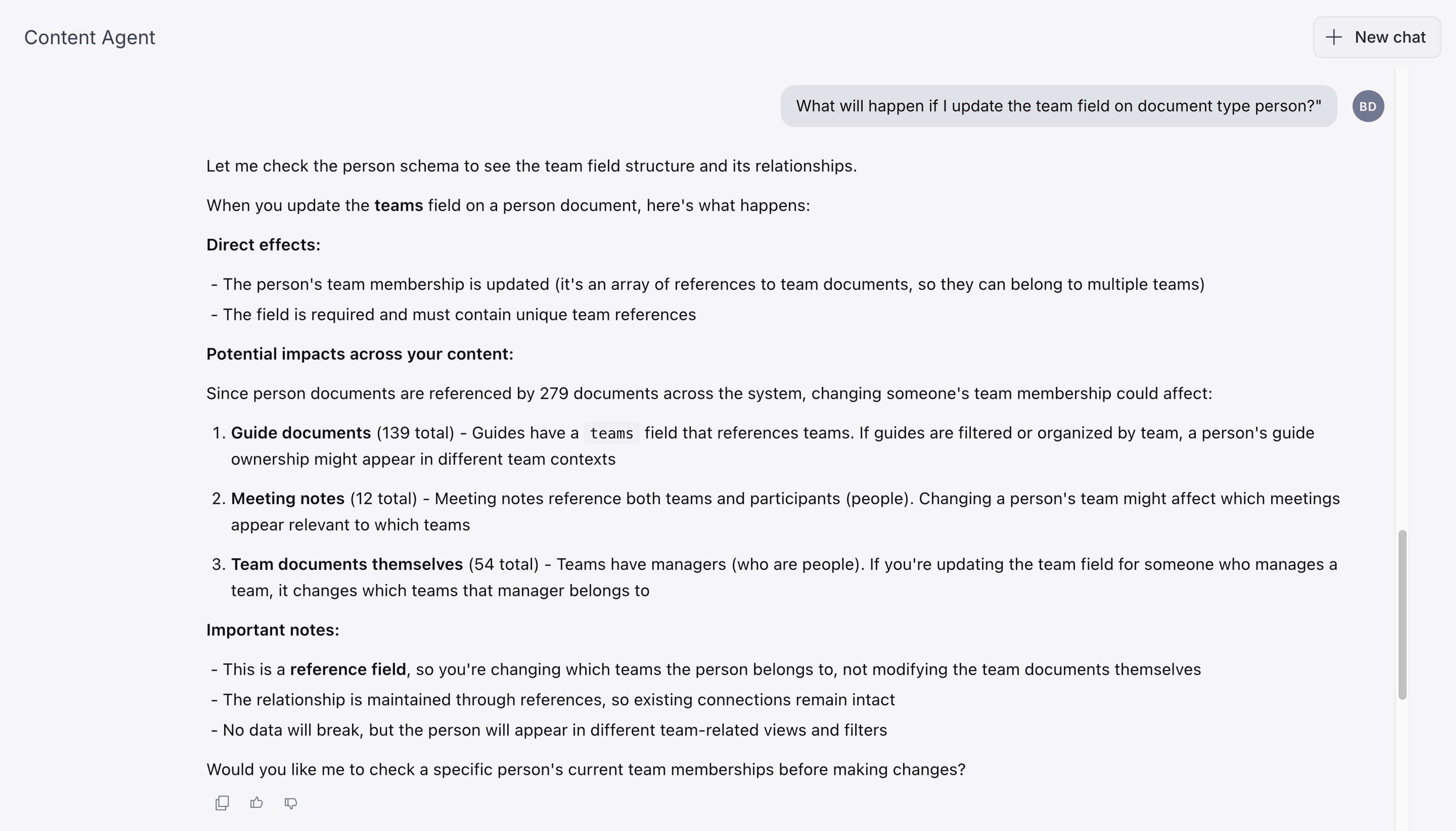
- "What will happen if I update [field] on [document type]?" (see screenshot below)
- "How many [document type] documents will be affected by this change?"
- "Which pages or components use this [document/field]?"
Check dependencies
- "What will break if I delete this [document/asset]?"
- "Are there any drafts or scheduled documents that reference this document?"
Preview and validate
- "Show me what this [document] looks like currently."
- "Are there any validation rules for [field name] on [document type]?"
- "Are there any fields on [document type] I can't edit because they are read-only in the Studio?"
Content Agent can handle far more than what’s listed here, so feel free to experiment, combine ideas, and adapt prompts to your own workflows and content needs.
Next steps
For a deeper look at how Content Agent works, read the Content Agent introduction. We specifically recommend non-technical users to review the following sections with their developer team and Sanity admin: