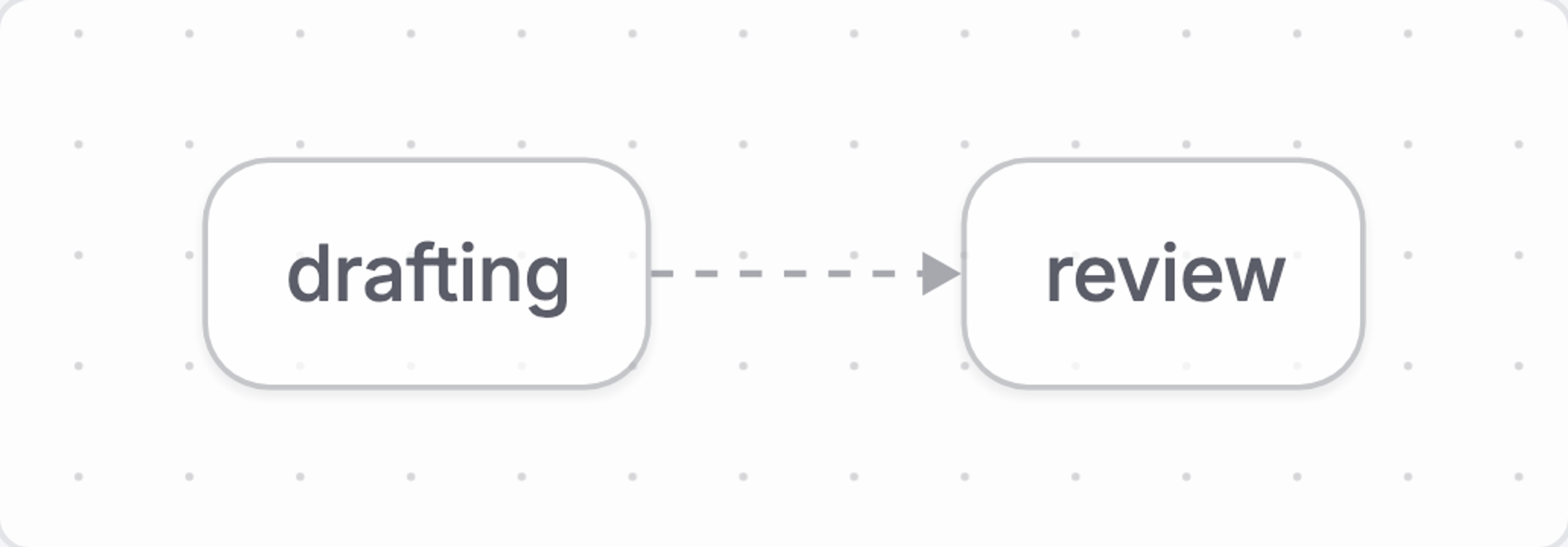
Definitions, instances, and stages
A definition describes a process. An instance is one run of it, pinned to the definition version it started under and sitting in exactly one stage.
A workflow definition is the authored, deployable description of a process. It combines fields, stages, transitions, activities and actions, conditions, effects, and guards into one versioned contract.
An instance is the stored state of one run. One definition can produce many instances. Each has its own field values, current stage, history, pending effects, and child workflows.
Deploying a definition creates a version
Use defineWorkflow to author a definition:
const articleReview = defineWorkflow({
  name: 'article-review',
  title: 'Article review',
  initialStage: 'drafting',
  fields: [
    defineField({
      type: 'subject',
      name: 'subject',
      initialValue: {type: 'input'},
      required: true,
    }),
  ],
  stages: [
    defineStage({
      name: 'drafting',
      transitions: [defineTransition({name: 'submit', to: 'review', when: 'true'})],
    }),
    defineStage({name: 'review'}),
  ],
})
The definition is the whole process, written out. defineWorkflow validates it before anything reaches the Content Lake. It reads the shape you authored, expands the shorthand into what actually gets stored, then checks the rules that span more than one field: names must be unique, every transition target must name a declared stage, every stage must be reachable, and no named predicate may reuse the name of a built-in variable. If anything is wrong, one error lists every problem with its path.
defineWorkflow("article-review") failed validation (3 issues):
  - stages[1].transitions[0].to: transition target "ready" is not a declared stage. Known stages: "drafting", "review", "approved"
  - stages[2].name: stage "approved" is unreachable — no transition path leads from initialStage "drafting" to it, so no instance can ever enter it. Add a transition targeting it, or remove the stage
  - predicates.allActivitiesDone: predicate "allActivitiesDone" shadows the built-in $allActivitiesDone — pick another name
Deploying stores a new version, and the version comes from the content itself. The engine turns the definition into a fingerprint and compares it with the latest version already deployed under the same name. If the fingerprint matches, deploying does nothing. If it differs in any way, the engine creates the next version. You never write a version number yourself, and deploying never edits a version that already exists: instances are pinned to those versions and have to keep finding them unchanged. Each version is its own document, with an ID of the form <tag>.<name>.v<version>.
The engine compares against the latest version only, not the whole history. Redeploy content that is identical to an older version and you get a new version, not a match with the old one. Version history only ever moves forward.
An instance pins the version it started under
An instance is one live run of a definition against content. When startInstance creates it, the engine pins three values onto the instance document and never changes them:
pinnedVersion: the definition version number this run started under.pinnedContentHash: the fingerprint of that version, so you can tell when the definition has moved on.definitionSnapshot: a frozen copy of the whole definition as it stood at that moment.
An instance uses its own snapshot for its whole life. Deploy version 4 of a definition while runs are still going on version 3, and nothing happens to those runs. They keep their version 3 stages and conditions, and they finish on version 3. New runs start on the highest deployed version, unless you pass an explicit version to startInstance.
No engine verb moves a running instance onto a newer definition version. If you need runs on the new shape, start new ones and let the old ones finish. Plan definition changes around that: a stage you delete in version 4 still exists for every instance pinned to version 3. Compare pinnedContentHash against the deployed definition to detect a run whose definition has moved on. Like every engine-side check, that is advisory. The Content Lake is the only enforcement point.
Stages, stage visits, and terminal stages
An instance is in exactly one stage at a time. It begins at the definition’s initialStage. The current stage decides which scoped fields, activities, actions, guards, and outgoing transitions are in play.
A stage does not have to contain work. It can receive an instance, wait for something outside the workflow, route on immediately, or stand for an outcome. A stage with no outgoing transitions is terminal, and reaching it completes the instance.
Stage shape
A stage declares:
defineStage({
  name: 'review',
  title: 'Review',
  fields: [
    defineField({type: 'string', name: 'decision'}),
  ],
  activities: [
    defineActivity({
      name: 'editorial-review',
      actions: [
        defineAction({name: 'approve', status: 'done'}),
      ],
    }),
  ],
  transitions: [
    defineTransition({
      name: 'to-published',
      to: 'published',
      when: '$allActivitiesDone',
    }),
  ],
})
A stage combines location-specific state with optional behavior. Fields explains stage scope and Activities and actions explains the work model.
Stage visits
Entering a stage resolves its scoped fields, creates its activities, and registers its guards. Re-entering the same stage creates a new visit, and earlier visits stay in history.
Activities are active from the moment the instance enters the stage, until an action gives them a final status. A stage with no activities is still valid. Finishing the activities never moves the instance on its own: only a transition moves it.
Transitions decide movement, and nothing else
A transition is a one-way link to another stage. Its when condition decides when it fires using the transition’s GROQ variables.
defineTransition({
  name: 'to-review',
  to: 'review',
  when: 'defined($fields.reviewer)',
})
If when is omitted, authoring expands it to $allActivitiesDone. Use when: 'true' to route without a condition.
A transition holds no operations and no effects. Actions write the routing decision into fields, and transitions read those fields through conditions. Work that should happen on arrival belongs to a triggered action in the destination stage. Work that must happen before the move belongs to an action in the stage you are leaving.
Transition condition variables
A transition’s when runs during the cascade without a caller. The table lists its available variables; see Conditions → Variables for their value shapes.
Always available
$self, $fields, $parent, $ancestors, $stage, $now, $context, $effects, $effectStatus, $activities, $allActivitiesDone, $anyActivityFailed, $subworkflows
Available to transition
when.Unavailable
$actor, $assigned, $can, $attributes, $params, $row
Transitions run without a caller. See Conditions.
Selection, cascade, and settling
After each committed operation, the engine checks every outgoing transition on the current stage, in the order you declared them. The first one whose condition holds fires. The instance leaves the current stage, enters the target, and the engine looks at the new state again. Declaration order is your routing priority, so put the specific route above the catch-all: the catch-all wins as soon as it can fire.
A condition the engine cannot decide stops selection. It does not fall through to the next transition. GROQ returns null when a value is missing or cannot be compared, and null is not the same as false. Since the engine cannot tell whether the route applies, it fires nothing rather than pushing the instance past an undecided gate into a later catch-all. Selection runs again on the next commit, once the missing value arrives.
Triggered actions and transitions can make one another eligible, so the engine continues the cascade until the instance settles or reaches a terminal stage. The cascade moves one stage per hop, and each hop is a single commit. Within a hop, triggered actions run until none is left to fire, transition selection reads the state they produced, and then the hop is saved. Each hop is its own commit, so the stage an instance moves into runs its own triggered actions in the next hop, and a multi-stage run is saved stage by stage. Transitions decide movement, and nothing else has the complete edge shape.
The instance settles on the first hop where no transition fires. That is where the run stops and the call returns. A cascade is capped at 100 hops. Beyond that, the engine throws CascadeLimitError rather than looping forever. Hitting the cap almost always means two conditions are contradicting each other and bouncing the instance back and forth.
Nothing in Workflows runs on a timer. The engine is a library, not a service, so a cascade only ever runs inside a call you made: startInstance, fireAction, tick, or completeEffect. A transition that should fire when a deadline passes needs something to call tick after the clock crosses it. If nobody calls, the instance stays where it is.
Start an instance
Starting an instance creates one stored run from a deployed definition. Pass the definition name and any declared workflow inputs to engine.startInstance:
import {gdrFromResource} from '@sanity/workflow-engine'

const subject = gdrFromResource(
  {type: 'dataset', id: 'yourprojectid.production'},
  'article-123',
)

const {instance} = await engine.startInstance({
  definition: 'article-review',
  initialFields: [
    {
      type: 'subject',
      name: 'subject',
      value: {id: subject, type: 'article'},
    },
  ],
})
This supplies the subject input declared in the article-review definition. See Fields for input and subject declarations, and Conditions for controlling when a workflow may start.
startInstance pins the definition snapshot, sets up the start context, enters the initial stage with every in-scope activity already active, then cascades until the instance settles. Every check runs before anything is written, in this order:
- Supplied
initialFieldsmust match a declared entry bytypeandname. - Every
requiredinput-sourced field entry must have a value. - Every declared start requirement is evaluated in author order.
Unmet requirements are reported together in one StartNotAllowedError. There is no way to override them. To run the same checks as a read, before you have a complete form, call evaluateStart.
The optional start block controls discovery and requirements. See the Start block reference for its complete shape.
Two properties on the start block both mention starting, and they do different jobs:
start.filteranswers a question about visibility: should a start surface offer this workflow for this document? It is evaluated at browse time bydefinitionsForDocument.startInstancenever reads it, so a definition that does not apply still starts without complaint.start.requirementsanswers a question about readiness: is this workflow ready to start right now? Agroqrequirement is a named condition evaluated in the start-time context. AsingleSubjectrequirement is the built-in rule that allows at most one unfinished run for the same subject.
Start expressions follow the condition scope and clock rules. Validation detects implicit document reads as well as direct field access; moving a root read into a projection does not make it valid in a GROQ start requirement.
Initial fields must match their declarations
The engine rejects an initial field when:
- Its name is not declared at workflow scope.
- Its declaration is not input-sourced.
- Its type does not match the declaration.
- The same field appears more than once.
evaluateStart returns allowed: false with the invalid fields. No instance is written.
A start is three commits: create, prime, and the first cascade. Pass an instanceId and it becomes the idempotency key across all three. Reuse it for the same start and the engine picks up where the previous attempt stopped. Reuse it for a different start and it throws ContractViolationError.
The start checks are advisory, like every other engine-side check. Anyone holding a write token can create documents in the Content Lake directly and skip the engine entirely. When a start rule has to actually hold, it belongs in the lake, as a guard or as dataset access control.
What an instance stores
An instance is an engine-owned sanity.workflow.instance document. It records the pinned definition, current stage, resolved fields, stage-visit history, effects, child workflows, audit history, and lifecycle timestamps for one run.
To update an instance, use the engine rather than ordinary content patches.
Read instance previews
instancePreviewsQuery returns WorkflowInstancePreview rows for list and dashboard surfaces. A preview keeps the current stage, list-relevant fields, open activities, lifecycle timestamps, ancestry, perspective, and any claimed or failed effects. It leaves out the definition snapshot and the audit history, neither of which has a size limit. Parse each row with readInstancePreviewDoc.
Use filter.limit for newest-first pages and pass the previous page’s last {id, startedAt} as filter.before. Paging this way keeps pages from shifting when runs start or finish between reads. Other instance filters, including definition and includeCompleted, work on previews too.
const page = instancePreviewsQuery({
  tag: 'production',
  filter: {
    includeCompleted: true,
    limit: 500,
    before: previousLastRow,
  },
})

const changes = instanceChangesQuery({tag: 'production'})
instanceChangesQuery builds one listen filter covering every instance under the tag. Listen once, refetch the preview that changed by ID, and resynchronize after the listener reconnects. A React host does not need to do this itself: useInstancePreviews already provides this paging and refresh behavior.
Reference
Workflow definition
This is the top-level object passed to defineWorkflow(...). The engine compiles and deploys it as the versioned definition that instances reference.
Definition properties
The top-level properties accepted by defineWorkflow(...).
name
string
Stable identity used in deployed document IDs and subworkflow references.
title / description
string
Presentation metadata; description is optional.
semantics
Semantic[]
Optional advisory signal or custom meaning. Evaluation preserves it; execution does not change.
initialStage
string
The stage entered when an instance starts.
stages
Stage[]
One or more stage declarations.
fields
FieldEntry[]
Optional workflow-scope fields that live for the instance lifetime.
groups
Group[]
Optional presentation groups that fields, activities, and actions may join.
predicates
Record<string, Condition>
Named conditions, each bound as $name and reusable at any instance condition site. A predicate cannot read caller variables, reference another predicate, or shadow a built-in variable.
roleAliases
Record<string, string[]>
Deployment-specific equivalences for advisory role checks.
lifecycle
standalone | child
Child definitions are intended to be spawned by a parent.
start
AuthoringStartBlock
Optional configuration for standalone-start discovery and requirements.
Named predicate context
Named predicates use the GROQ variables defined by the Conditions reference. This table shows which are available at this site.
Unavailable
$actor, $assigned, $can, $attributes, $params, $row
Named predicates cannot reference other named predicates. See Conditions.
Available
$self, $fields, $parent, $ancestors, $stage, $now, $context, $effects, $effectStatus, $activities, $allActivitiesDone, $anyActivityFailed, $subworkflows
Always-bound instance variables.
Start block
The optional start block configures discovery and fresh standalone starts. See Start filters and requirements for behavior and evaluation context.
start: {
  kind: 'interactive',
  filter: "status == 'draft'",
  requirements: [
    {
      type: 'singleSubject',
      name: 'one-open-review',
      title: 'Review already in progress',
    },
    {
      type: 'groq',
      name: 'article-ready',
      title: 'Article is not ready',
      query: '$fields.ready == true',
    },
  ],
}
kind
'interactive' | 'autonomous' | undefined
Classifies who normally initiates the workflow. Defaults to interactive; it does not gate startInstance.
filter
string | undefined
GROQ visibility predicate used during discovery. It does not gate
startInstance. Root document reads require a subject field, including implicit reads throughreferences(),sanity::versionOf(), andsanity::partOfRelease(). Use$nowfor time; clock functions are rejected.requirements
StartRequirement[] | undefined
Ordered requirements enforced before a fresh standalone start. Every requirement must pass.
GROQ start requirement
Use a GROQ requirement when readiness depends on supplied workflow inputs.
type
'groq'
Selects GROQ evaluation.
name
string
Unique name within the start requirements array. Verdicts identify the requirement by this name.
title
string | undefined
Optional editor-facing label.
description
string | undefined
Optional editor-facing explanation.
query
string
GROQ condition evaluated against the start input context. Cannot read a root document, including through implicit document functions or escaped projection scopes.
$fieldscontains raw inputs, so document references have{id, type}. Use$nowordateTime($now)instead of clock functions.
Single-subject start requirement
Use a single-subject requirement to permit at most one unfinished run of this definition for the same subject. It requires one first-class input-sourced subject field; see Allow one active workflow per subject.
type
'singleSubject'
Selects definition-scoped subject exclusivity.
name
string
Unique name within the start requirements array. Verdicts identify the requirement by this name.
title
string | undefined
Optional editor-facing label.
description
string | undefined
Optional editor-facing explanation.
Stage declaration
This is the object passed to defineStage(...) in a workflow’s stages array.
name
string
Stable identity inside the definition.
title / description
string
Optional presentation metadata.
semantics
Semantic[]
Optional advisory signal or custom meaning. Evaluation preserves it; execution does not change.
fields
FieldEntry[]
Values resolved on entry and retained with this stage visit.
activities
Activity[]
Visible units of work or off-system work associated with the stage.
transitions
Transition[]
Ordered edges to other stages.
guards
Guard[]
Content mutation guards active for the stage visit.
groups
Group[]
Presentation groups local to the stage.
editable
Record<string, Editable>
Tighten-only override keyed by in-scope field name. Each entry combines with that field's own editable setting, so a stage can narrow editing while it is current but never open a field the baseline left closed.
Transition declaration
This is the object passed to defineTransition(...) in a stage’s transitions array. It declares a one-way link from that stage to another stage.
name
string
Stable identity within the source stage.
title / description
string
Optional presentation metadata.
to
string
Name of the destination stage.
when
Condition
Optional in authoring; defaults to
$allActivitiesDone. Usetruefor an unconditional transition.
Workflow instance
A workflow instance is the engine-owned sanity.workflow.instance document returned by startInstance and by the engine verbs you call after it. Read it through the engine, and change it only through engine verbs.
Identity and definition pin
These fields identify the run and preserve the definition it started with.
_id
string
Sanity document ID for the workflow instance.
_type
sanity.workflow.instance
Document type for a workflow instance.
tag
string
Engine environment partition that scopes instance reads.
workflowResource
WorkflowResource
Sanity resource where the instance is stored.
definition
string
Name of the deployed workflow definition.
pinnedVersion
number
Definition version selected when the instance started.
pinnedContentHash
string | undefined
Content hash of the pinned definition when available.
definitionSnapshot
string
Frozen JSON snapshot of the definition used at start.
State and hierarchy
These fields hold the instance’s resolved state and its place in a workflow hierarchy.
fields
ResolvedFieldEntry[]
Workflow-scope field values.
context
ContextEntry[]
Start context supplied once and read through $context.
ancestors
GlobalDocumentReference[]
Ancestor workflow instances, ordered root-first.
perspective
WorkflowPerspective | undefined
Perspective used for content reads.
currentStage
StageName
Name of the current stage.
stages
StageEntry[]
Stage visits in entry order; the current visit has no exitedAt.
subworkflows
SubworkflowEntry[] | undefined
Child workflows spawned by this instance.
Effects, history, and idempotency
These fields track queued work and committed engine activity.
pendingEffects
PendingEffect[]
Effects waiting to be claimed or completed.
effectHistory
EffectHistoryEntry[]
Completed effect results.
history
HistoryEntry[]
Committed engine events for the instance.
processedRequests
ProcessedRequest[] | undefined
Unexpired idempotency keys for committed operations.
Lifecycle and model compatibility
These fields record lifecycle timestamps and the persisted data-model contract.
startedAt
string
ISO-8601 timestamp set when the instance starts.
lastChangedAt
string
ISO-8601 timestamp of the latest engine commit.
completedAt
string | undefined
Set when the instance reaches any terminal state.
abortedAt
string | undefined
Set with completedAt when the instance is aborted.
modelVersion
number | undefined
Persisted data-model version written on the document.
minReaderModel
number | undefined
Oldest engine data model allowed to read the document.
Visiting agent?
Workflows includes an MCP server for inspecting, operating, authoring, validating, and deploying workflows. Ask your human to set up the MCP server.