GROQ-powered webhooks
Send customized HTTP requests when something in your Content Lake has changed.
Webhooks at a glance
Webhooks are a way to integrate applications with automated HTTP requests. Typically you use them to connect services by creating a special URL that accepts incoming requests. What happens when the request resolves depends on the application or service.
Have you tried Sanity Functions?
Webhooks aren’t the only way to react to document changes. Sanity Functions run directly on Sanity’s infrastructure instead of requiring an external service.
Some services only support receiving webhooks; others can both receive and send them. The Content Lake supports both sending sophisticated outgoing webhooks and receiving incoming webhooks to any appropriate API endpoint, provided they have the proper payload and authentication.
Webhooks in your Content Lake
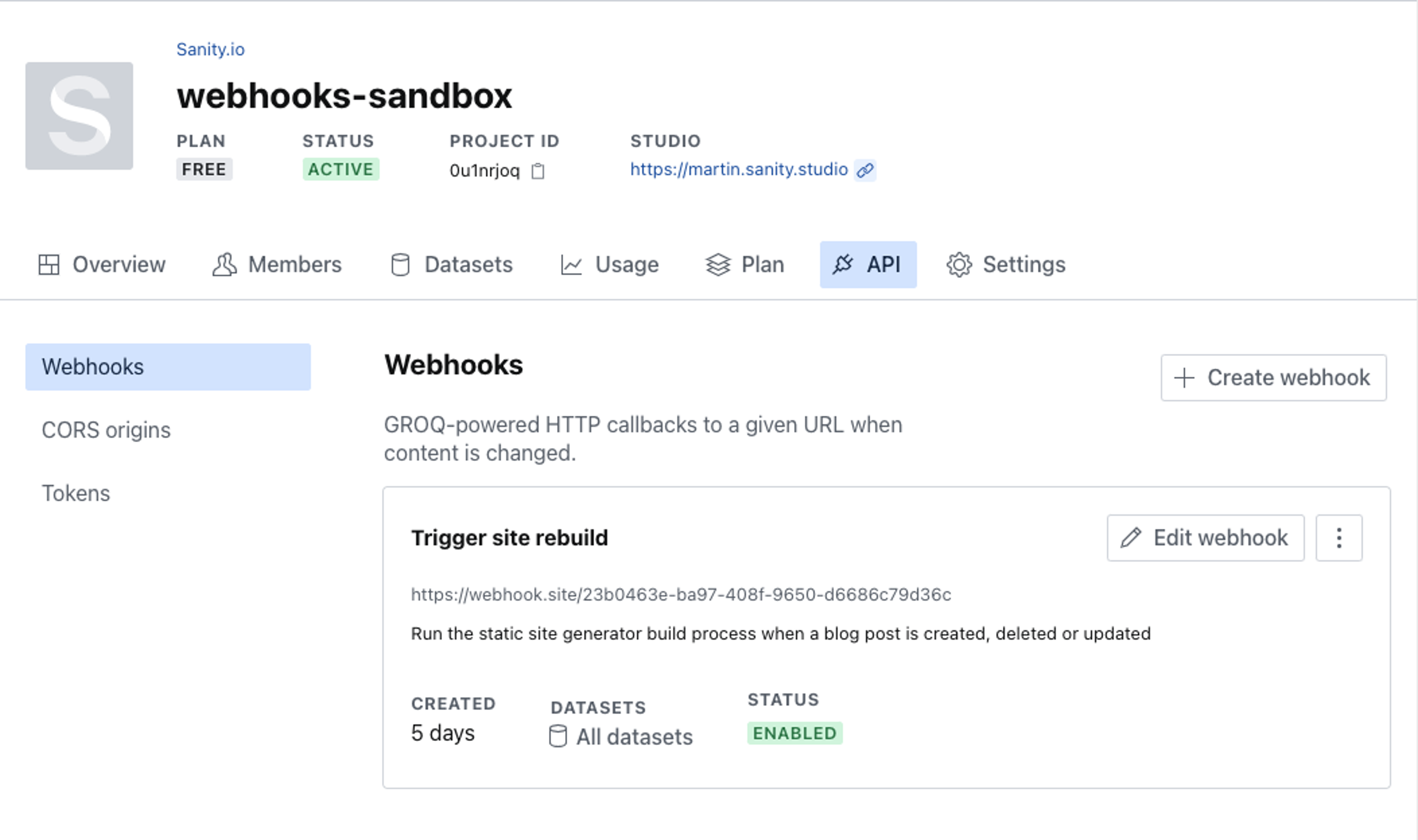
You can create and manage outgoing webhooks in the API section of your project settings, which you'll find at sanity.io/manage. Webhooks can also be managed through the CLI or directly through the project APIs.
Configuration
You can find them all in the webhooks section under API in your project's settings on sanity.io/manage.
Name and description
You can name your webhooks and give them a description. The description field, while optional, is a useful way to add helpful context about your webhook.
URL
The URL field is where you specify the endpoint to which the webhook request is sent. If you want to test the webhook before entering the production endpoint, you can use services like webhook.site, or Beeceptor. You can also use ngrok or Localtunnel to test a hook against your local environment.
Trigger on
Webhooks can be triggered when a document is created, updated, deleted, or any combination of these.
- Create: triggers on the creation of a new document.
- Update: triggers on every change to a document once created.
- Delete: triggers on the deletion of a document, including when a published document is unpublished.
Between these, you'll be able to react to all major interactions with the documents in question.
Unpublishing a document fires the delete trigger. An unpublish deletes the published document, and creates a draft from its contents if no draft already exists. With the drafts setting enabled, that new draft also fires the create trigger.
Pro tip
By default, your webhooks will not trigger on draft or version events. They will only trigger when changes to the document are published and not for every single occurrence while you edit. Triggering on draft and version events can be enabled, but be careful or you may end up causing huge amounts of traffic to your endpoint!
Filter
A GROQ filter specifying which documents will, when changed, trigger your webhook. A filter is what you commonly see between the *[ and ] in a GROQ query. This field supports all the GROQ functions you'd expect and has additional support for functions in the delta:: namespace, as well as before() and after().
If left empty, it will apply to all documents (*[]).
The webhook filter does not support the following kinds of queries and will yield false:
- Sub-queries, e.g.
_type == "book" && author._ref in *[_type=="author" && name=="John Doe"]._id - Cross-dataset references:
_type == "book" && author->featuredwhere author is a cross-dataset reference.
See our Intro to Filters guide for tips on using filters in webhooks.
Projection
A GROQ projection defining the payload (or body) of the outgoing webhook request. This field supports GROQ functions in the delta:: namespace, as well as before() and after().
If left empty, it will include the whole document after the change that triggered it.
Gotcha
“Sub-queries” are not supported for webhook projections. For example, the following query will not work: { "relatedPost": *[^._id in related[]._ref]{_id, title, slug}}
See our Intro to Projections guide for tips on using projections in webhooks.
Status
Enable or disable your webhook.
Disabling webhooks
When a webhook is disabled, all pending requests will be canceled.
HTTP method
This field configures the webhook's HTTP request method. It can be set to POST, PUT, PATCH, DELETE, or GET. Some endpoints require incoming requests to use a specific method to work.
HTTP headers
Additional HTTP headers. You can add multiple headers. A common example is adding an Authorization: Bearer <token> header to authenticate the webhook request.
Gotcha
Be mindful when sharing webhooks: the shared link includes your header configuration, which may contain sensitive information. Remove it before sharing the link.
A webhook will always include the following headers and values:
connection: closeaccept-encoding: gzipidempotency-key: <a unique key>. See documentation below.content-type: application/jsoncontent-length: <the length of the payload in bytes>user-agent: Sanity.io webhook deliveryhost: <the endpoint URL host>
As well as the following Sanity-specific headers that can be useful for logging and debugging your webhooks:
sanity-transaction-id: ID of transaction.sanity-transaction-time: Timestamp of transaction.sanity-dataset: Name of dataset (also available in projection today assanity::dataset()).sanity-document-id: Document ID being notified about.sanity-project-id: ID of project (also available in projection today assanity::projectId()).sanity-webhook-id: ID of webhook.sanity-operation: Either create, update, or delete.
Info
The projection will always be returned as JSON. If you for some reason need it to be another content type, you’ll have to pass it through a serverless function or a custom endpoint and do the transformation there.
API version
Defaults to v2021-03-25 of the query API. Can be overridden using the Webhooks API in cases where you want to create webhooks with old behavior that might have been deprecated.
Drafts and versions
By default, documents in the drafts. and versions. ID namespaces will be automatically ignored. Enable the drafts or version setting if you want the triggers and filter to apply to draft or version documents. Note: version support was added in API version v2025-02-19.
Gotcha
This might cause a lot of webhooks to trigger whenever someone is working inside Sanity Studio, since almost every keystroke represents an update. Webhooks are limited to one concurrent request, but you should also make sure that your endpoint is able to handle the incoming events.
Secret
To let receiving services verify the origin of any outgoing webhook, you may add a secret that will be hashed and included as part of the webhook request's headers. You may find our webhook toolkit library helpful for working with secrets. If you want to roll your own, we model the signing and verification of payloads on the same standard as Stripe.
Idempotency-key
Requests include a header that can be used to de-duplicate deliveries: idempotency-key.
This is necessary because webhooks will sometimes be retried, and our system has at-least-once delivery. Using the unique idempotency key lets the receiver ignore messages it has already received.
We follow this draft standard for idempotency.
Sharing webhooks
Webhook configurations can be shared with a URL. This is practical if you want to quickly repurpose webhooks across projects or share with the community. You can generate a share URL by going to sanity.io/manage/webhooks/share or by finding the share button in the three-dot menu in the webhooks overview.
Gotcha
Note that all the configuration is stored as part of the URL. Be mindful of any sensitive information that might be part of the configuration and that it will be shared in plain text. It can be wise to replace secret tokens and so on with capitalized placeholder text.
Debugging webhooks
Attempts log
Pro tip
Use the attempts log to determine whether your webhooks are being successfully delivered.
You can find the attempts log if you click the three-dot menu for a given webhook. The log will include information about the response a webhook request got. The attempts log is available as an API endpoint at:
https://${projectId}.api.sanity.io/v2021-10-04/hooks/projects/${projectId}/${id}/attemptsMessage log
Pro tip
Use the message log if you want to know whether all outstanding messages for a webhook have been delivered.
The message log is available as an API endpoint at:
https://${projectId}.api.sanity.io/v2021-10-04/hooks/${id}/messagesThe log contains a list of messages in the queue and any delivery attempts for each:
- If all the messages returned have the status
queued, then your processing has fallen behind. This may indicate that your webhook processing is too slow and/or that your webhook filter is too broad and is generating a vast number of messages. - If your webhook request handler takes longer to process a message than the rate at which you are generating changes that trigger the webhook, then the queue will never be cleared.
Technical limits, retry policy, and timeouts
- Webhooks are limited to one concurrent request.
- We will retry sending a webhook request twice, with a 30-second interval between each attempt. This limit is subject to change in the future.
- A webhook request will time out after 30 seconds.
HTTP status codes
The HTTP status codes are used to determine if delivery is successful:
- 200-range will be treated as a success
- 400-range will be treated as undeliverable, as the server said it was a client error (with one exception, described in the next item)
- 429 will be retried according to the retry policy outlined above
- 500-range will be retried according to the retry policy outlined above
Webhook origin IP addresses
The full list of IP addresses that Sanity webhook calls originate from can be found in this file:
https://www.sanity.io/files/webhooks-egress-ips.txt
The IP addresses generally don’t change but they may be updated from time to time, on planned or unplanned/emergency maintenance. For planned changes, we aim to announce upcoming changes seven days in advance on Sanity’s status page feed here: https://www.sanity-status.com/. Unplanned maintenance changes will happen without notice, but the URL file will be immediately up to date.
Gotcha
If you’re aiming to use these addresses for IP filtering/security purposes, make sure you keep your tooling up to date with the URL above in an automated/unattended way.