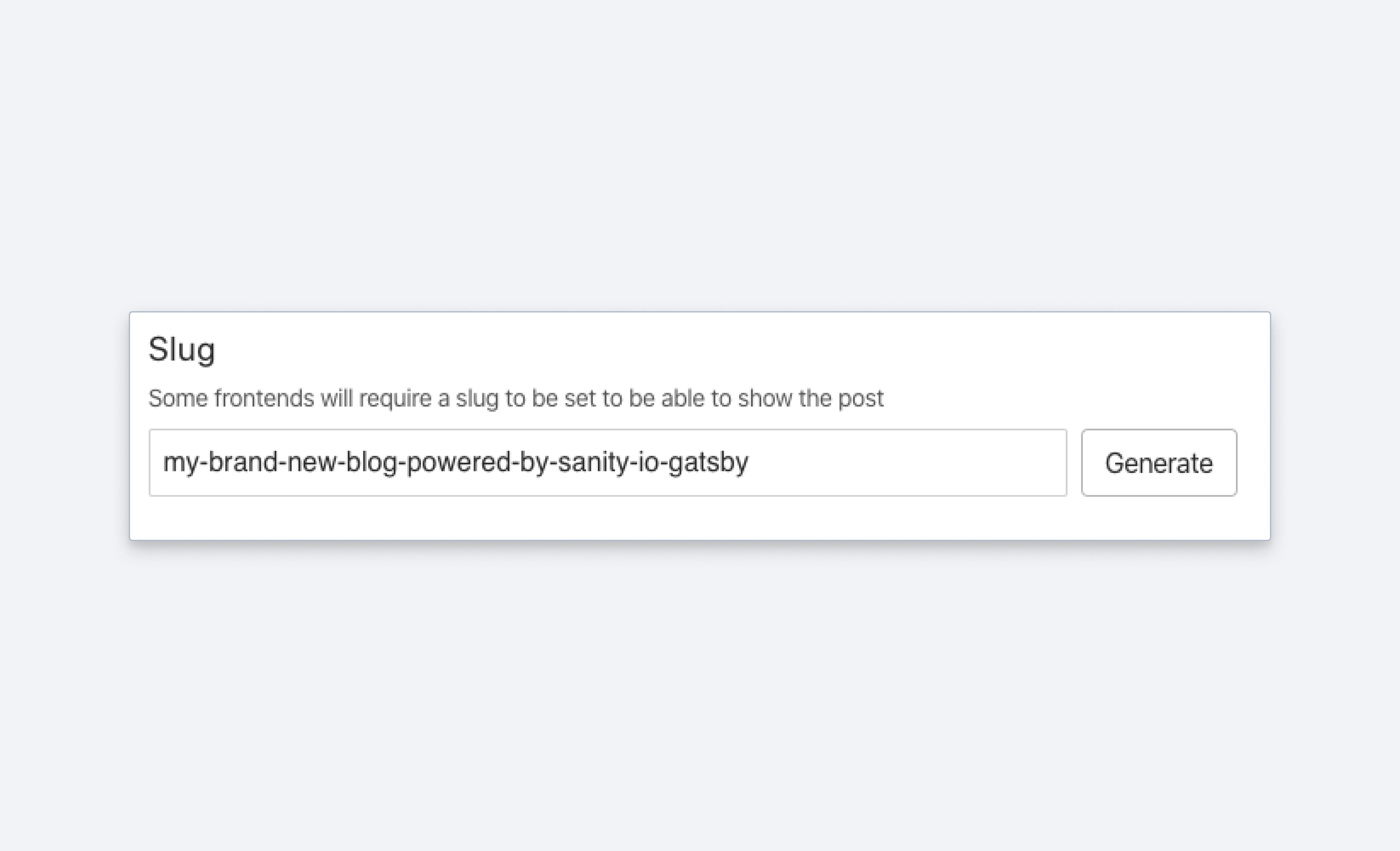
Slug
A schema type for slugs is typically used to create unique URLs.
A slug is a unique string (typically a normalized version of a title or other representative string), often used as part of a URL. The input renders an error message when the slug is not unique. See the SlugDefinition reference for the full type definition.
The value of the slug field is stored on the current property.
Properties
Requiredtype
Value must be set to
slug.Requiredname
Required. The field name. This will be the key in the data record.
Human readable label for the field.
If set to
true, this field will be hidden in the studio. You can also return a callback function to use it as a conditional field.If set to
true, this field will not be editable in the content studio. You can also return a callback function to use it as a conditional field.Short description to editors how the field is to be used.
The initial value used when creating new values of this type. Can be a literal value, or a resolver function that returns a literal value or a promise that resolves to one.
Marks a field or document type as deprecated in the studio interface and displays a user-defined message defined by the single required
reasonproperty.If you deploy a GraphQL API schema, this property will translated into the
@deprecateddirective.Supply a custom icon for this field. See Icons for the supported values.
Lets you provide custom components to override the studio defaults in various contexts. The available keys are
diff,field,input,item, andpreview. This property is in beta.
Options (SlugOptions)
Where the slug value is derived from. Accepts the name of a field, a dotted path such as
seo.title, a path array, or a function.A source function is called with two arguments:
document(the current document) andcontext, which carriesparent,parentPath,projectId,dataset,schema,currentUser, andgetClient.Maximum number of characters the slug may contain when generating it from a source (like a title field) with the default slugify function. Defaults to
200. If you include your own slugify function, or manually enter your slug this option will be ignored.Supply a custom function which handles string normalization. It is called with three arguments:
input(the source string),schemaType, and the samecontextobject the source function receives. It may return a string or a promise of one.When
slugifyis set,maxLengthis ignored.Supply a custom function which checks whether the slug is unique. It receives the proposed slug as a string (not the slug object) as its first argument, and a validation context as its second. It must return a boolean or a promise of one.
If set to
true, silences the console warning shown when the slug field itself sits inside an array.A slug inside an array cannot be checked for uniqueness automatically, and silencing the warning does not restore the check. Supply your own
isUniquefunction if you need one.
Validation (SlugRule)
Ensures that this field exists.
Discards the validation rules set before it in the chain and makes the field optional. Rules chained after it still apply.
Creates a custom validation rule.
Sets a custom error message for the preceding validation rule.
Sets a custom warning message for the preceding validation rule. Warnings do not prevent publishing.
Sets a custom info message for the preceding validation rule. Info messages are purely informational and do not prevent publishing.
Gets the value of a sibling field to use in validation. Useful for creating validation rules that depend on the value of another field.
By default, the slug input will check for uniqueness based on the document type and the path to the slug field. For instance, a document of type article and a document of type product can have the same slug. You can customize this behavior by defining an isUnique function in the field options.
Examples
Input
import {defineField} from 'sanity'

defineField({
  title: 'Slug',
  name: 'slug',
  type: 'slug',
  options: {
    source: 'title',
    maxLength: 96,
  },
})
Response
{
  "_type": "slug",
  "current": "this-is-the-title"
}
Custom slugify function
import slugify from 'slugify'
import type {SlugifierFn} from '@sanity/types'

export const uniqueMovieSlug: SlugifierFn = async (input, schemaType, context) => {
  const slug = slugify(input, {lower: true, strict: true})
  const client = context.getClient({apiVersion: '2025-02-19'})

  const collisions = await client.fetch<number>(
    'count(*[_type == "movie" && slug.current == $slug])',
    {slug},
  )

  return collisions === 0 ? slug : `${slug}-${collisions + 1}`
}
Custom isUnique function
By default, isUnique checks for uniqueness among documents of the same type that hold the slug at the same field path. Here's an isUnique function that instead checks across all documents in your dataset:
import groq from 'groq'
import type {SlugIsUniqueValidator} from '@sanity/types'
import {getPublishedId} from 'sanity'

export const isUniqueAcrossAllDocuments: SlugIsUniqueValidator = async (slug, context) => {
  const {document, getClient} = context
  const client = getClient({apiVersion: '2025-02-19'})

  if (!document?._id || !slug) {
    return true
  }

  // Exclude every version of the document being edited, drafts and
  // release versions included, so it never collides with itself.
  const query = groq`!defined(*[
    !sanity::versionOf($published) &&
    slug.current == $slug
  ][0]._id)`

  return client.fetch<boolean>(query, {
    published: getPublishedId(document._id),
    slug,
  })
}import {defineField, defineType} from 'sanity'
import {isUniqueAcrossAllDocuments} from '../lib/isUniqueAcrossAllDocuments'
export const postType = defineType({
name: 'post',
title: 'Post',
type: 'document',
fields: [
defineField({
name: 'title',
title: 'Title',
type: 'string',
validation: (rule) => rule.required(),
}),
defineField({
name: 'slug',
title: 'Slug',
type: 'slug',
options: {
source: 'title',
isUnique: isUniqueAcrossAllDocuments,
},
validation: (rule) => rule.required(),
}),
],
})Unlike other validator functions, which can return a message, isUnique must return a boolean. Its first argument is the slug string itself, not the slug object.
Custom source function
You can also provide the source as a function. It is called with the whole document as its first argument and a context object as its second:
import {defineField} from 'sanity'

defineField({
  title: 'Slug',
  name: 'slug',
  type: 'slug',
  options: {
    // Include the category only in the production dataset
    source: (doc, context) =>
      context.dataset === 'production' ? `${doc.category}-${doc.title}` : `${doc.title}`,
  },
})
The context also carries the parent object or array, which is useful when you want to derive the slug from a sibling field rather than a property on the document root:
import {defineField} from 'sanity'

defineField({
  title: 'Slug',
  name: 'slug',
  type: 'slug',
  options: {
    source: (doc, context) => `${(context.parent as {title?: string}).title}`,
  },
})
To query for a document with a given slug, put the constraint on the current key and pass the value as a parameter:
*[_type == "movie" && slug.current == $slug][0]{
  _id,
  title,
  slug
}
{
"_id": "5a1b2c3d-4e5f-6789-abcd-ef0123456789",
"title": "Sallie Gardner at a Gallop",
"slug": {
"_type": "slug",
"current": "sallie-gardner-at-a-gallop"
}
}