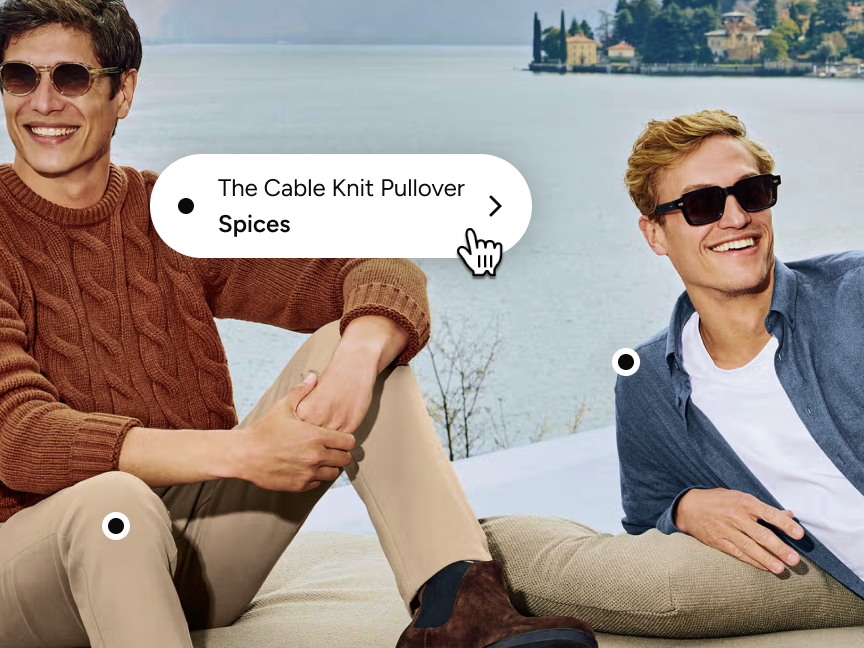

MR MARVIS had 900+ lifestyle images that looked great but weren't converting. The problem? Customers couldn't identify which products the models were wearing.
Lead developer Josh solved this with a simple architectural choice: let merchandisers click lifestyle images and reference the actual products. It only took two days of development time. Now visitors can shop what they see.
The result: 9.7% higher average order value, and a database of proven outfit combinations that's unlocking personalization features they couldn't build before.
MR MARVIS had a problem that many fashion brands face: customers loved the lifestyle photography, but couldn't buy the complete looks they saw.
"We started to get quite a lot of feedback from our customers," Josh, lead developer at MR MARVIS, explained. "They'd see the outfit on a product page and ask, 'Is that your t-shirt? Is that one of your products?'" Like this:
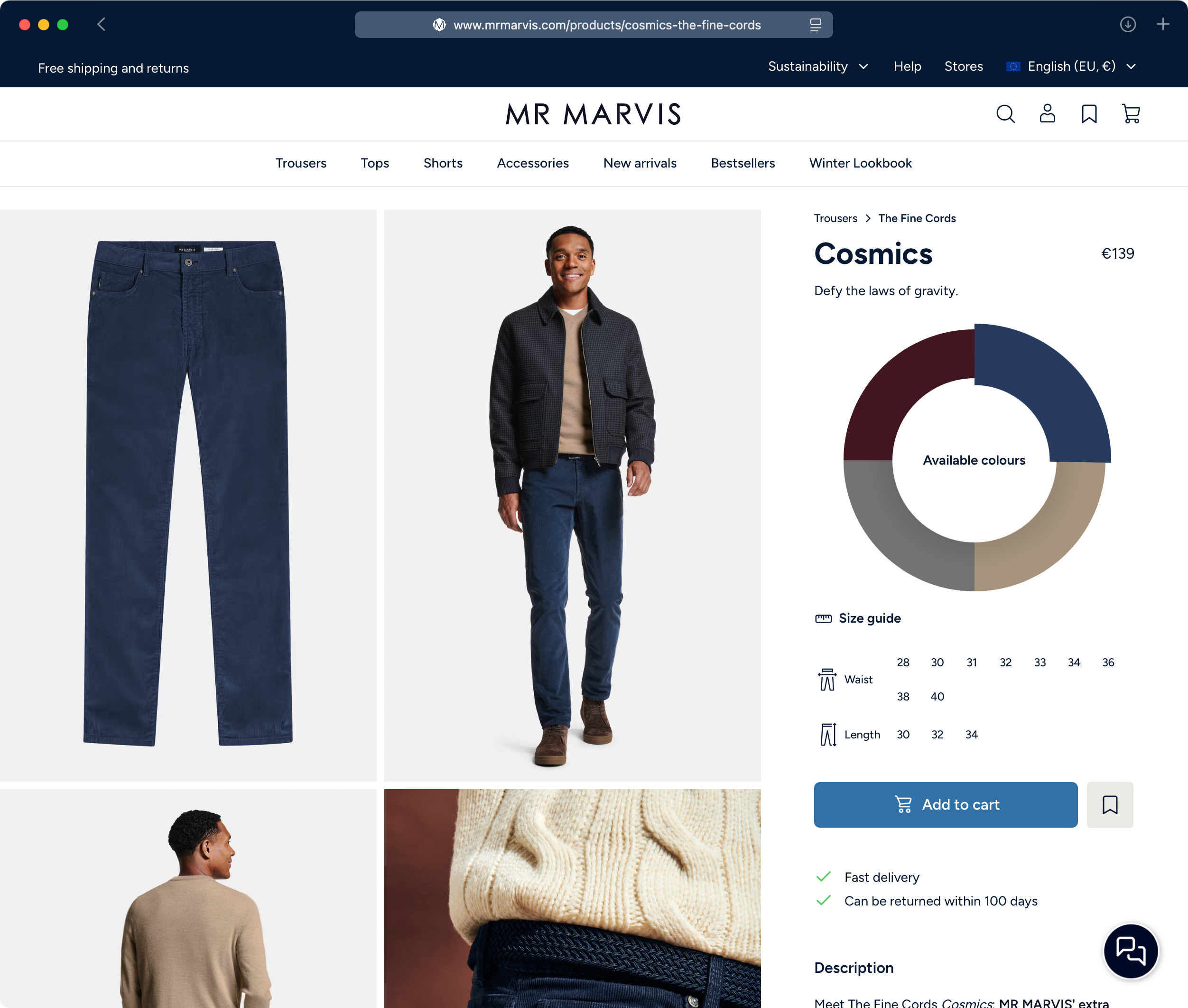
The answer was yes, but there was no way to show it. Customers had to hunt through the catalog to find matching pieces, and most didn't bother. MR MARVIS was leaving money on the table with every lifestyle image.
With hundreds of existing lifestyle photos, they needed a solution that worked with what they already had.
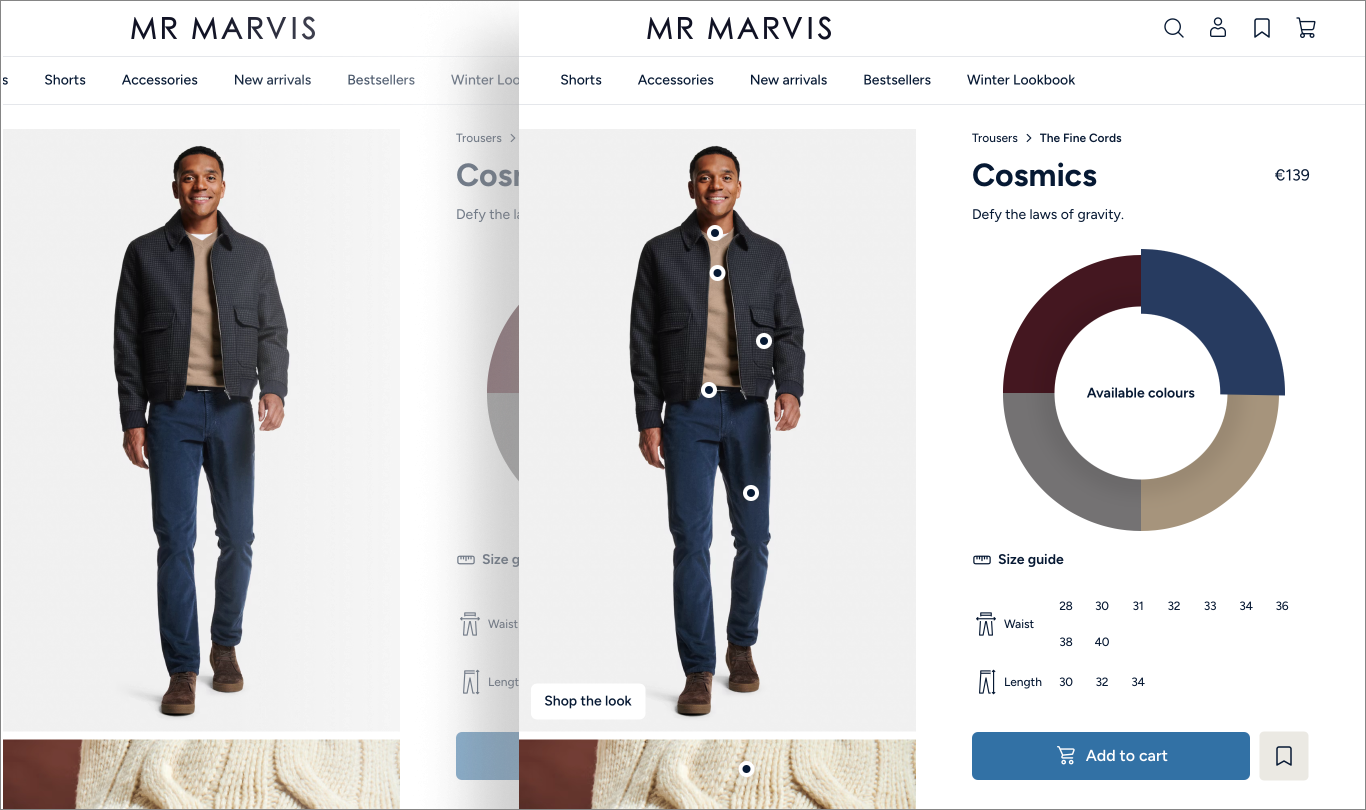
MR MARVIS uses Sanity's hotspot plugin to make their lifestyle images shoppable, in just two days. The interface lets editors click directly on products in an image and link them – no counting pixels or calculating coordinates.
The result? Lifestyle images became instant product discovery tools.
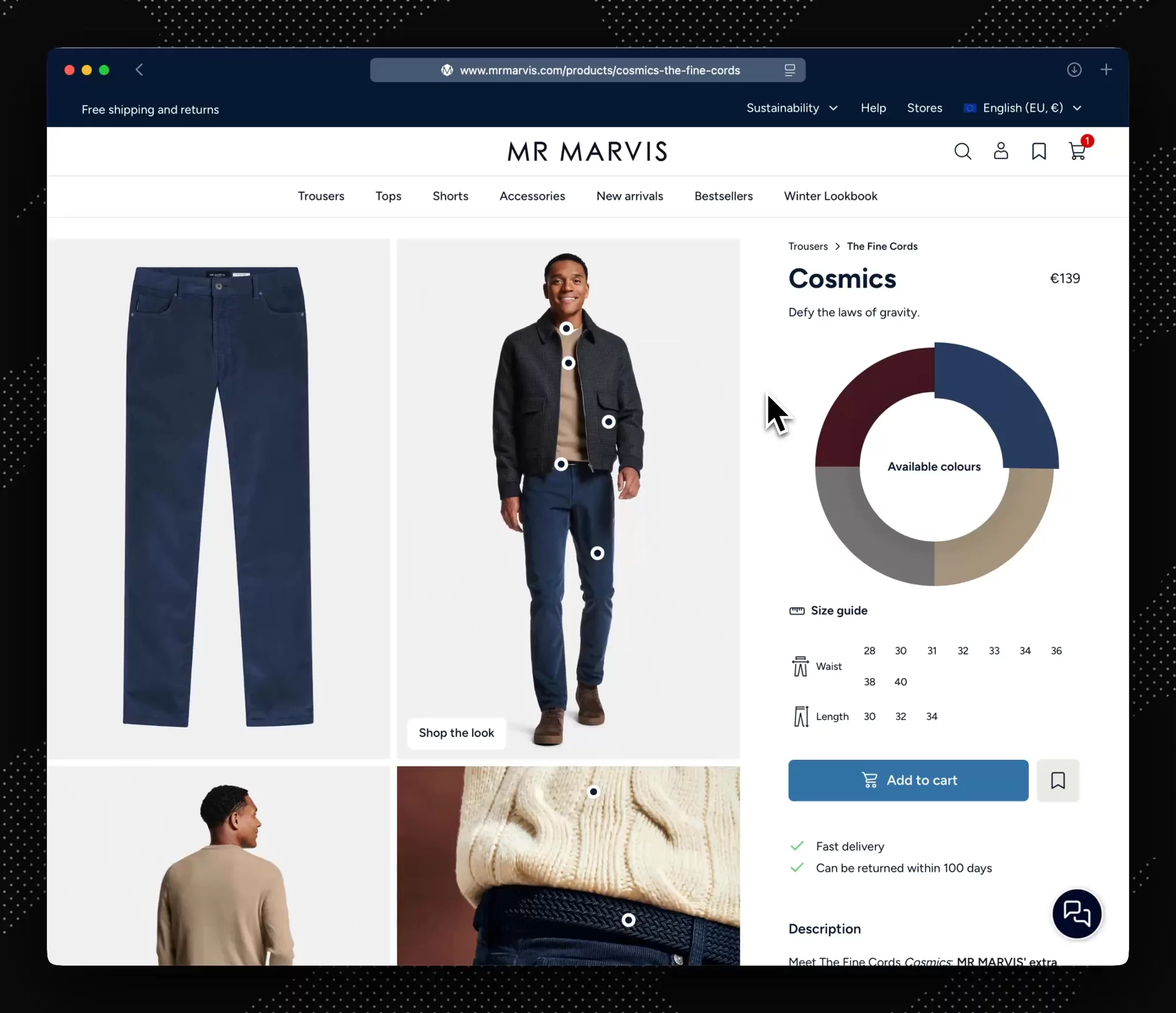
When shoppers see an image, whether it be on a PDP or the homepage, they can hover over the various products to see their details or shop the complete look. The same images now drive purchasing decisions instead of just setting a vibe.
The best part: MR MARVIS didn't need to shoot new content or hire developers. Their merchandising team handles everything in the Studio with a few clicks per image.
The impact showed up where it mattered most: average order value jumped 9.7%.
The average order value went up considerably. People weren’t just buying trousers anymore. They were buying full looks.
Josh O'ConnorLead Developer

"What we found was customers were shopping full looks instead of single items. Shoppers who landed on a trouser page would add the matching t-shirt they saw in the lifestyle image. The belt too. Sometimes the shoes."
MR MARVIS also built two separate content types: "shop the look" for single-person outfits and "tagged images" for group shots. This distinction creates a database of proven product pairings, which they're now using to build recommendation features.
"We've codified stylist advice," Josh explained. "We know which colors work together, which tops pair with which trousers. That unlocks personalization we couldn't do before."
Let's dive into the technical details of the implementation.
MR MARVIS created two separate document types:
- Shop the look: Single-person outfits where every tagged item works together as a coordinated look
- Tagged images: Group shots or campaign photography where products might not pair together
This distinction matters. When you tag products on a single person, you're creating a database of proven outfit combinations. Tag products on two different people in the same image, and you lose that relationship.
"We were protective about how we put together the content for future use", Josh explained. The shop the look documents became a source of truth for which products pair well, which they're now using to build recommendation features like "complete your wardrobe."
MR MARVIS structured content types as separate documents, not embedded in product pages. This means the same tagged image can appear on PDPs, campaign pages, and PLPs with different presentations.
The hotspot plugin provides an interface couldn't be simpler: editors click a spot on the image, then search for and link a product. The plugin stores coordinates and a product reference. No pixel counting, no coordinate math.
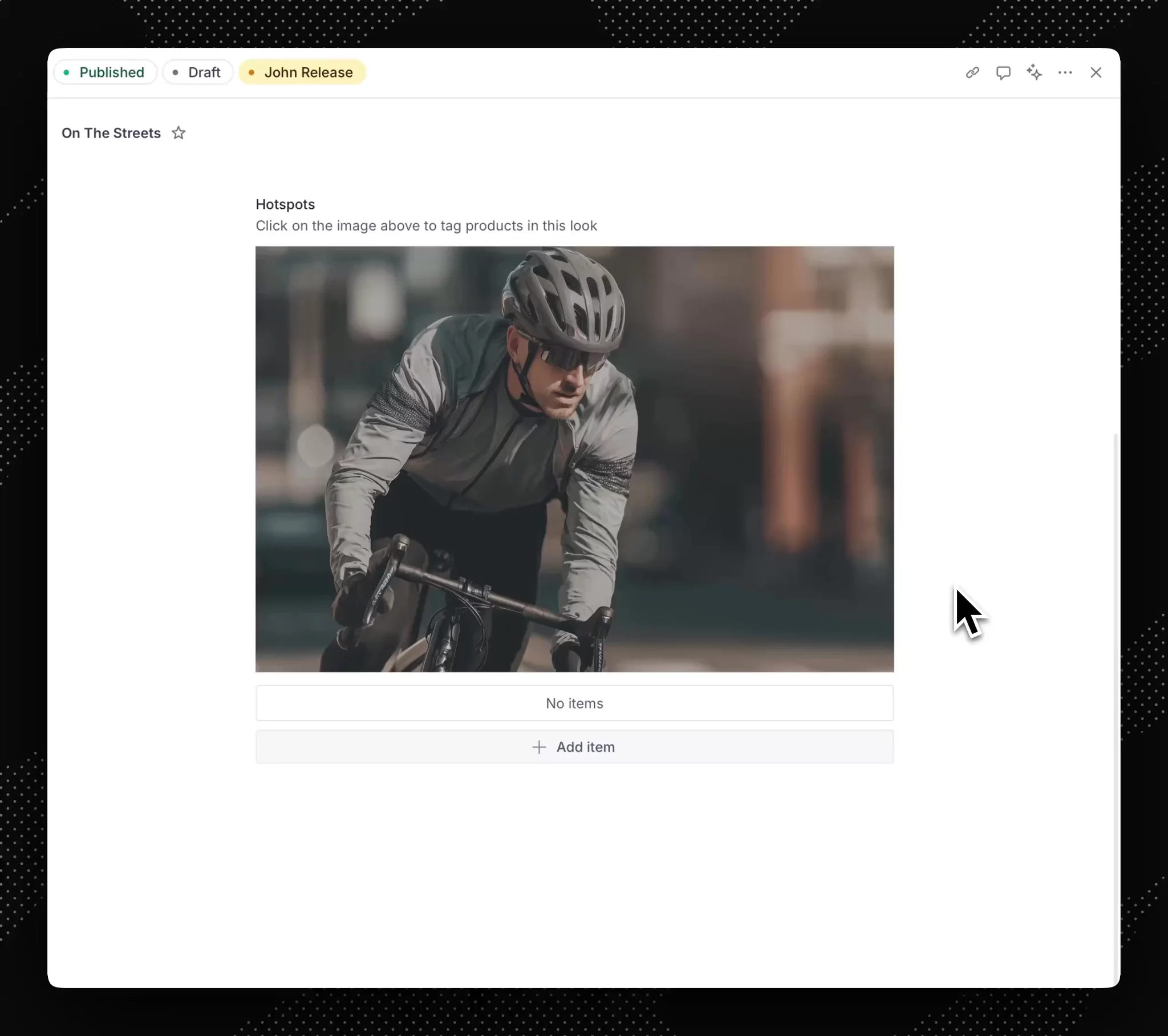
Behind the scenes, it's just an array of objects, each containing X/Y coordinates and a reference to a product document. The data structure is basic enough that any developer could build a custom version, but the plugin handles the editing experience perfectly.
MR MARVIS built different UI patterns for different contexts: same content, multiple presentations, zero duplication.
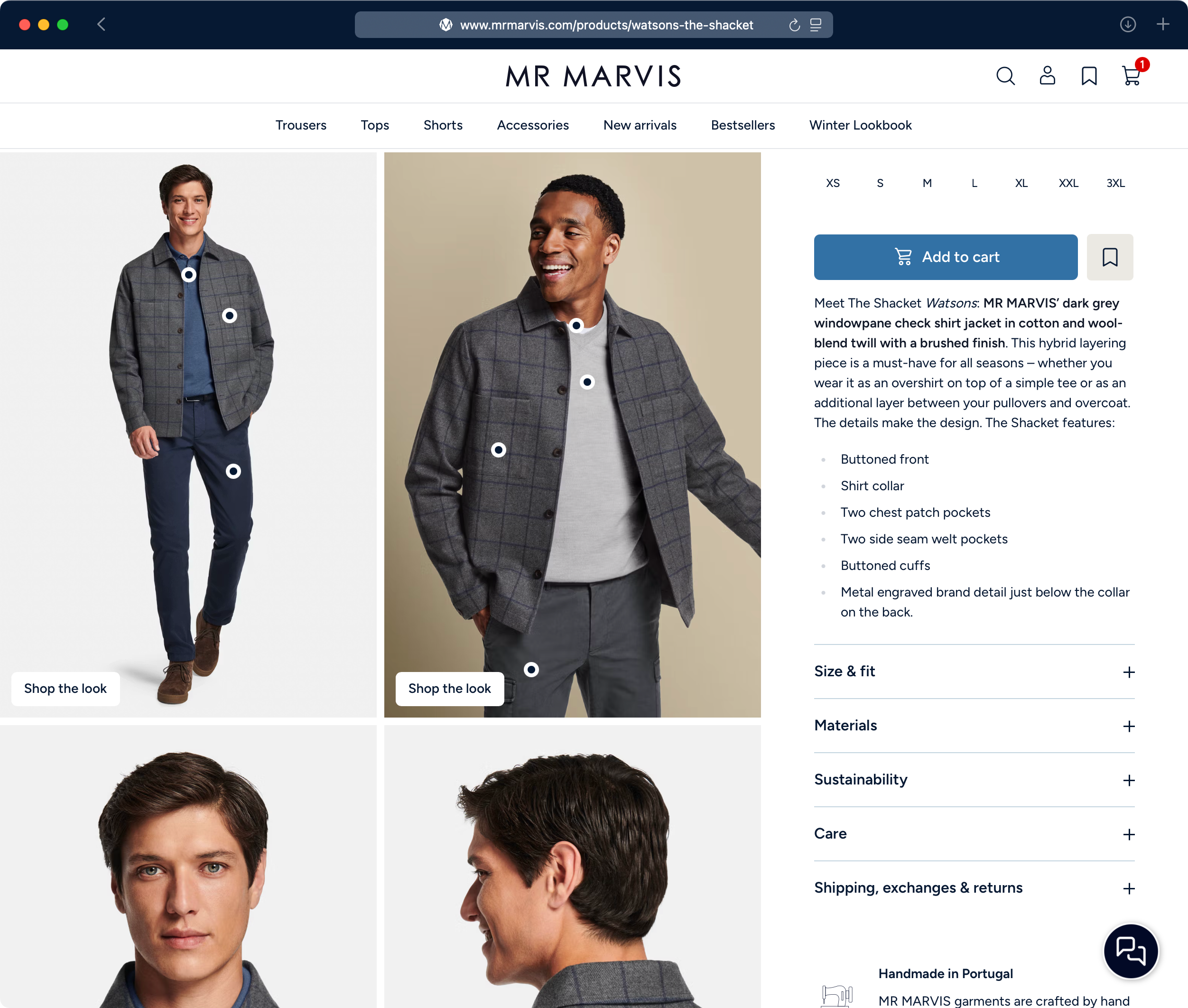
On product pages, hotspots are dots that can be hovered over, which reveal the product. Upon clicking, a drawer opens, displaying all the products in the look and allowing you to add them to the cart.
On campaign pages, the same images display with products expanded by default and a quick-add-to-cart interface.
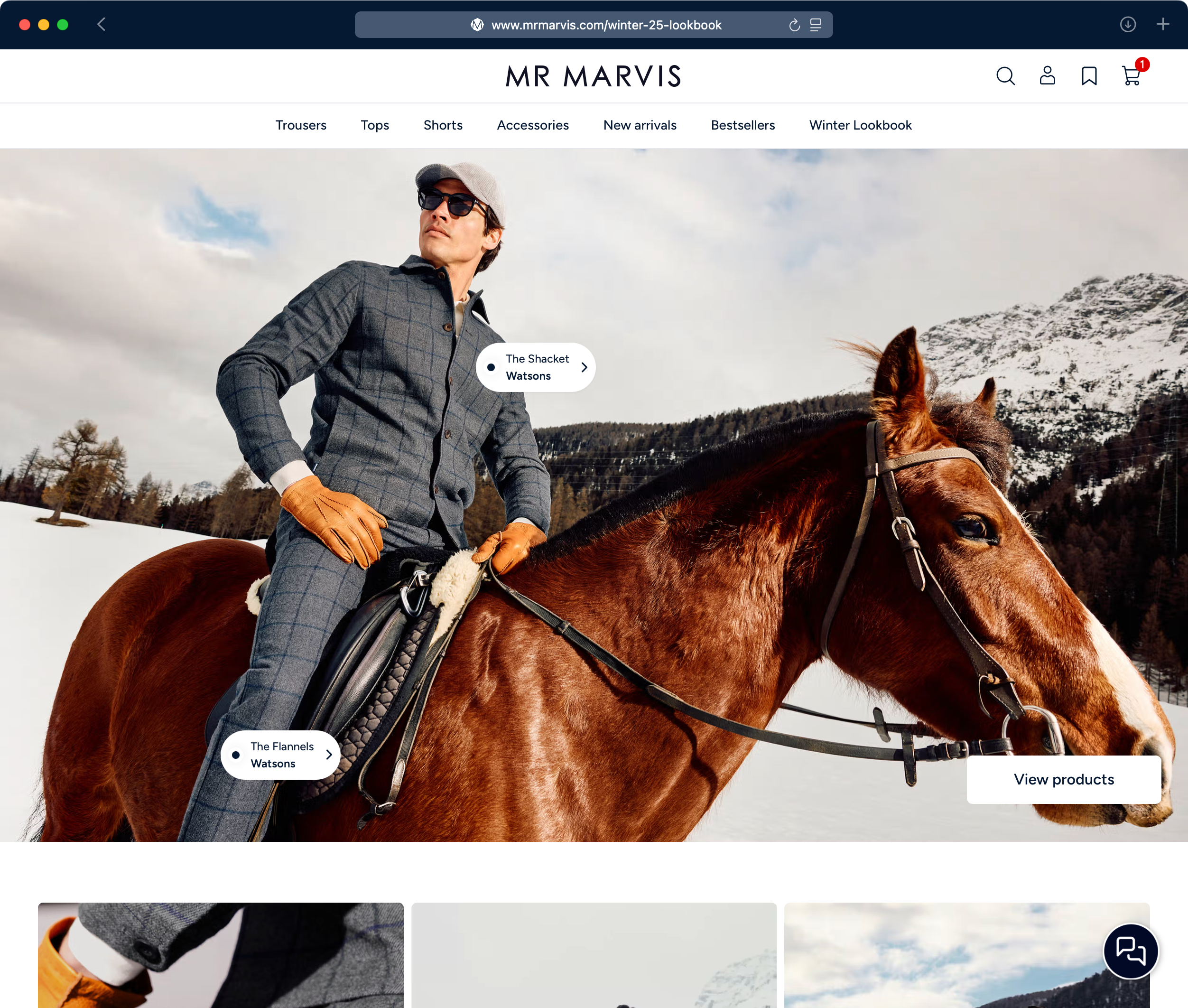
The flexible presentation is possible because the content model separates what's tagged (the data) from how it displays (the UI). One content type, multiple presentations, zero duplication.
No new images. No new infrastructure. No complex integrations.
MR MARVIS added some simple functionality, took some time to tag the images, and now each shopper is purchasing more and looking great.
After all, there is no guessing if their clothes match. MR MARVIS did this for them. 🙂
Watch MR MARVIS demo this feature
See how the engineering team at MR MARVIS structured this in their studio.