cleaning care
# How to Clean our Products
care instructionsdrier or hang drying is fine
droppedold PDF that says must hand wash our products
Sources
Sanity Context
We make it easy to give agents the right context, so they get it right



The problemThe problem

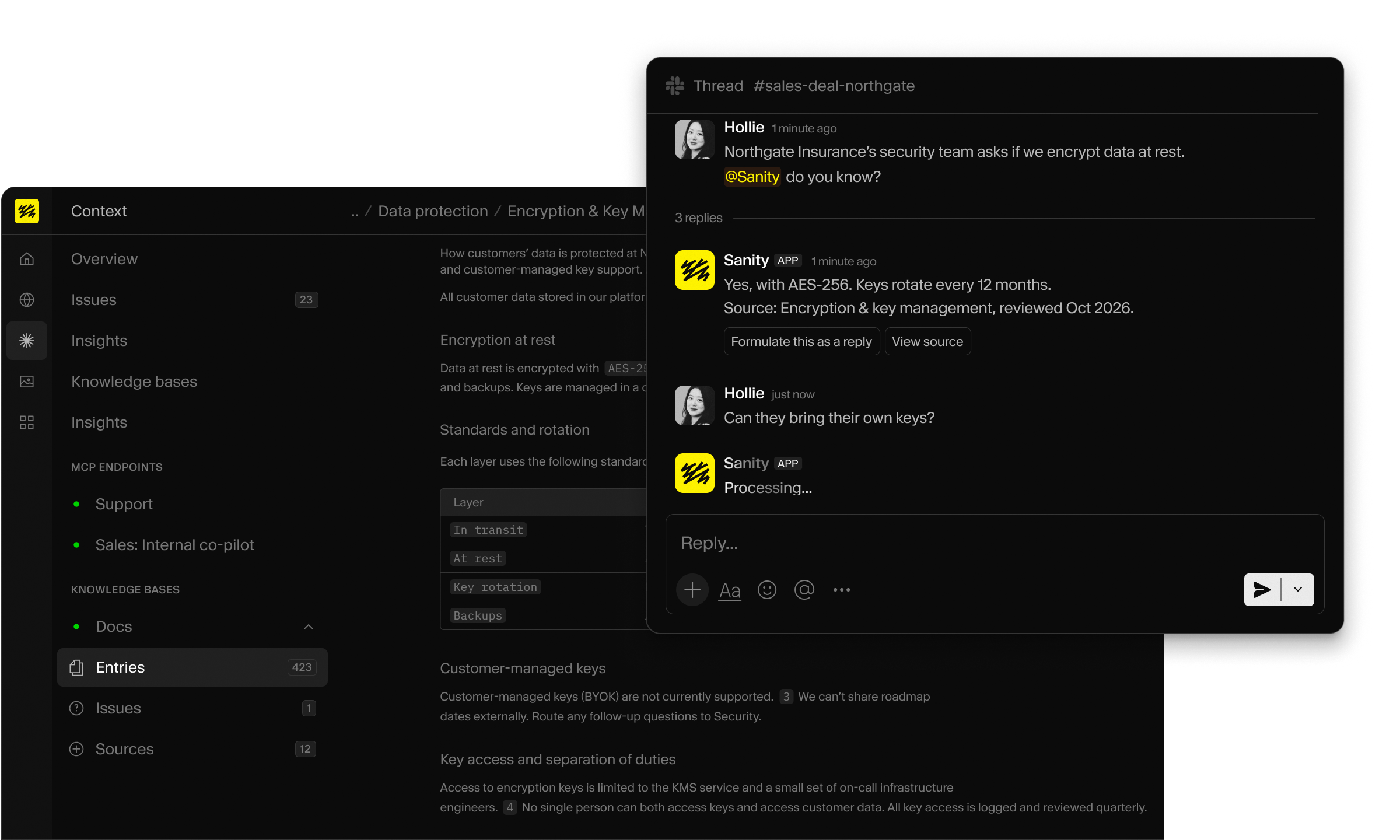
When your content is all over the place, agents become inaccurate, slow, and expensive. Context provides an optimized source for agents, with human control.
The BenefitsThe Benefits
The right answers, faster
Context organizes your sources before your agent ever asks.
You run the show
The people who own your knowledge, voice, and tone manage what agents know and how they sound.
Knowledge governance
Every fact cites its source, and insights show what agents were asked, how well they answered, and which entries they used.
How it worksHow it works
# How to Clean our Products
1
Ingest
Websites you own, uploaded files, or Sanity datasets
2
Organize
Your messy content is organized for agents. Your team resolves any contradictions found.
3
Connect
One MCP, any model
Quick startQuick start
Ask your coding assistant to build the agent.
Your coding assistant asks a few questions, then builds an agent for your project.
Your coding assistant asks a few questions, then builds an agent for your project in minutes.
Already have an agent? Just add your Context MCP. See the setup docs.
Use casesUse cases

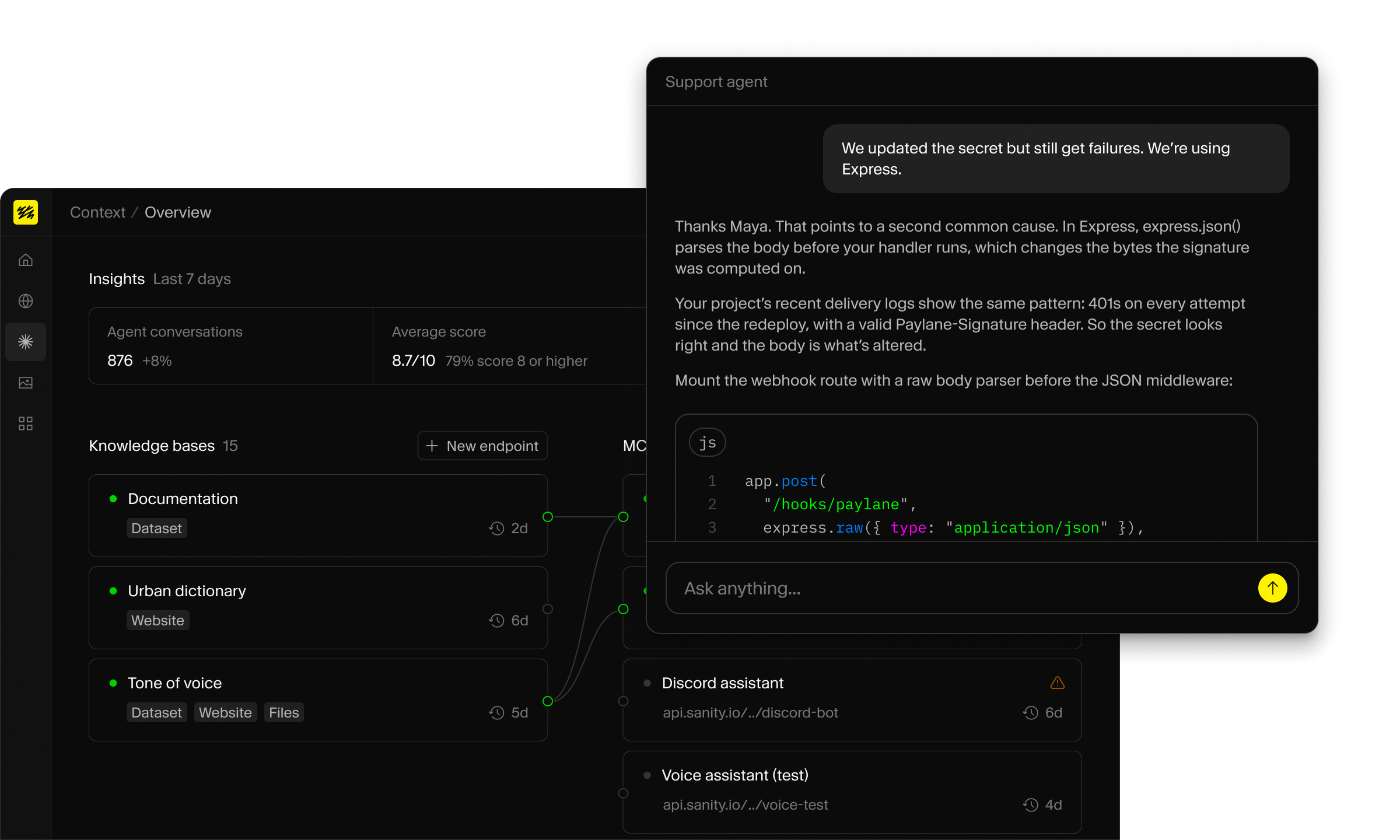
For builders experimenting and serious teams
External agents
Ecommerce assistants, support agents, web chatbots
Internal agents
Internal wiki agents, training bots, onboarding agents
Automation loops
Agentic applications running workflows or processes
FeaturesFeatures
Pricing
Free$0
Includes
All existing Sanity plans include 1 free Knowledge Base
Self-serve$299/mo
Includes
Enterprise Custom
Includes
No. Context works on its own. Bring your content and keep your stack.
Any that speak MCP. You bring the agent and model and Sanity provides you with an MCP. So Claude, OpenAI, Gemini, or any other model works. You can also use any harness such as Mastra, eve, LangChain, and more.
Query live content (GROQ) when you need exact filters or answers that change by the minute, like price, size, and stock. Use a Knowledge Base for policies, manuals, and help content, which a build can reconcile and cite ahead of time. Many agents use both.
Sanity Datasets, websites, files, and plain text. You can add these via the UI or CLI for automation.
No. Context is read-only.
It’s free, including creating a knowledge base. Upgrade to create more Knowledge Bases, refresh them automatically, and more. See pricing.
Vectors enable you to find similar content, Sanity Context enables you to find the exact content that matches the input. Through GROQ mode your agent can use exact filters (price < $25) and optionally rank the results by semantic similarity (“durable goggles”) using Dataset Embeddings in a single query and without managing an embeddings pipeline. With Knowledge Base mode, your agent finds precise facts in your corpus (“return policy is 30 days”).
Use the Sanity MCP Server when an agent needs to create, edit, or manage content, like an AI assistant that works on your project. Use Context MCP when an agent answers questions from your content, like a shopping or support agent. Context MCP is read-only and scoped to the content you choose.
Pass user context in the system prompt, and a bearer token for per-user calls.
A source chunk is a unit of source content that is ingested during the Knowledge Base build. One source chunk is approximately 250 words or 1,500 characters.
A source chunk is how we measure the amount of content a Knowledge Base reads. To get an estimate, divide your word count by 250.
| Source | Example | Approximate source chunks |
|---|---|---|
| Website | Short page ~300 words | 1-2 |
| Website | Article ~1k words | 4 |
| Website | Long guide, ~2k | 8 |
| Sanity dataset | Product entry, ~150 words | 1 |
| Sanity dataset | Long article, ~2k words | 8 |
| Uploaded file | PDF or document | 2 per page |
Every Sanity plan includes one Knowledge Base on the Free plan. An organization admin can upgrade to the Self-serve plan that includes five Knowledge Bases with a higher source chunk limit. For teams that need more than five or a higher ingest limit, contact Sales for Enterprise options.
Ship a smart agent that answers from your content