What’s New - May 2026
An Olympian coding her own edge, GROQ-powered access control, Scheduled Functions, and more.

Evelina Wahlström
Technical Product Marketing Manager at Sanity
Published
Before my usual “3-2-1”, a quick note: I’m bringing Sanity Pioneers to London.
Featuring Steve Ruiz (tldraw) on turning code into content and Tim Avni (Planes) on the agentic legal platform he built with Lewis Silkin. If you or anyone you know is in London on June 4, register here and come hang with fellow builders, and Sanity folks.
BEFORE:
role: "Editor — Tokyo"
    filter: _type == "article" && market == "jp"

    role: "Editor — Berlin"
    filter: _type == "article" && market == "de"

    role: "Editor — São Paulo"
    filter: _type == "article" && market == "br"

    // + 27 more for every other market
    // + every new market = a new role
AFTER:
role: "Market Editor"
  filter:
      _type == "article"
      && market == user::attributes().market

  // Tokyo editor sees JP. Berlin sees DE.
  // Attributes sync from SAML on every login.
  // Missing attribute → fail closed.
Getting pinged on Slack to add a custom role? You know how fast they compound (both the custom roles and the Slack messages)
User Attributes changes this - admins attach contextual identity data (location, department, language, business unit) directly to user profiles and reference those attributes in GROQ-based role filters.
Attributes sync from your identity provider via
Available on Enterprise plans. See how GROQ role filters work in the User Attributes docs.
Nightly data syncs,
Before Scheduled Functions, you'd wire these up externally (GitHub Actions, AWS EventBridge, etc).
With Scheduled Functions, you define a time-based trigger using cron expressions or natural language directly inside a Blueprint. It deploys with your existing CI/CD pipeline, and logs and run history live in the CLI and Manage dashboard. No external dependencies. Everything stays close to your content.
Unlike event-driven functions (which fire on a document change), these run independently. They have full access to your content and can work across datasets, aggregate data, or handle operations that don't start from a mutation.
Head to the docs to set up your first Scheduled Function.
III. Canvas field labels: structure your content with AI

Content teams draft in many places (Google Docs, Notion, Word), and today, the speed of that drafting is increasing thanks to AI writing tools. But speed isn't the bottleneck. It's what happens after: getting that content structured to be published. That's what Canvas field labels are for. Here's how the full workflow comes together in Canvas:
- Write. AI can help you write, expand, and generate from briefs and style guides. Writers collaborate in real time and don't need Studio access.
- Structure. Field labels appear inline, mapping each section to a Studio schema field. Apply them manually (using the
=shortcut), or let AI auto-label the entire document in one click. - Deliver. One click creates or updates a Studio document. Content lands in the right fields, exactly as labeled. Canvas flags conflicts before overwriting.
Templates make this process repeatable: generate the content with AI, then deliver it to the right fields without someone playing copy-paste middleman.
Available on all plans with Canvas access.
New to Canvas? Familiarize yourself here or open a new Canvas doc and get writing.
"So this is actually the first project where I extensively use AI in real time."
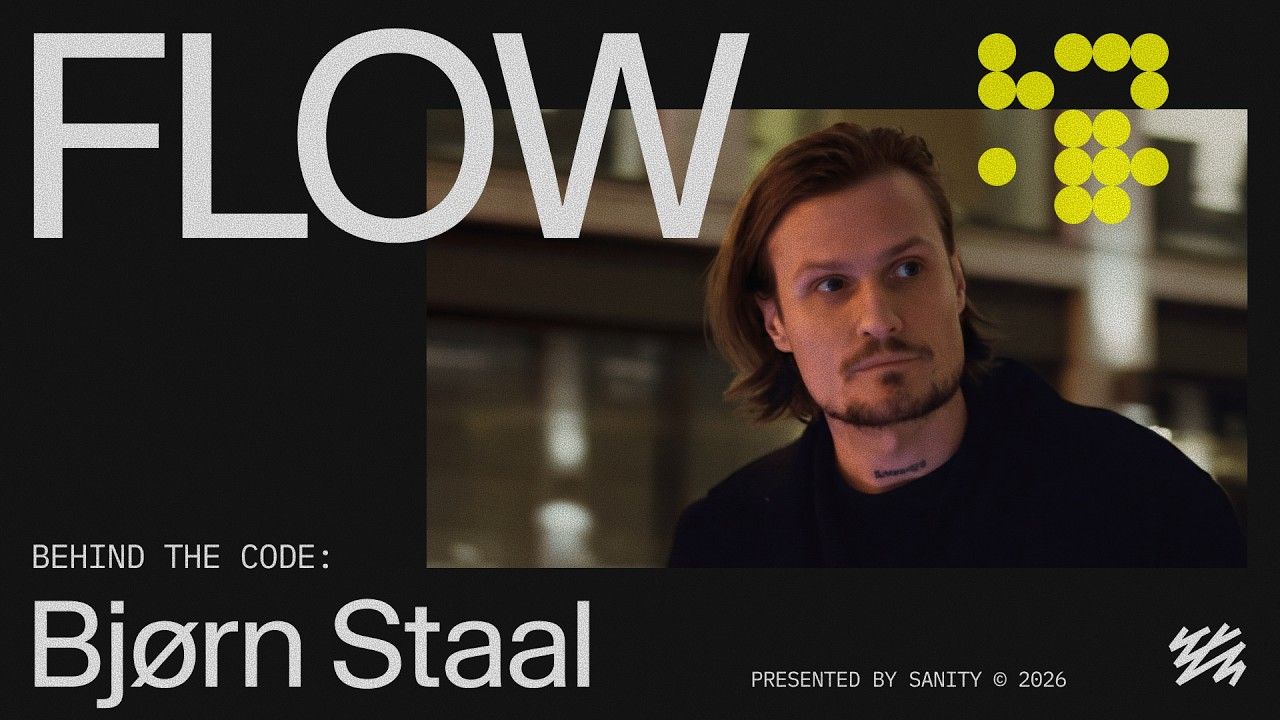
In Episode 003 of FLOW, the series exploring the people behind the code, we meet Bjørn Staal, an artist working in code as his native material. At our annual Everything *[NYC] conference, Bjørn built mem_brane, an AI-driven installation that sensed and responded in real time.
Watch the full episode with Bjørn to see the installation in action.
"The research I needed about my own body did not exist. So I built it with AI."
Kristen Faulkner is an Olympic road race champion, pro cyclist with EF Education-Oatly, and a Harvard CS graduate who came to cycling from venture capital. For the past two months, she's been coding 10+ hours a day, training AI models on 4,400 hours of her own data to answer questions that women's performance research hasn't caught up to yet. Three gold medals at the recent Pan American Championships suggest it's working.
We're proud to be sponsoring Kristen on her journey to Olympics in LA 2028. Follow her training and building journey on LinkedIn.
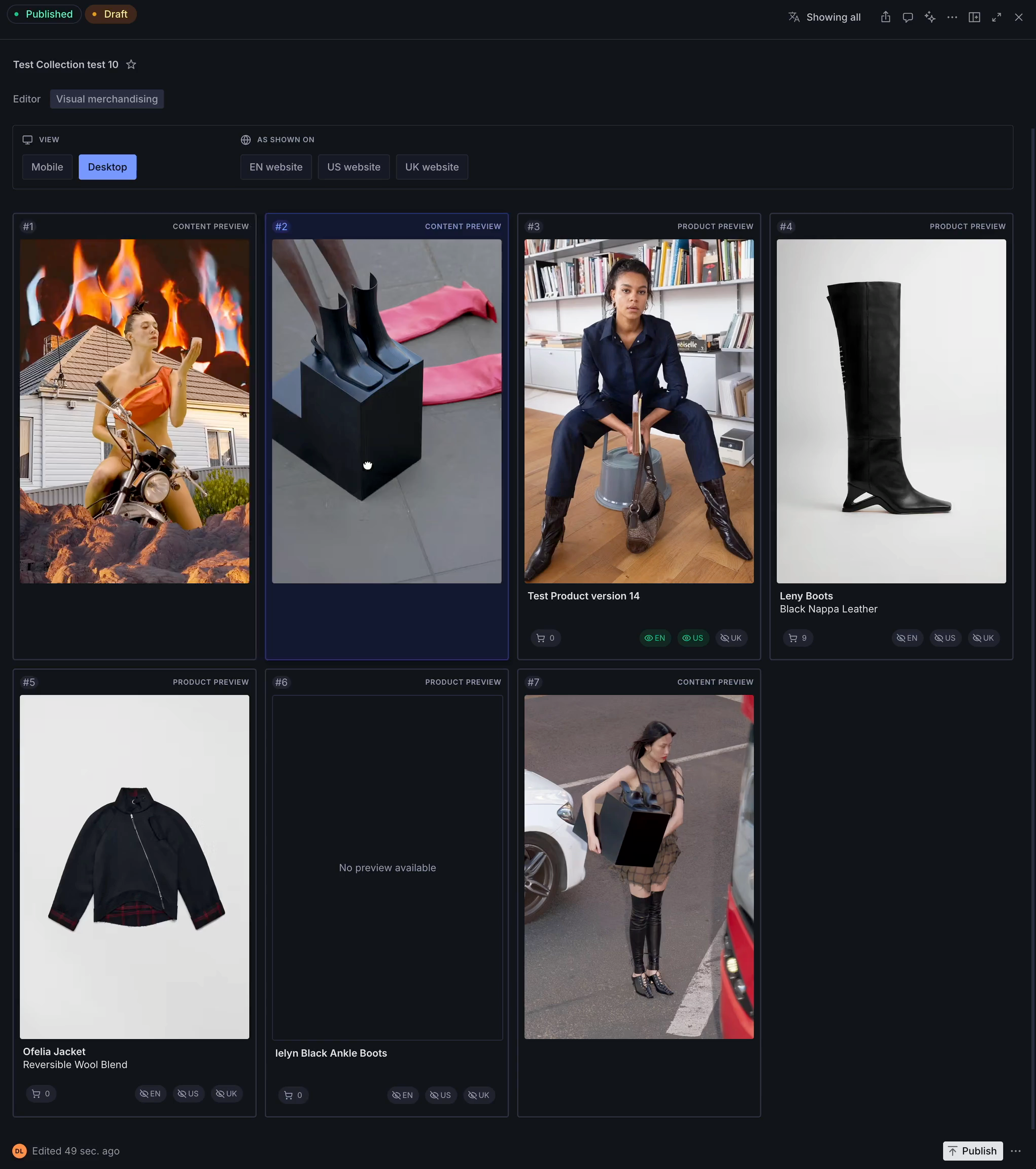
Dick de Leeuw, founder of agency Supercosmic, built a visual merchandising plugin for Sanity Studio, used in his implementation for women's fashion brand Miista. It gives editors a way to curate collection pages directly inside Studio:
- Drag-and-drop product ordering in a visual grid
- Website preview modes for different markets and locales
- Visibility indicators for products that are unavailable or disabled per locale
- The ability to keep unavailable products in place so their curated position is preserved when they come back in stock
Interested in the approach? Dick offered to share more. Find him in #showcase in our Community Discord.
That’s it for this month! See you in Discord!
Evelina