Content applications definition
A content application is software for working on structured content (creating, reviewing, planning, or acting on it) that is shaped around a specific team's task rather than a general-purpose editing form. Editorial dashboards, campaign planners, review tools, and agent-driven workflows are examples.
Content applications are purpose-built tools that let people and agents create, review, plan, or change structured content, not just display it. What makes them work together is shared data. In Sanity, Sanity Studio and custom apps built with the App SDK read and write the same documents in the Content Lake in real time, under the same permissions, so a review dashboard built for one team sees an editor's change as it happens, with no copy to sync.
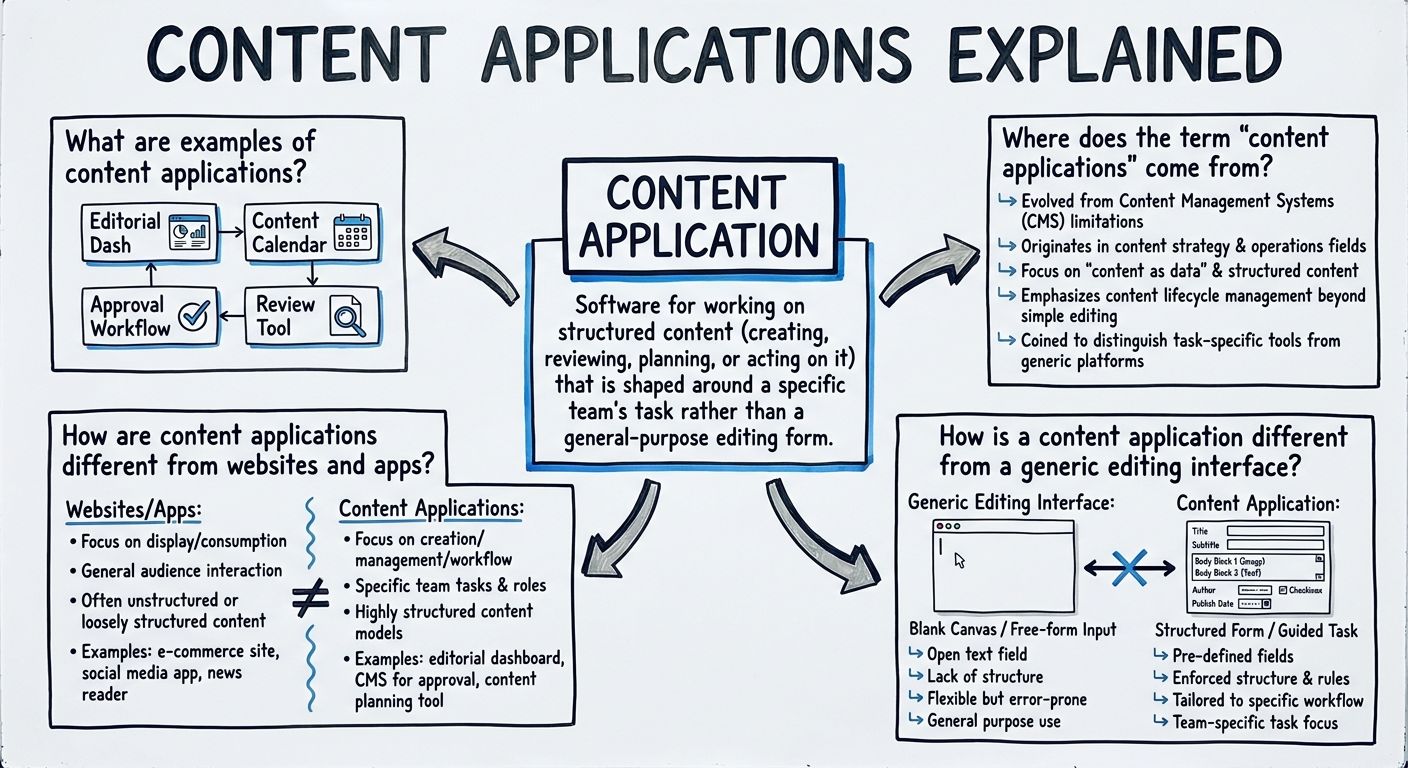
Examples of content applications include custom editorial dashboards, campaign planners, translation review queues, product-data QA boards, approval tools, and agent-driven workflows. Each one is built for a specific job. A campaign planner shows content arranged by launch date and channel. A review queue shows only the items waiting for one person's sign-off. A QA board flags product records with missing fields.
An agent-driven workflow can also be a content application, or run inside one, when software agents read, draft, and change the same structured content that people work on. The common thread is that every one of these content applications operates on content as data, not on a page layout or a single form.
Content applications work on content, while websites and consumer apps present it. A consuming frontend, such as a marketing site or mobile app, queries finished content and renders it for an audience. A content application gives people or agents tools to create, review, plan, or change the content itself, including work in progress, statuses, and workflow state.
Both kinds of software can read from the same source. The difference is the direction of work: a website pushes content out to readers, and a content application works on the content before and after it reaches them.
Some delivery-platform vendors use the term more broadly. CoreMedia's Content Application Engine manual describes a content application as one that "takes content from multiple sources, transforms it, and delivers it to a target," a definition that includes websites. This entry uses the narrower editorial and operational sense.
A content application is shaped for one task, not many, while a generic editing interface is a single form-based screen that covers every content type the same way. Generic forms work well for writing and updating individual documents. They work less well for jobs that cut across many documents, such as seeing every asset scheduled for a launch or every translation waiting on review.
A content application also differs from the platform underneath it. In enterprise content management terms, a content services platform is the foundation that provides storage, APIs, and permissions, and content applications sit on top of that platform. Keeping the two layers separate lets a team add new content applications without rebuilding where the content lives or who can change it.
The term content applications has no single settled definition, and at least three uses exist. In older XML and content-delivery engineering, a MarkLogic-era paper described content applications as being to text what database applications are to relational data.
In enterprise content management, Gartner reframed the category as "Content Services" in 2016, with platforms as the foundation and applications built on top, according to Newgen's summary of the shift. Vendors such as Nuxeo, Alfresco, and OpenText use the phrase in that sense, as Tech Vendor Index notes.
In modern content operations, content applications are the tools teams work in, built over a shared store of structured content. What all three uses have in common is that a content application is defined by treating content as data, not by its interface.
In Sanity, content applications are built with Sanity Studio and the App SDK, both working on documents in the Content Lake. Sanity is the AI Content Operating System, and its docs frame the idea plainly: "People work in applications, not in a database." Studio is a customizable, code-defined editing environment, and Sanity also ships applications such as Canvas, a freeform document editor with AI assistance, and Media Library, which manages assets across projects.
When none of those fit, teams build their own with the App SDK, a toolkit for custom React applications. It provides React hooks, live document retrieval, optimistic local-first editing, batchable document actions, permissions checking, and Sanity Typegen support, so app code can use types generated from the schema. It leaves the interface, routing, and form and schema validation to the team building the app.
Studio works with one project and dataset at a time, while App SDK apps can work across many projects and datasets. Apps run in the Sanity Dashboard alongside other applications, and since App SDK v2.7.0 (February 2026) they can also run inside Studio without configuration. Because every content application reads and writes the same schema-defined documents, an editor's change in Studio shows up in a custom dashboard in real time. Agents fit the same model: as Sanity's docs put it, agents "read, draft, and act on the same structured content your team works in, under the same schema and the same permissions."
Explore Sanity Today
Understanding content applications is just the beginning. Take the next step and discover how Sanity can enhance your content management and delivery.
Last updated: