
WinnerPath two
A wine cellar that remembers what you used to believe
by Ken W AlgerConsumer & lifestyle
A wine collection that learns your taste and helps you drink your best bottles before they're past their prime.
ShowcasedPath twoDeveloper & ops tooling
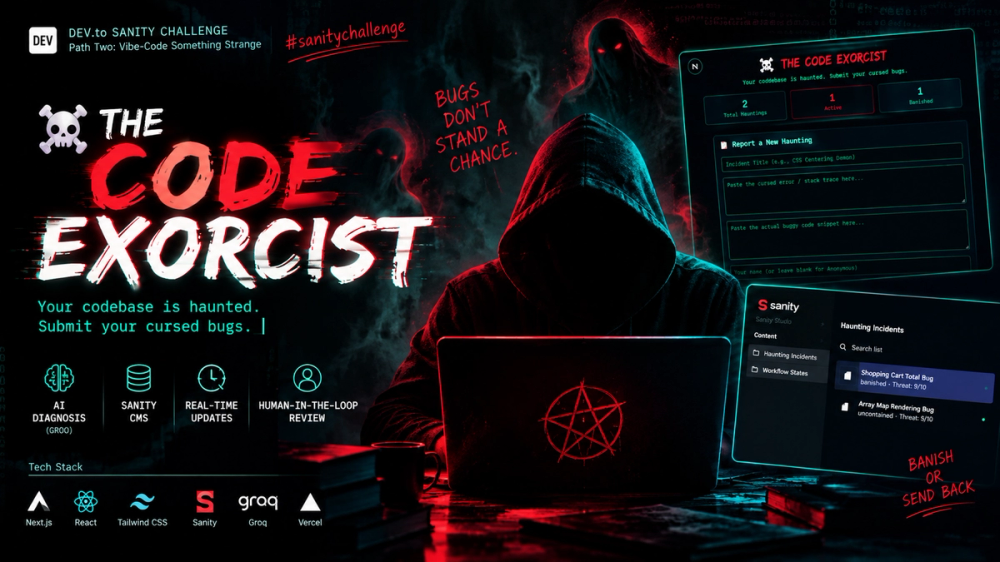
A bug-triage app where an AI diagnoses pasted errors and code, and a human approves or rejects the fix.
What it does
A developer submits an error trace together with the code that caused it. An LLM reads both, names the bug category, sets a threat level, explains the root cause, and writes a fix.
A reviewer then opens the case in Sanity Studio and either approves the fix or sends it back for another pass. Each decision is logged with a timestamp, and the public page updates live with stats and a per-case timeline.
The problem
When a bug report arrives, teams want a structured first pass before committing an engineer's time. Diagnosing from the error text alone often misses the real cause, so the model has to see the code too. And an AI fix should not ship without a person signing off, with a record of who decided and why.
What they built
haunting
One submitted bug: error trace, code snippet, category, threat level, root cause, and proposed fix.
workflowState
The bug's current stage plus a history log of actor, action, timestamp, and notes.
The stack
The hard part
Workflow status lives in its own referenced document with stages from uncontained to pending review to banished, rather than a flat field. The agent moves a case forward; two custom document actions let a reviewer approve or reset it, and both directions write to the same history.
Because the workflow is separate from the bug content, it can be queried on its own. A GROQ listener pushes every change to the frontend without reloads.
WinnerPath two
by Ken W AlgerConsumer & lifestyle
A wine collection that learns your taste and helps you drink your best bottles before they're past their prime.
WinnerPath two
by FarisCommunity & civic
A shelter where the animals are New York City potholes. Find one that needs care, adopt it, and follow the city's progress on fixing it.
Team favoritePath two
by Andrei AlbaConsumer & lifestyle
Is it rude here? An etiquette guide with no verdict field: locals vote on each custom, and when they disagree the site shows the split instead of picking a side.

