How to use AI for proofreading
AI proofreading offers superior speed, accuracy, and 24/7 availability, catching errors that humans may miss. Sanity Create, an AI-powered writing tool, enhances proofreading with features like automatic saving, formatting options, note handling, and a distraction-free environment.
Why use AI for proofreading?
AI technology can be a game-changer for proofreading. Its speed and accuracy surpass human capabilities. It can catch grammar, punctuation, and spelling mistakes in a fraction of the time. AI also excels at maintaining consistency in style and tone. It can catch subtle errors that might slip past a human eye. Plus, it's available 24/7, making it a reliable tool for any writer.
How can Sanity Create help with proofreading?
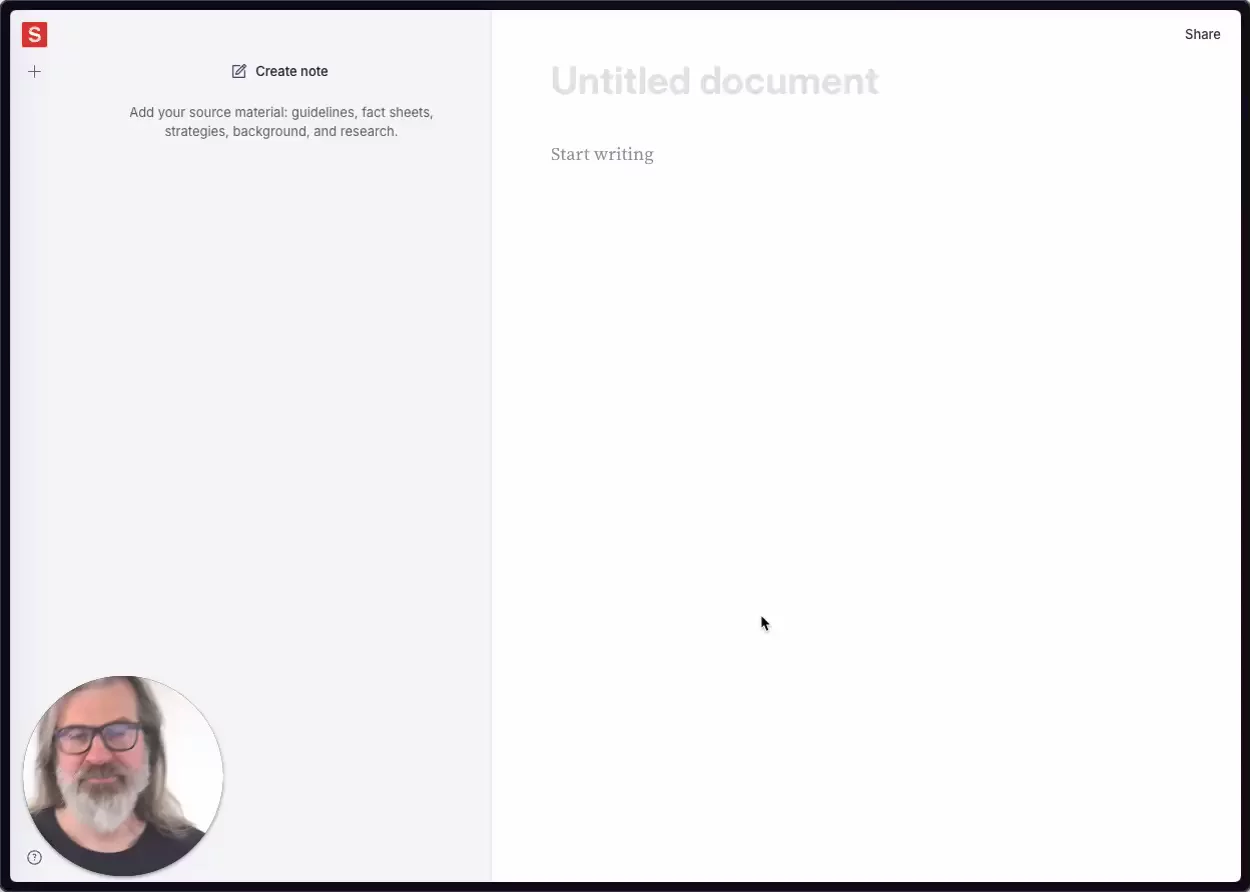
Sanity Create is a powerful AI-powered writing tool that can greatly assist with proofreading. Its built-in AI collaborator, known as the Blip, is more than just a text generator. It's an intelligent co-author that leverages the power of large language models while staying anchored in the context you provide.
As you write, Sanity Create automatically saves your work as you type, so you never have to worry about losing your progress. It also supports a range of formatting options to help you structure and style your content. These features, along with the AI's ability to catch subtle errors, make it a reliable tool for proofreading.
One of the standout features of Sanity Create is its ability to handle notes. These are a key feature that provide context, facts, style guidelines, and inspiration to inform your writing and enable the built-in AI co-writer to make relevant and informed suggestions. The AI assistant uses these notes to gain a deep understanding of the project at hand and tailor its suggestions accordingly. This means the content it produces is not only fluent and coherent but also relevant and tailored to your project. You can learn more about this feature in the Notes docs.
Furthermore, Sanity Create offers a clean, distraction-free writing environment that allows you to focus on getting your thoughts down without any clutter or unnecessary features getting in the way. This distraction-free environment greatly aids in the proofreading process as it allows you to focus solely on the text and any potential errors that may be present.
The AI assistant in Sanity Create, affectionately known as "the Blip", can be interacted with in a number of ways. You can use it to generate new content, expand on ideas, refine and polish your writing, and even adapt to the style and tone specified in your notes. This is particularly useful for proofreading as the AI can help detect and correct errors, ensuring that the final piece of content is of high quality and free from mistakes. You can learn more about how to use the AI assistant in the Blip documentation.
Another great feature of Sanity Create that aids in the proofreading process is its note querying feature. This allows you to ask questions of your notes and get AI-generated answers. This can be incredibly useful for quickly finding specific details, generating summaries, or exploring connections between ideas in your notes.
Overall, Sanity Create is a robust tool that combines human creativity with AI assistance to provide a powerful proofreading solution. However, as with any tool, it's important to follow best practices for the most effective use. Remember, the better the notes you provide, the more accurate the AI's output will be.
5 top tips for using Sanity Create for proofreading
Utilize the AI Assistant: Sanity Create's AI assistant, the Blip, is your key to efficient proofreading. It catches subtle errors, maintains consistent style and tone, and is available 24/7. Use it to generate new content, expand on ideas, refine and polish your writing, and adapt to the style and tone specified in your notes.
Make Use of Notes: Notes are a unique feature of Sanity Create that enhance the proofreading process. They provide context, facts, style guidelines, and inspiration to inform your writing and enable the AI assistant to make relevant and informed suggestions. The more relevant the notes, the more accurate the AI's output will be.
Take Advantage of the Distraction-Free Environment: Sanity Create's clean, distraction-free environment allows you to focus solely on proofreading. This environment enables you to spot and correct potential errors without any unnecessary features getting in the way.
Leverage the Note Querying Feature: Sanity Create's note querying feature lets you ask questions of your notes and receive AI-generated answers. This feature is incredibly useful for quickly finding specific details, generating summaries, or exploring connections between ideas in your notes.
Follow Best Practices: Sanity Create is a powerful tool, but to maximize its proofreading potential, it's crucial to follow best practices. Be precise with your notes, review and edit the AI's output, and don't be afraid to add your own insights and perspective.