You’ll need a CMS eventually. Let your agent set it up.
With the Sanity MCP server, your AI agent can now create schemas, content, and editorial interfaces from prompts.

Jon Eide Johnsen
Head of Growth

Knut Melvær
Principal Developer Marketing Manager
Published
You vibe-coded a site with Cursor. Or shipped a prototype with Loveable. Content lives in
Then someone else needs to update it. A client, a marketing teammate, a founder who doesn't want to learn Git (not even via AI). Suddenly "just edit the markdown" isn't a content strategy.
The Sanity MCP Server lets your agent set up a real content backend in the same workflow you used to build everything else. Schemas, content, editorial interface: all from prompts. Your AI handles the setup while you stay focused on the product. And yeah, no API tokens or local npm installs required. Just log in with your user account and that’s it.
Run this command in Cursor, Claude Code, or VS Code to automatically set it up:
npx sanity@latest mcp configureUsing other MCP clients like Claude Desktop, v0, or Lovable? Add Sanity as a custom MCP by entering https://mcp.sanity.io as server URL.
Go to the full MCP documentation to learn more →
You're building something with AI. A side project, a client prototype, an internal tool. It's always better to build experiences with realistic content.
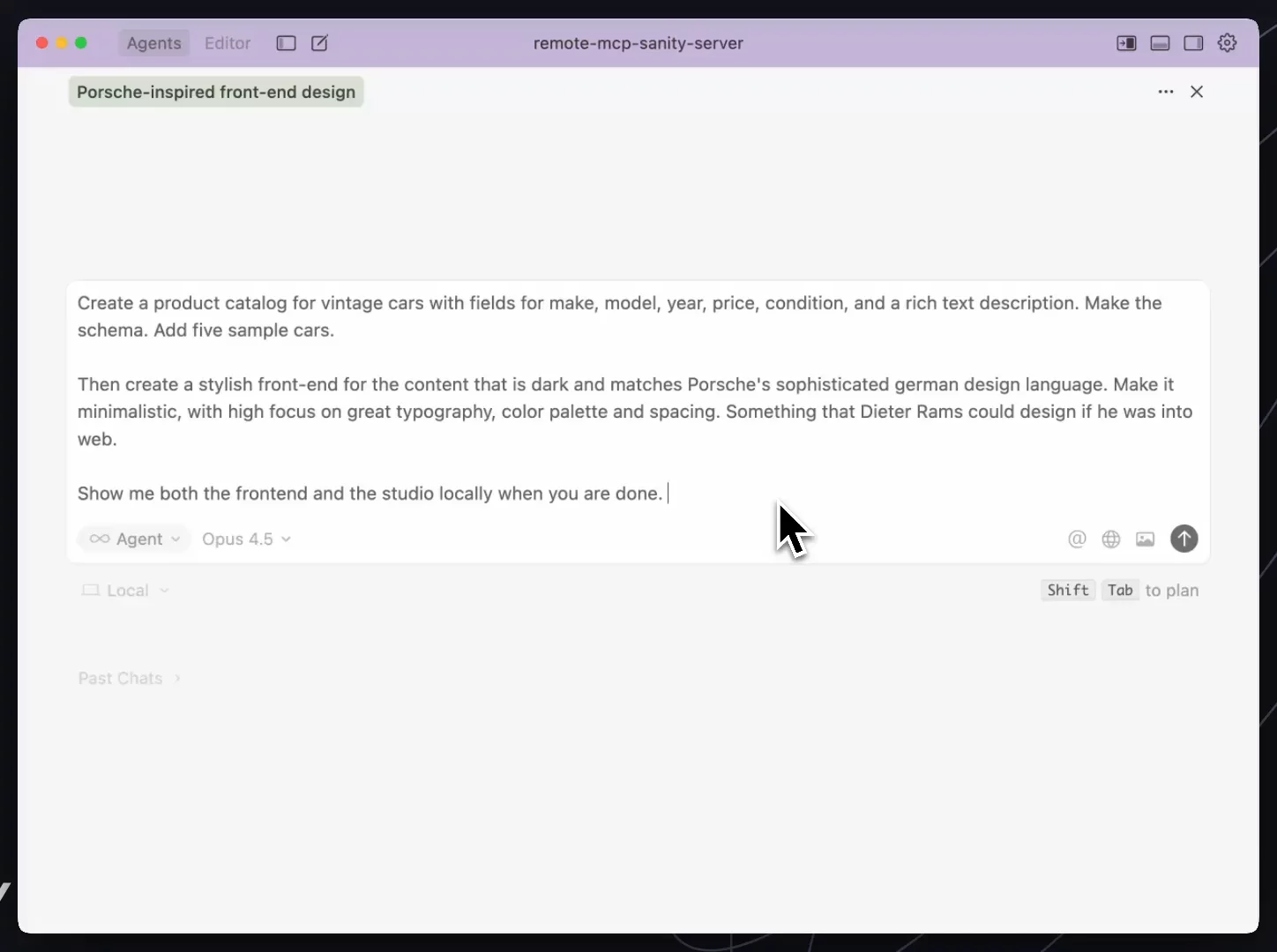
Let's say we're building a new web experience for a vintage car company. You tell your agent something like this:
Create a product catalog for vintage cars with fields for make, model, year, price, condition, and a rich text description. Make the schema. Add five sample cars.
Then create a stylish front-end for the content that is dark and matches Porsche's sophisticated german design language. Make it minimalistic, with high focus on great typography, color palette and spacing. Something that Dieter Rams could design if he was into web.
Show me both the frontend and the studio locally when you are done.
In the video below, the prompt is ran in Cursor and Opus 4.5 with the Sanity MCP server installed. It's speed up for the parts where we're watching the agent do its thing. The whole thing took about 13 minutes from start to end.
At the end, you have:
- A deployed Sanity schema with proper field types and validation
- Sample content in your Content Lake
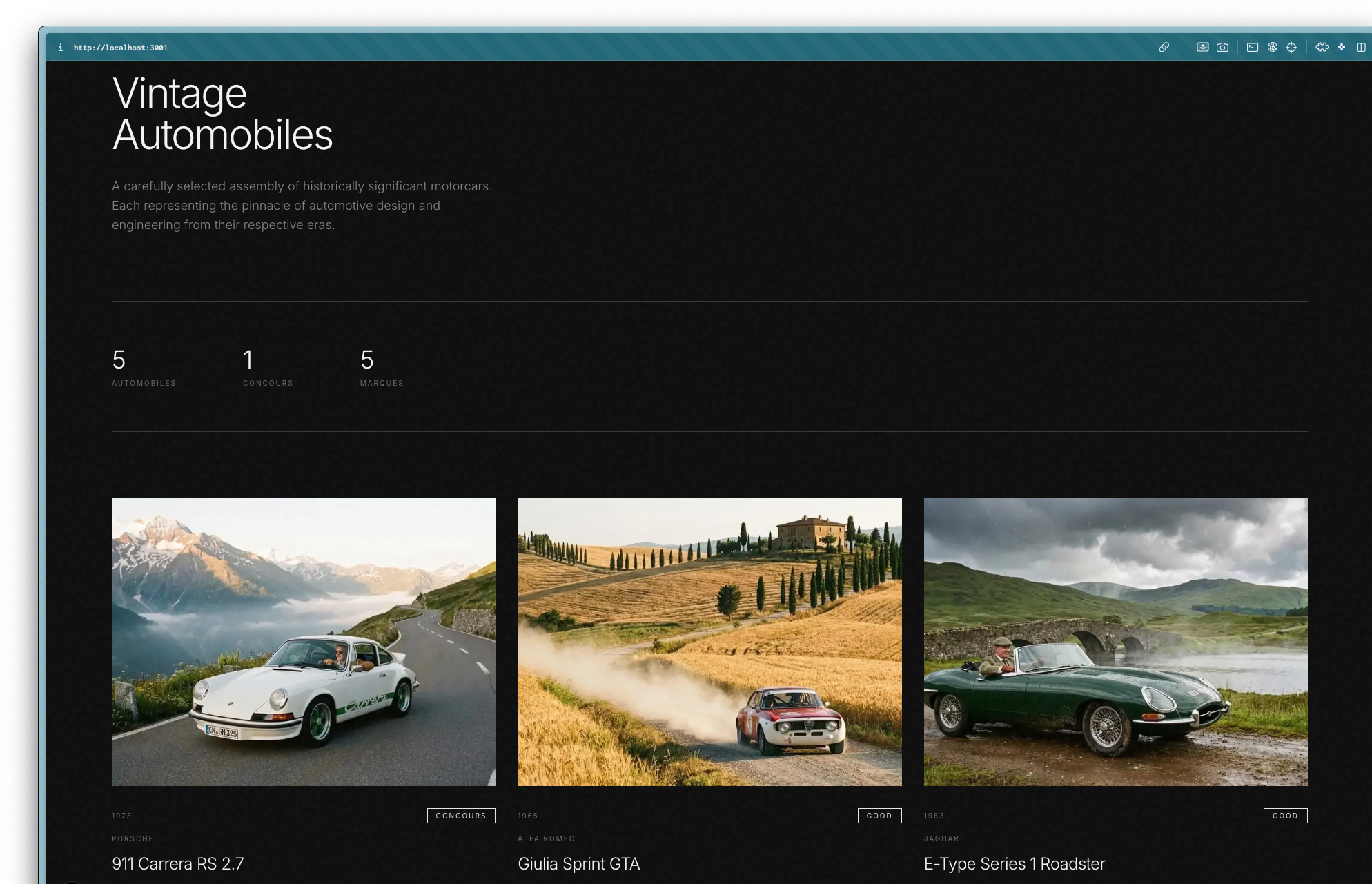
- A working studio and frontend showing your cars
The AI handles content modeling, sample content, and schema
Since Sanity's AI comes with image generation and transformation out of the box, you can also ask the MCP server to add car photos and update them with human drives.
The MCP server isn't just for spinning up prototypes. For teams running Sanity in production, it handles the tedious-but-necessary tasks that usually require scripts, docs dives, or context-switching.
"Which product pages are missing SEO descriptions?" or "Find all documents that reference deleted authors." The AI queries against your actual schema and returns actionable results, not generic suggestions.
Need a GROQ query that fetches the 10 most recent published articles with author info and only the first 3 categories? Describe what you want, get correct syntax back. No more tab-switching to the GROQ cheat sheet.
"Add an SEO metadata object to all page types with fields for title, description, and social image." The AI checks your existing schema, generates compatible additions, and can deploy them.
When you're building features, your AI can query your actual content to understand the data shapes you're working with. It generates code that matches your schema, tests against real documents, and catches mismatches before you do.
Quickly change the structure of documents, move values around. If you have Content Releases, stage those changes into a release so you can test and verify before making them live.
"What's in the Black Friday release and are any required fields missing?" The AI inspects release contents, validates against your schema, and flags problems before they ship. Stage content updates, schedule publication, manage coordinated releases across multiple documents.
"Explain the
"Why doesn't product X show up on the frontend?" Paste a document ID, and the AI fetches the doc, checks publish state, validates required fields, and tells you what's wrong.
Most models already know Sanity well. With the MCP server, they can act on that knowledge directly.
The MCP Server is a secure gateway between your agent and your Sanity projects, with 40+ tools for document operations, schema management, content releases, and AI-powered media generation.
But the tools are only part of the story. What matters is how well the AI can actually use them.
The server includes over 200 lines of instructions that teach agents how Sanity works. Check the schema before querying. Understand references vs. arrays. Handle multi-step operations correctly. Your AI doesn't guess at field names or return broken queries because it's been taught to verify first.
Static .cursorrules files go stale. You paste them once, best practices evolve, and six months later your AI is confidently recommending deprecated patterns. The MCP Server fetches official agent rules on demand from our Agent Toolkit repo. Best practices update, your AI gets them immediately. No maintenance on your end.
Connect with your existing Sanity login. No tokens required to get started. Your edits show up as you in revision history, not some generic API user. Need more control? You can also use scoped API tokens for specific permissions or automated workflows.
Large queries can overwhelm AI context windows. The MCP Server tracks token counts and paginates intelligently, returning maximum useful data within budget. You get "12 of 847 documents (48,392 tokens)" instead of a failed request or truncated response.
Rate limiting, metrics, error tracking included. No self-hosting, no DIY operations. The server handles production concerns so you can focus on building.
The MCP Server exposes 40+ operations:
| Category | What you can do |
|---|---|
| Documents | Create, query, patch, publish, unpublish, delete |
| Schemas | Retrieve full schemas, deploy schema changes (experimental) |
| Releases | Create, schedule, publish coordinated content packages |
| Media | Generate images from prompts, transform existing images with AI |
| Search | Semantic search on embeddings indices, search Sanity docs |
| Projects | Create new projects, manage datasets |
| Migration | Guided migration paths from Contentful, WordPress, Strapi, Drupal |
We support automatic configuration for Claude Code, Cursor, and VS Code:
- New projects: When creating new projects with
npm create sanity@latest, you'll get the option to configure MCP automatically. - Existing projects: Run
npx sanity@latest mcp configureto set up MCP for your editor. - Manual setup: Visit mcp.sanity.io for step-by-step instructions for all MCP-compatible clients.
Full documentation and tool reference →
The Sanity MCP Server is available now for all Sanity projects.