[NOW AVAILABLE] 👋 Hey Content Agent, tell me what you do that other AI tools can’t →
Skip to content
Sanity
  • Content operations

    • Sanity Studio
    • Media Library
    • Canvas
    • Content AgentNew
    • Content Releases
    • Insights
    • App SDK

    Content backend

    • Content Lake
    • Live CDN
    • Compute
    • Agent Actions
    • MCP ServerNew
    a white background with orange and black dots on it

    The only platform powering content operations

    Start building for free
    Start building for free
  • Use Cases

    • Headless CMS
    • E-commerce
    • Marketing
    • Media and publishing
    • PIM
    • LMS
    • Build your own

    Users

    • Developers
    • Content Editors
    • Product Owners
    • Business Leaders
    a man sits on a fence next to a horse

    Tecovas strengthens their customer connections

    Read the story
    Read the story
  • Build and Share

    • Sanity 101New
    • Sanity Learn
    • Frameworks
    • Templates
    • Tools and plugins
    • Schemas and snippets
    • Join our community

    Insight

    • Blog
    • Events
    • Customer stories
    • Guides
    A dark-themed collage showcasing branded merchandise including t-shirts, a cap, mug, tote bag, and socks, alongside various digital design elements and logos, prominently featuring "Sanity" branding.

    Grab your gear: The official Sanity swag store

    Read Grab your gear: The official Sanity swag store
  • Docs
  • Enterprise
  • Pricing
Sanity

  • Content operations

    • Sanity StudioHeadless CMS
    • Media LibraryCentralized asset management
    • CanvasAI-assisted, free-form writing
    • Content AgentNewAI for content operations
    • Content ReleasesStack and stage content updates
    • InsightsUnderstand content performance
    • App SDKRapidly build content apps

    Content backend

    • Content LakeThe content optimized database
    • Live CDNSimple, scalable, real-time
    • ComputeEvent handlers for content changes
    • Agent ActionsBuilt-in, content aware AI
    • MCP ServerNew
  • Use Cases

    • Headless CMS
    • E-commerce
    • Marketing
    • Media and publishing
    • PIM
    • LMS
    • Build your own

    Users

    • Developers
    • Content Editors
    • Product Owners
    • Business Leaders
  • Build and Share

    • Sanity 101NewA quick series covering key areas of Sanity to get you up to speed.
    • Sanity Learn
    • Frameworks
    • Templates
    • Tools and plugins
    • Schemas and snippets
    • Join our community

    Insight

    • Blog
    • Events
    • Customer stories
    • Guides
  • Docs
  • Enterprise
  • Pricing

Key features of Create that help with writing a proposal

Join our community on Discord
Subscribe to our newsletter

Products

  • Sanity Studio
  • Media Library
  • Canvas
  • Content Agent
  • MCP Server
  • Content Releases
  • Insights
  • App SDK
  • Content Lake
  • Live CDN
  • Compute
  • Agent Actions
  • AI Assist
  • Use cases

Resources

  • Docs
  • Sanity 101
  • Sanity Learn
  • Tools and plugins
  • Frameworks
  • Templates
  • Schemas and snippets
  • Guides
  • Headless CMS explained
  • Resource library
  • Explainers
  • Enterprise CMS guides
  • Headless CMS Guides
  • Enhancing your CMS with AI
  • Compare Sanity
  • Glossary
  • Pricing

Company

  • Contact
  • Blog
  • Shop
  • Events
  • Careers
  • Changelog
  • Customer Stories
  • Agency Partners
  • Technology Partners

Trust and compliance

  • Privacy policy
  • Terms of service
  • Accessibility statement
  • Transparency statement
  • Security and compliance
  • Open Source Pledge

Keep in touch

© SANITY 2026

OSL, NOR (CET)

SFO, USA (PST)

Loading system status...
Change Site Theme

How to use AI for writing a proposal

AI can simplify proposal writing, enhancing quality and freeing up time for creativity. Sanity Create, an AI-powered tool, streamlines the process further, blending human creativity with AI assistance for a compelling, well-informed proposal.

Why use AI for writing a proposal?

Utilizing AI for writing a proposal can be a game-changer. It simplifies the process, saving you time and reducing stress. With AI, you get high-quality content that's coherent and free of errors. It also allows you to focus on the creative aspects of your proposal, while it handles the tedious technicalities. Plus, AI tools often come with features that enhance the readability and appeal of your output.

How can Sanity Create help with writing a proposal?
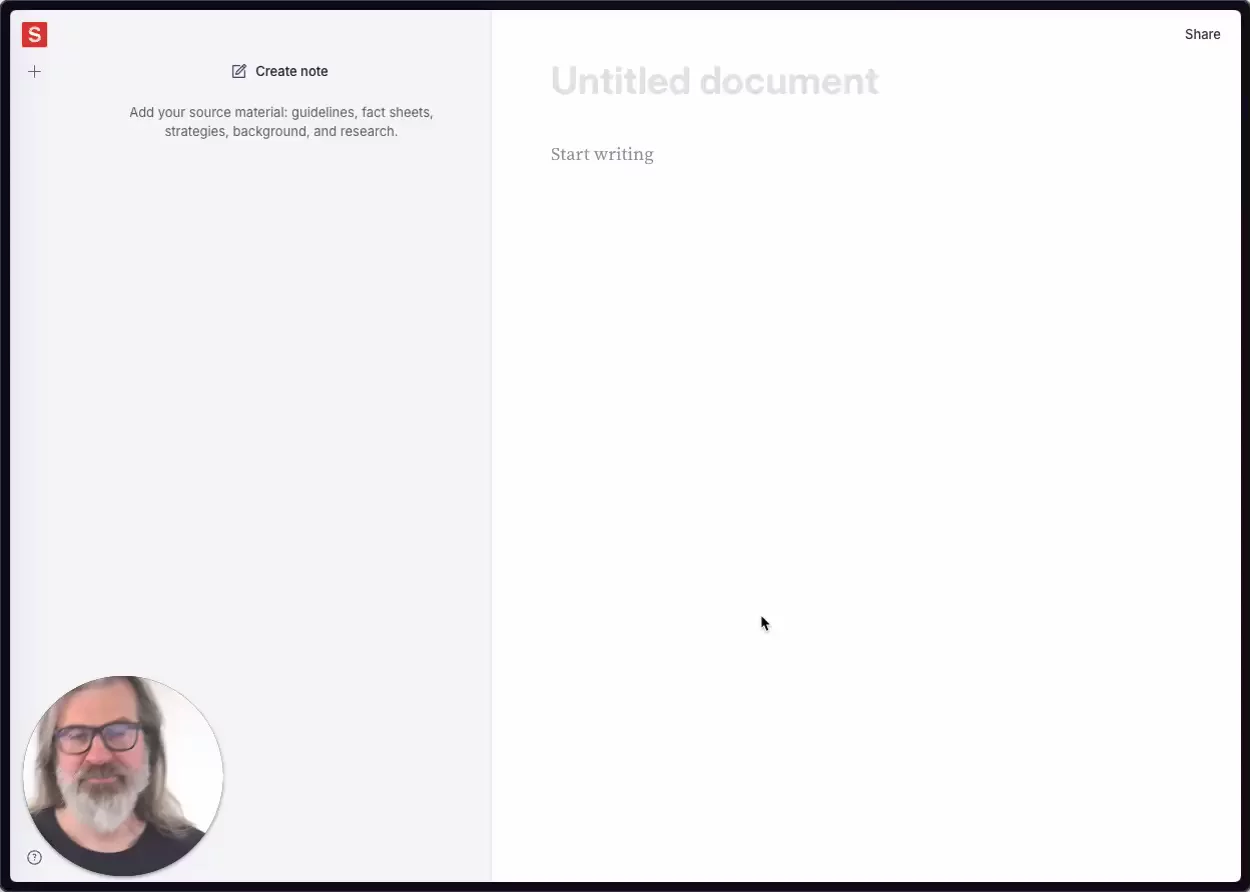
Sanity Create is an AI-powered writing tool that can significantly streamline your proposal writing process. It blends human creativity with AI assistance, enabling you to craft a compelling, well-informed proposal with less effort.

Using Sanity Create starts with creating a new document. Your work here is automatically saved, minimizing the risk of losing your progress. The document editor environment is clean and distraction-free, allowing you to focus solely on crafting your proposal. You can use slash commands and Markdown formatting for structuring and styling your content.

One of the key features of Sanity Create that can aid in proposal writing is the use of notes. Notes in Sanity Create can hold context, facts, style guidelines, and inspiration. Providing the AI with these notes equips it with the background knowledge it needs to assist you effectively. You can create notes, organize them, and even query them using AI. All of these features are detailed in the notes documentation.

The built-in AI assistant, known as the "Blip", is an integral part of Sanity Create. The Blip utilizes the power of Large Language Models (LLMs) to generate relevant content based on your notes and existing text. It can help you expand on ideas, refine your writing, and even adapt to the style and tone specified in your notes. The Ghostwriter docs provide more information on this.

The AI assistant can be interacted with using the Blip, which can be found following your cursor around the document. The Blip provides different options like Ghostwrite for generating new content, Show options for presenting alternative suggestions, and Search for relevant notes for finding pertinent information in your notes.

The Run as instruction option allows you to use selected text as a prompt for the AI assistant. This can be particularly useful when you need to expand on a specific point or idea in your proposal.

Sanity Create's AI assistant can also be used within individual notes for more targeted assistance. You can use it to summarize key points of a note, identify inconsistencies, or suggest additional facts to include, thereby enriching the context for your proposal.

While using Sanity Create, it's essential to follow best practices. Be precise in your notes, break down complex topics, and always add your insights and perspective. The AI is a tool to enhance your writing process, not to fully automate it.

In summary, Sanity Create is a powerful tool for writing proposals. It combines the efficiency of AI with the directed context of your notes, empowering you to craft a proposal that is both deeply informed and compellingly written.

5 top tips for using Sanity Create for writing a proposal

  • Start with a clear structure: Before diving into writing your proposal, take some time to outline your main points in Sanity Create. This will give the AI a clear direction and can help generate more relevant and targeted content.

  • Use notes effectively: Notes are an essential feature of Sanity Create. They help inform the AI about the context, facts, style guidelines, and inspiration for your proposal. Be specific and detailed in your notes to maximize the effectiveness of the AI.

  • Engage with the AI assistant: Sanity Create's AI assistant, known as the "Blip", can be a great help in refining and expanding your proposal. Use the different options like 'Ghostwrite', 'Show options', and 'Search for relevant notes' to leverage its capabilities.

  • Experiment with 'Run as instruction': This feature allows you to use selected text as a prompt for the AI assistant. It can be particularly useful when you need to expand on a specific point or idea in your proposal.

  • Follow best practices: While Sanity Create is a powerful tool, it's important to remember that it's there to enhance your writing process, not to fully automate it. Be precise in your notes, break down complex topics, and always add your own insights and perspective.

  • Get started with Create for free today

    Sign up for free

    TRUSTED BY THE MOST INNOVATIVE TEAMS

    PUMA
    PUMA
    PUMA

    Sanity Create unlocks the future we've imagined for our content workflows. It's the missing piece for how editors work to create the best content out there.

    A portrait of David Annez
    David Annez
    SVP of Engineering

    Notes creation

    You can create and attach relevant notes to documents. These notes can provide context, facts, style guidelines, and inspiration to help in content creation and enable the AI co-writer to make pertinent and informed suggestions.

    AI ghostwriter

    Built-in AI writing assistant that leverages the power of Large Language Models (LLMs) to generate new content based on the provided notes and existing text, refine and polish writing, and adopt the style and tone specified in the notes.

    Collaborate

    Invite your team or contributors to create along with you. Enjoy the same comments, tasks, and revision history features you know and love from Sanity Studio (coming soon).

    Make content your competitive advantage

    Explore demoContact sales