Alt Text Generator AI
Generate SEO-friendly alt text for images in Sanity Studio. Generate alt text individually or in bulk and rank faster on Google. No code required to get started.
Install command
npm i sanity-plugin-alt-text-generatorsanity-plugin-alt-text-generator
Generate alt text for your images inside Sanity CMS. You can generate alt text one image at a time, or in bulk for all your assets.
Features
- Per-field "Generate Alt Text" button on any image field with an
altsubfield - Bulk dashboard — a dedicated "Alt Text Generator" tool in the Studio nav that scans your entire dataset for image fields, lets you filter by missing/all, generate one at a time or in bulk, review and edit before saving, and save every change in one transaction
- Automatic mode — optionally write alt text the moment an image is uploaded, when its alt text is empty
- In-Studio Settings panel — paste your API key directly in the Studio, no code or redeploy required; shows your remaining credit balance
- Automatically finds every image field with an
altsubfield across your schema — no manual field configuration needed
How it works
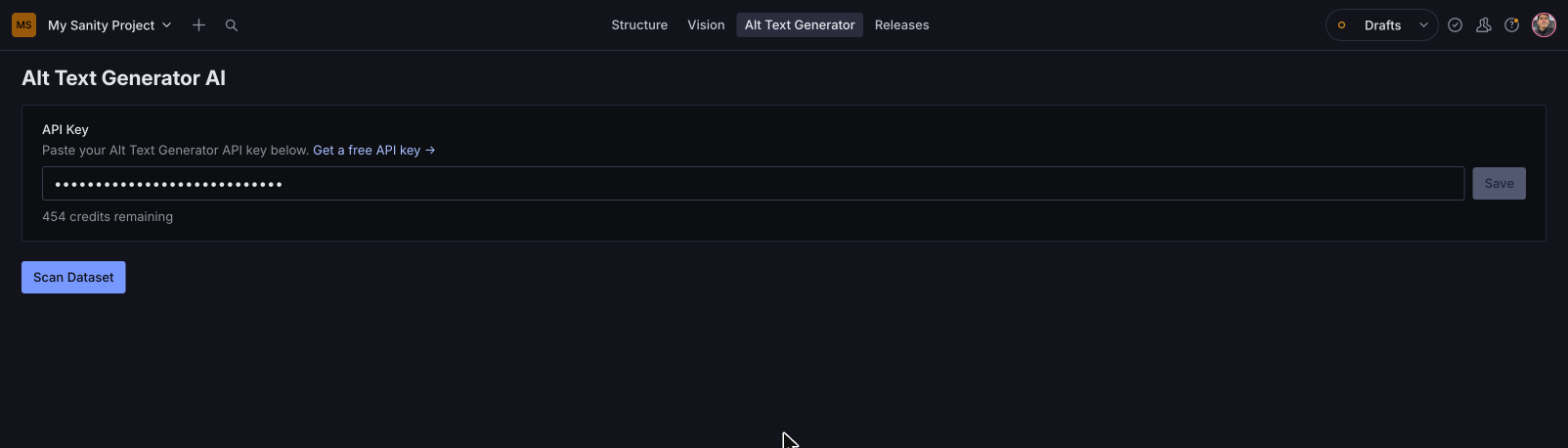
1. Paste your API key. Open the Alt Text Generator tool in the Studio nav and add your key in Settings. Your remaining credits show right below it.
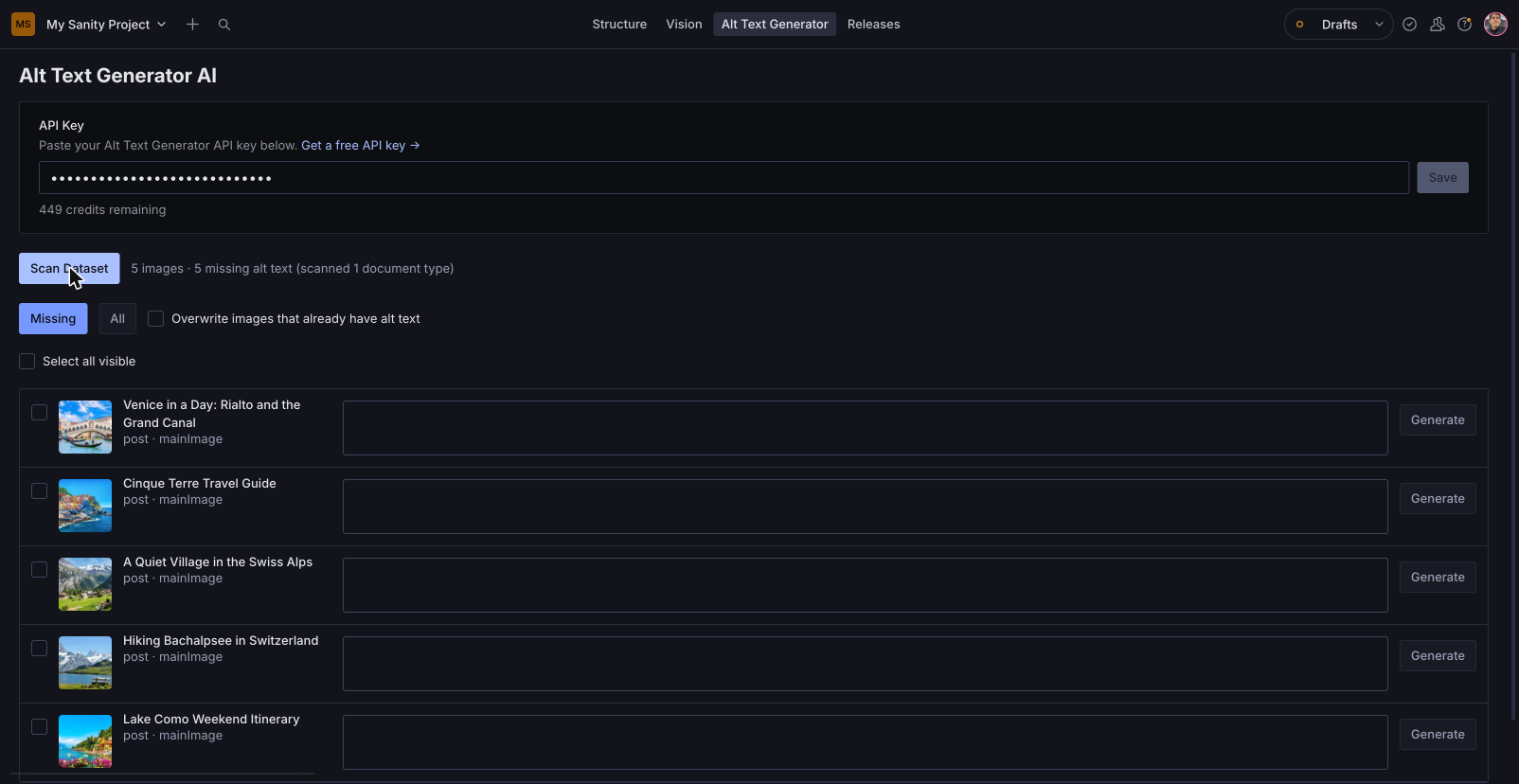
2. Scan your dataset. The tool finds every image field with an alt subfield and lists the ones that are missing alt text.
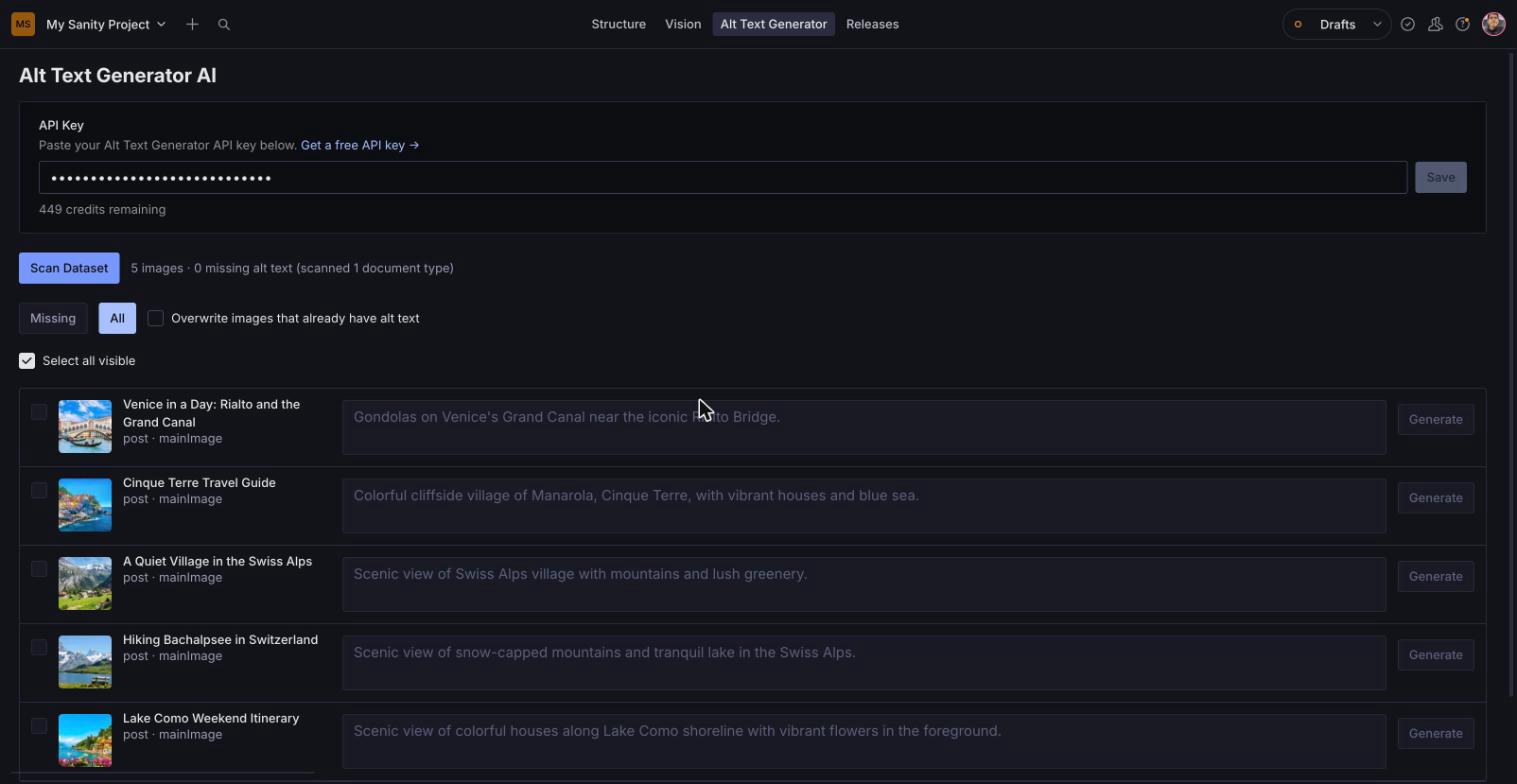
3. Generate, review and save. Generate one image at a time or all at once, edit anything you want to change, then save every change in one go.
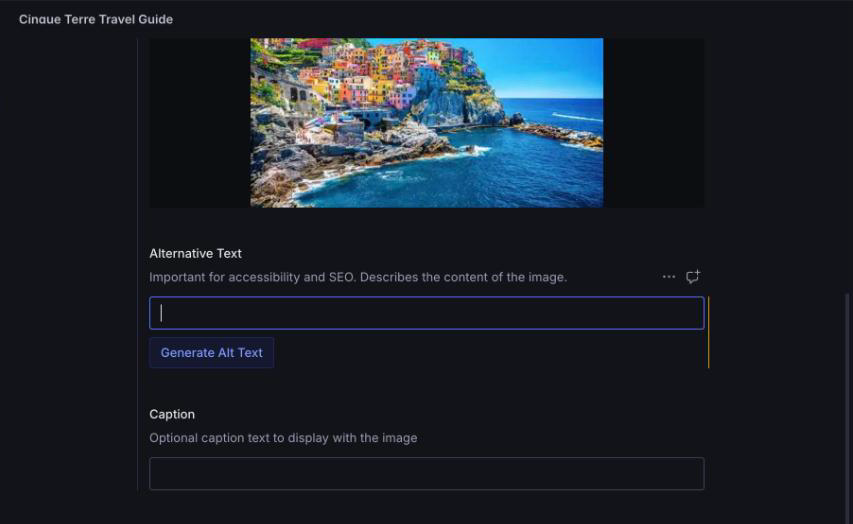
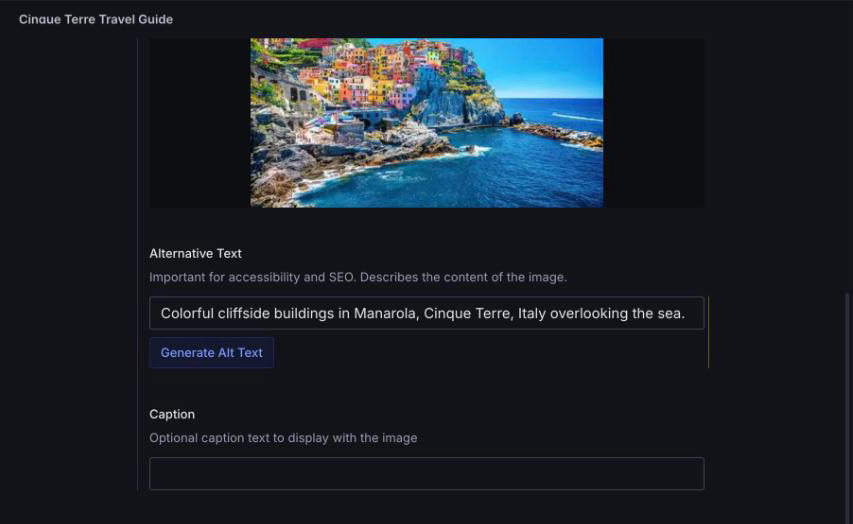
4. Or generate right on the field. Any image field wired up with the Generate Alt Text button writes alt text without leaving the document.
Installation
npm install sanity-plugin-alt-text-generatorRequires a Sanity Studio on v5 or v6 with React 18 or 19. Sanity Studio v6 itself needs Node.js 22.12 or newer.
Usage
Add the plugin in sanity.config.ts (or .js):
import {defineConfig} from 'sanity'
import {altTextGenerator} from 'sanity-plugin-alt-text-generator'

export default defineConfig({
  // ...
  plugins: [altTextGenerator()],
})
Open the Alt Text Generator tool in the Studio nav and paste your key into its Settings panel (get a free one here). You can also pass a default key in code for local development/CI.
altTextGenerator({apiKey: process.env.SANITY_STUDIO_ALT_TEXT_API_KEY})Generate alt text automatically on upload
Turn on Write alt text automatically when an image is uploaded in the tool's Settings panel, or in code:
altTextGenerator({autoGenerate: true})When someone uploads an image and its alt text is empty, the plugin writes it right away. If they swap an image for a different one, it writes new alt text for the new image. Each image uses one credit. Existing images are never changed just by opening a document. This needs the image field wired up with AltTextField or AltTextImageInput (see below). The Settings panel choice takes priority over the code option.


Wiring up the per-field button
Any image field with an alt subfield is automatically picked up by the bulk dashboard. To also get a one-click "Generate Alt Text" button on that field, wire it in one of two ways:
On the alt string field itself (recommended — the button renders right under Alternative Text, above any other fields like Caption):
import {defineField, defineType} from 'sanity'
import {AltTextField} from 'sanity-plugin-alt-text-generator'

defineType({
  name: 'imageWithAlt',
  type: 'image',
  fields: [
    defineField({
      name: 'alt',
      title: 'Alternative Text',
      type: 'string',
      components: {input: AltTextField},
    }),
    defineField({name: 'caption', type: 'string'}),
  ],
})
On the whole image field (button renders below all of the image's fields at once):
import {AltTextImageInput} from 'sanity-plugin-alt-text-generator'

defineField({
  name: 'mainImage',
  type: 'image',
  components: {input: AltTextImageInput},
})
Either way, the image type needs an alt string field for the bulk dashboard to find it and for either component to know where to write the result.
License
MIT © Bryam Loaiza
Develop & test
This plugin uses @sanity/plugin-kit with default configuration for build & watch scripts.
See Testing a plugin in Sanity Studio on how to run this plugin with hotreload in the studio.