What’s New - June 2026
From prompt to a hosted Studio in one chat, agents that know your users, Content Agent on Slack Marketplace, and more

Evelina Wahlström
Technical Product Marketing Manager at Sanity
Published
The last missing piece of end-to-end Sanity development from your AI tools just landed. With deploy_studio in the Sanity MCP, you (or your agent) can now create a project, deploy a schema, add content, connect to a frontend, and get a working Studio, all without ever touching the CLI.
Take Pubcrawlr, the London pub guide I built in v0 with the Sanity MCP. Now I can go from first prompt to a hosted *.sanity.studio URL without ever leaving v0. I hand it to my editorial friends and they start curating right away. This means I've really got zero excuse not to get the recommendations live in time for the World Cup this summer…
Works wherever you work: v0, Claude, Lovable, Replit, ChatGPT, Cursor, and so on. Read more about the new capabilities, or head straight to setup.
II. Build a website agent that knows your users
John's back with another use-case video, this time a hotel booking agent built on Sanity Context.
John argues that most chatbots are flying blind. They can't tell an anonymous visitor from your best customer with a booking next week. He shows how Sanity Context makes sure yours isn't. Same agent, two conversations: an anonymous one asking about hotels in Paris, and a logged-in one asking "did I request a crib?" and watching the booking update in real time.
The how is simple: scope what the agent can see, keep the
The stack:
- Sanity stores the content (hotels, bookings, system prompt)
- Sanity Context exposes it to the LLM via MCP
- Anthropic for inference
- Vercel AI SDK for the agent loop
That's one use for Sanity Context, the MCP endpoint that gives your agent structured retrieval and
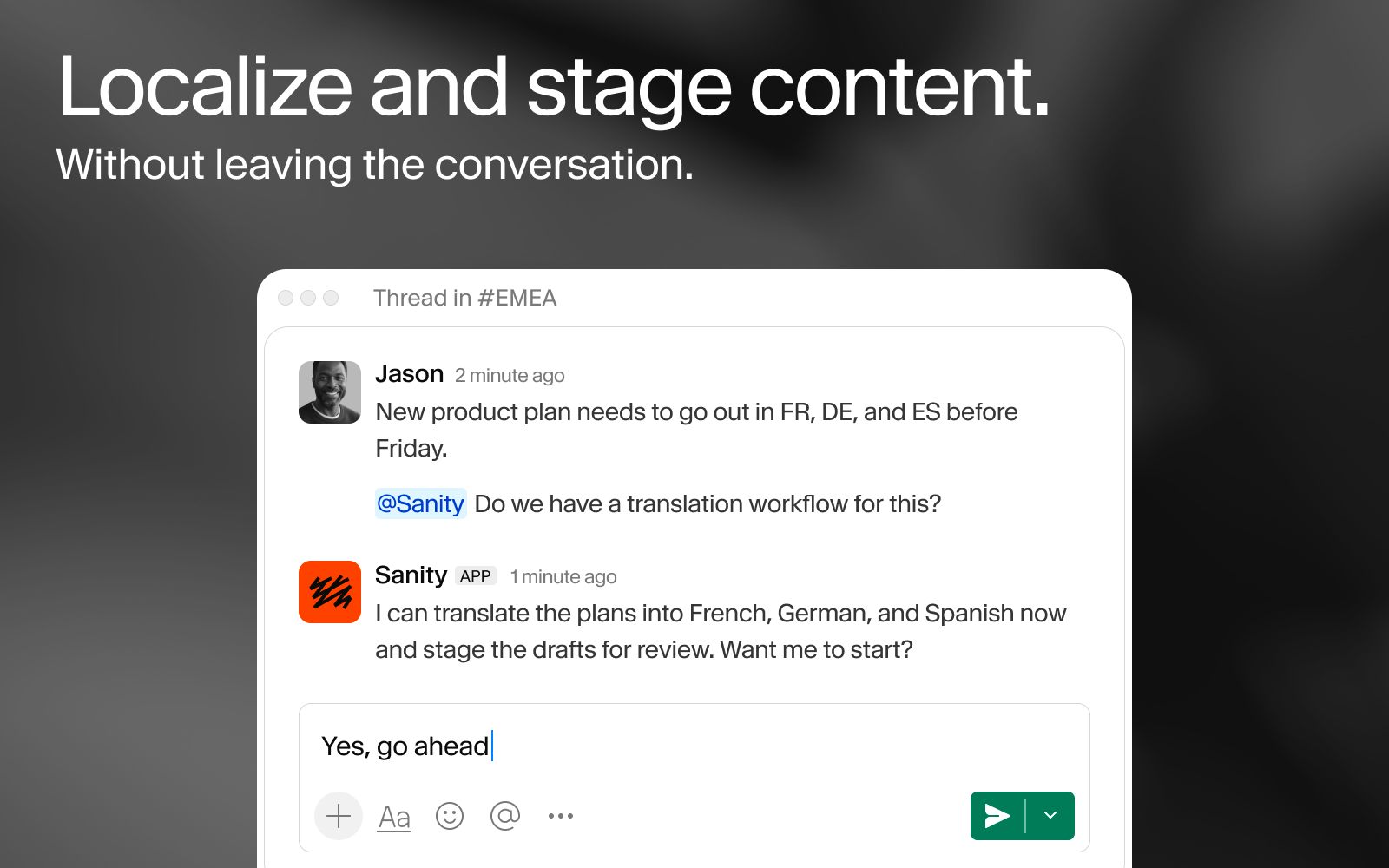
With Content Agent, our hope is to meet your content team where they already are.
They (well, don't we all?) live in Slack all day: flagging changes, reviewing drafts, kicking off translations, you name it. Content Agent is now on the Slack Marketplace, so your team can add it as an app to your Slack workspace. With that, there's no need switching context between doing the work and talking about it.
As a reminder, Content Agent connects straight to your Content Lake, so you can draft, review, translate, and edit
Want to see how our internal team uses Content Agent in Slack? Read more about that here.
P.S. Don't forget that Content Agent is also available as an API, meaning you can create cool experiences like a Telegram agent for Conferences.
“It's like Christmas come early … I will be using this every minute of the day, this is superb.”
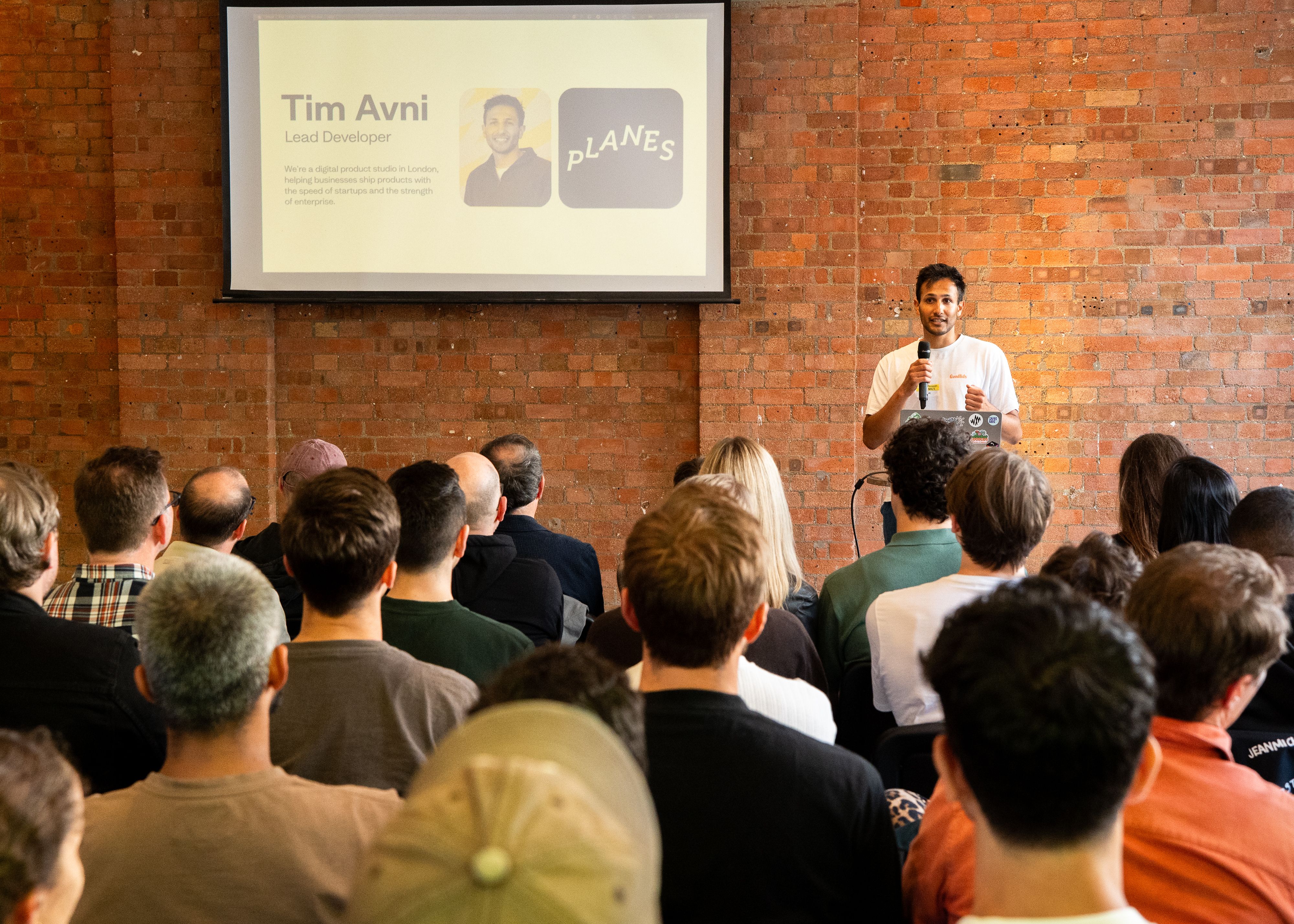
That's a Lewis Silkin lawyer reacting to the prototype of Delphius, the agentic legal platform Tim built with the firm and the Ius Laboris alliance. At our London Pioneers event last week, Tim broke down how trust gets engineered through the content system itself, and the prototype-first approach that won client buy-in in two weeks.
Also on stage: Steve Ruiz (tldraw) on turning code into content with Claude and Sanity, and our own Jarod Reyes on the board game agent he built with Sanity Context. Subscribe to our YouTube to not miss when the talks are live.
"This is what takes you from asking ChatGPT to write code snippets to using AI to build real things at work."
That leap, from snippets to building real things, is exactly what the curious non-developer in your orbit wants to make: you know the one who’d rather build than file a ticket and wait on you. Knut's guide gets them there.
It walks through adding a content backend to your prototype using Sanity for
This month, instead of one specific build, I want to flag that the Pioneers Program is now open for nominations.
We all know someone who has built a wild AI workflow, shaped a complex content architecture, or shipped a tool the community depends on, and that work rarely gets the spotlight it deserves.
My biggest bet this year is to support the developers, builders, and operators out there doing just this. So if you're interested in extra AI credits to build, early access to betas, a direct line to product/engineering, content amplification (like being featured in this blogpost), and much more, you should apply here.
In addition to spotlighting the work from Pioneers, I'll be building this out in the open, a Community Operating System on the Content Operating System (very meta, I know!), automating where I can, but always in service of the people behind the build.
That's it for this month. See you in Discord!
Evelina