Sanity Lottie
A plugin to upload and preview Lottie files in your studio
By ContentWrap
Install command
npm i sanity-plugin-lottieSanity Lottie Plugin
A Sanity plugin to upload and preview Lottie files in your studio.
Developed and maintained by ContentWrap


Features
- Easy integration: Add a Lottie animation field to your Sanity schema.
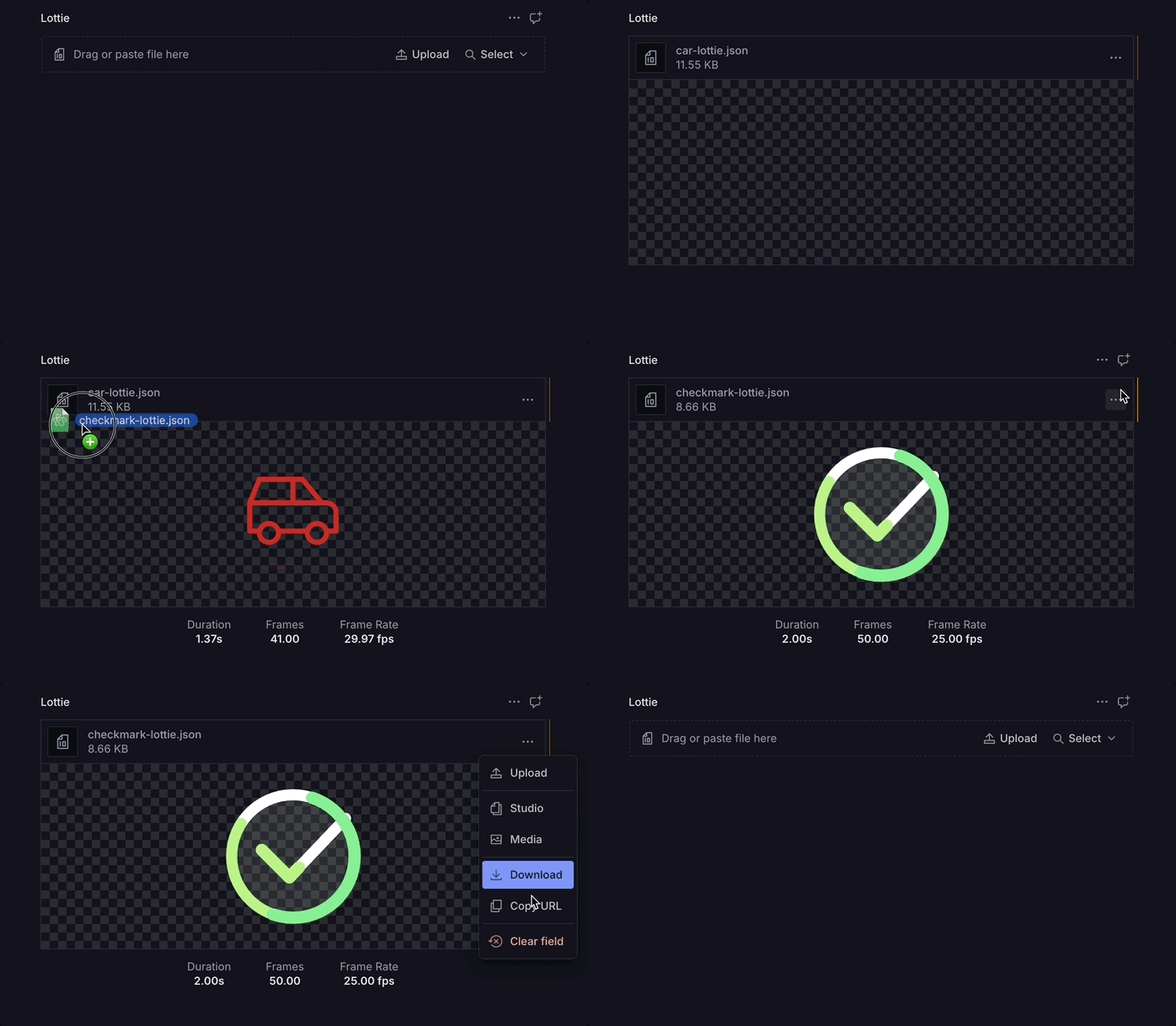
- Instant preview: See your Lottie animation right in the Studio after upload.
- File validation: Only accepts valid Lottie
.jsonfiles. - Animation info: Displays duration, frame count, and frame rate.
Installation
pnpm add sanity-plugin-lottie
# or
yarn add sanity-plugin-lottie
# or
npm install sanity-plugin-lottie
Usage
1. Add the plugin to your Sanity config:
// sanity.config.ts
import { defineConfig } from 'sanity';
import { lottiePreview } from 'sanity-plugin-lottie';

export default defineConfig({
  // ...
  plugins: [lottiePreview()],
});
2. Use the lottie type in your schema:
// schemas/myDocument.ts
import { defineType } from 'sanity';

export default defineType({
  name: 'myDocument',
  title: 'My Document',
  type: 'document',
  fields: [
    {
      name: 'animation',
      title: 'Lottie Animation',
      type: 'lottie',
    },
    // ... other fields
  ],
});
How it works
- Upload a Lottie
.jsonfile in the Studio. - Instantly preview the animation, with info on duration, frames, and frame rate.
- Only valid Lottie
.jsonfiles are accepted.
Requirements
- Sanity Studio v3 or v4
- Lottie
.jsonfiles (exported from After Effects or similar tools)
License
MIT © ContentWrap
About the Developer
This package is developed and maintained by ContentWrap, a digital product agency specializing in Sanity and modern web development.