Published October 28, 2026
Generate a share image for every post when it is published, with a Sanity Function
By Carus
(Disclosure: I’m connected to thirds.ai.)
Drafted with AI help.
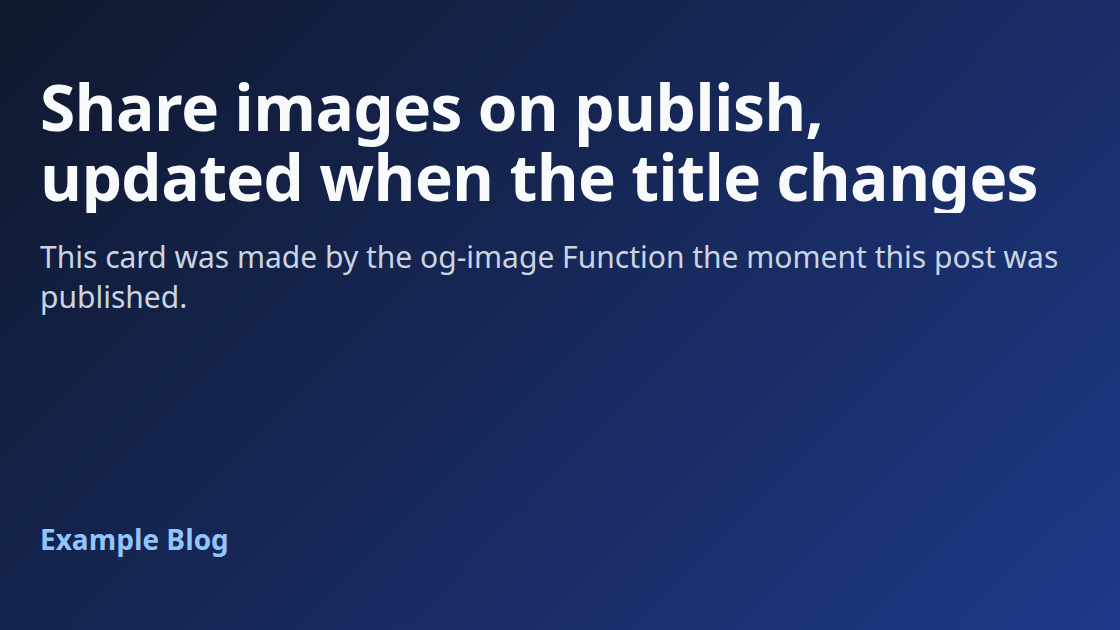
When a post is published, a Sanity Function renders a 1200x630 Open Graph image from HTML, uploads it to the dataset and sets it on the post’s ogImage field, so editors never make a share image by hand.
The rendering step uses thirds.ai, an HTML to image API, so this guide requires a thirds.ai account and API key. Everything else is standard Sanity: Blueprints, a document Function, @sanity/client, and an image field.
Every step below was run end to end in a real Sanity project (Sanity CLI 8.25.0, Node.js 24) on 28 October 2026. In that run, publishing a new post set the share image about 5 seconds later, and each Function run took about 3 to 4 seconds.
What you need
- A Sanity project with a Studio and a
postdocument type. Deploying Functions needs a project role with thedeployStudiopermission. - Node.js 24 and the latest Sanity CLI (
npx sanity@latest). - A thirds.ai account and API key.
How it works
- A post is created or updated in the published dataset (drafts are ignored by default).
- The blueprint filter lets the event through only when the post has no
ogImageyet, or when itstitleorexcerptchanged. - The Function builds a small HTML card from the post and sends it to thirds.ai as a 1200x630 PNG render, with an
Idempotency-Keymade from the content. - It downloads the PNG, uploads it with
client.assets.upload('image', ...), and patchesogImageon the published post and on its open draft if there is one. - Setting
ogImagechanges neithertitlenorexcerpt, so the Function's own patch does not trigger it again.
Project layout
Sanity recommends against putting a blueprint in the same folder as a Studio. The layout used here keeps the blueprint at the root, with the Studio and the Functions beside it:
my-project/
  package.json          (dependencies for the Functions and the blueprint)
  sanity.blueprint.ts
  .sanity/              (written by blueprints init, holds the project and stack ids)
  functions/og-image/index.ts
  studio/               (the Studio: sanity.config.ts, sanity.cli.ts, schemaTypes/)
1. Add the field to the post schema
// Add this field to the post schema in the Studio (schemaTypes/post.ts).
import { defineField } from 'sanity'

export const ogImageField = defineField({
  name: 'ogImage',
  title: 'Share image',
  type: 'image',
  description: 'Made automatically when the post is published. Remove it to make a new one.',
  readOnly: false,
})
Add ogImageField to the fields array of the post type, then deploy the Studio from the studio folder:
cd studio
npx sanity@latest deploy
The deploy also uploads the schema, and the hosted Studio at https://YOUR_HOSTNAME.sanity.studio/ shows the Share image field on every post.
2. Create the blueprint and the Function
From the project root (not the studio folder):
npx sanity@latest blueprints init . --type ts --stack-name production --project-id YOUR_PROJECT_ID
npm install @sanity/client @sanity/functions
npm install --save-dev @sanity/blueprints
mkdir -p functions/og-image
blueprints init creates the stack in the project and writes sanity.blueprint.ts and .sanity/blueprint.config.json. The Function file goes in functions/og-image/index.ts (step 4). npx sanity@latest functions add can scaffold the same folder, but in this run the file was written by hand.
3. Configure the trigger
Replace sanity.blueprint.ts with:
import { defineBlueprint, defineDocumentFunction } from '@sanity/blueprints'

export default defineBlueprint({
  resources: [
    defineDocumentFunction({
      name: 'og-image',
      // Rendering and uploading can take longer than the 10 second default.
      timeout: 60,
      event: {
        on: ['create', 'update'],
        // Published posts only (drafts are ignored by default). Runs when a post has no share image,
        // or when its title or excerpt changed. Setting ogImage changes neither, so it does not loop.
        filter: '_type == "post" && defined(title) && (!defined(ogImage) || delta::changedAny((title, excerpt)))',
        projection: '{_id, _type, title, excerpt, "siteName": "Example Blog"}',
      },
    }),
  ],
})
Notes on the choices:
on: ['create', 'update']with the defaultincludeDrafts: falseruns on published documents only. The olderpublishevent is deprecated in favour of explicit create and update events.delta::changedAny((title, excerpt))only works when the field existed before the change, which is why the filter also checks!defined(ogImage). That covers new posts.timeout: 60raises the 10 second default, which leaves room for the render, the download and the upload.- The projection decides what the Function receives in
event.data. ChangesiteNameto the name of the site, or project it from a settings document.
4. Write the Function
Replace functions/og-image/index.ts with:
// Sanity Function: render a 1200x630 share image for a post with thirds.ai,
// upload it as a Sanity image asset, and set it on the post's ogImage field.
// Needs the THIRDS_API_KEY environment variable (sanity functions env add og-image THIRDS_API_KEY <key>).
import { createHash } from 'node:crypto'
import { documentEventHandler } from '@sanity/functions'
import { createClient } from '@sanity/client'
const THIRDS_API = process.env.THIRDS_API_BASE ?? 'https://thirds.ai'
const WIDTH = 1200
const HEIGHT = 630
export type PostData = {
_id: string
_type?: string
title?: string
excerpt?: string
siteName?: string
}
// Minimal shape of the parts of @sanity/client this function uses.
type Client = {
assets: { upload: (kind: 'image', body: Buffer, options: { filename: string; contentType: string }) => Promise<{ _id: string }> }
fetch: (query: string, params: Record<string, unknown>) => Promise<unknown>
transaction: () => {
patch: (id: string, patch: { set: Record<string, unknown> }) => unknown
commit: (options?: { dryRun?: boolean }) => Promise<unknown>
}
}
const escapeHtml = (s: string) =>
s.replace(/&/g, '&').replace(/</g, '<').replace(/>/g, '>').replace(/"/g, '"').replace(/'/g, ''')
// The share card. Plain HTML and CSS, so change it to match the site.
export function cardHtml(post: PostData): string {
const title = escapeHtml(post.title ?? 'Untitled')
const excerpt = post.excerpt ? `<p class="excerpt">${escapeHtml(post.excerpt)}</p>` : ''
const site = post.siteName ? `<div class="site">${escapeHtml(post.siteName)}</div>` : ''
return `<!doctype html><html><head><meta charset="utf-8"><style>
html,body{margin:0;width:${WIDTH}px;height:${HEIGHT}px}
body{box-sizing:border-box;padding:72px 80px;display:flex;flex-direction:column;justify-content:space-between;
background:linear-gradient(135deg,#0f172a,#1e3a8a);color:#f8fafc;font-family:system-ui,-apple-system,"Segoe UI",Roboto,sans-serif}
h1{margin:0;font-size:64px;line-height:1.1;letter-spacing:-0.01em;display:-webkit-box;-webkit-line-clamp:4;-webkit-box-orient:vertical;overflow:hidden}
.excerpt{margin:24px 0 0;font-size:30px;line-height:1.35;color:#cbd5e1;display:-webkit-box;-webkit-line-clamp:2;-webkit-box-orient:vertical;overflow:hidden}
.site{font-size:28px;font-weight:600;color:#93c5fd}
</style></head><body><div><h1>${title}</h1>${excerpt}</div>${site}</body></html>`
}
export function renderRequest(post: PostData) {
return {
html: cardHtml(post),
image: { format: 'png', width: WIDTH, height: HEIGHT },
filename: `og-${post._id.replace(/[^A-Za-z0-9._-]/g, '-').slice(0, 100)}`,
reference: `sanity:${post._id}`.slice(0, 200),
}
}
// Same post content gives the same key, so a retried event reuses the same render job.
export function idempotencyKey(dataset: string, body: unknown): string {
return 'sanity-og-' + createHash('sha256').update(dataset + '\n' + JSON.stringify(body)).digest('hex').slice(0, 48)
}
async function thirdsJson(res: Response) {
const text = await res.text()
try { return JSON.parse(text) } catch { return { raw: text.slice(0, 200) } }
}
// Render with thirds.ai and return the PNG bytes plus the job.
export async function renderPng(post: PostData, opts: { apiKey: string; dataset: string; fetchImpl?: typeof fetch; pollMs?: number; maxPolls?: number }) {
const f = opts.fetchImpl ?? fetch
const body = renderRequest(post)
const key = idempotencyKey(opts.dataset, body)
const auth = { Authorization: `Bearer ${opts.apiKey}`, Accept: 'application/json' }
const res = await f(`${THIRDS_API}/v1/image`, {
method: 'POST',
headers: { ...auth, 'Content-Type': 'application/json', 'Idempotency-Key': key },
body: JSON.stringify(body),
})
let job = await thirdsJson(res)
if (!res.ok && res.status !== 202) {
throw new Error(`thirds.ai render refused: HTTP ${res.status} ${job?.error?.code ?? ''}`.trim())
}
const replayed = res.headers.get('idempotency-replayed') === 'true'
// wait defaults to true, so the job is usually finished already. Poll in case it is not.
for (let i = 0; (job.status === 'queued' || job.status === 'running') && i < (opts.maxPolls ?? 20); i++) {
await new Promise((r) => setTimeout(r, opts.pollMs ?? 1000))
job = await thirdsJson(await f(`${THIRDS_API}/v1/image/${job.id}`, { headers: auth }))
}
if (job.status !== 'succeeded' || !job.download?.url) {
throw new Error(`thirds.ai render ${job.status ?? 'unknown'}: ${job.error?.code ?? 'no download'}`)
}
// The download link is signed, so it is fetched without the API key.
const file = await f(new URL(job.download.url, THIRDS_API).toString())
if (!file.ok) throw new Error(`thirds.ai download failed: HTTP ${file.status}`)
const png = Buffer.from(await file.arrayBuffer())
return { png, job, key, replayed, filename: `${body.filename}.png` }
}
export async function generateOgImage(post: PostData, opts: { client: Client; apiKey: string; dataset: string; dryRun?: boolean; fetchImpl?: typeof fetch }) {
const { png, job, key, replayed, filename } = await renderPng(post, opts)
// Sanity stores assets by content hash, so uploading the same bytes again returns the same asset.
const asset = await opts.client.assets.upload('image', png, { filename, contentType: 'image/png' })
const ogImage = { _type: 'image', asset: { _type: 'reference', _ref: asset._id } }
const publishedId = post._id.replace(/^drafts\./, '')
const draftId = `drafts.${publishedId}`
// Also set it on an open draft, so publishing that draft later keeps the image.
const hasDraft = Boolean(await opts.client.fetch('defined(*[_id == $id][0]._id)', { id: draftId }))
const tx = opts.client.transaction()
tx.patch(publishedId, { set: { ogImage } })
if (hasDraft) tx.patch(draftId, { set: { ogImage } })
await tx.commit({ dryRun: Boolean(opts.dryRun) })
return { assetId: asset._id, jobId: job.id, key, replayed, patched: hasDraft ? [publishedId, draftId] : [publishedId] }
}
export const handler = documentEventHandler<PostData>(async ({ context, event }) => {
const apiKey = process.env.THIRDS_API_KEY
if (!apiKey) throw new Error('THIRDS_API_KEY is not set for this function')
const post = event.data
if (!post?._id || !post.title) {
console.log('Skipped: the post has no title yet')
return
}
const client = createClient({ ...context.clientOptions, apiVersion: '2026-10-01', useCdn: false })
const result = await generateOgImage(post, {
client: client as unknown as Client,
apiKey,
dataset: context.clientOptions.dataset,
dryRun: Boolean(context.local),
})
console.log(`ogImage set on ${result.patched.join(', ')} (job ${result.jobId}${result.replayed ? ', reused' : ''})`)
})The cardHtml function is the design. It is plain HTML and CSS at 1200x630, so fonts, colours, a logo or an author photo can be added the same way as on any web page. Every value from the document is escaped before it goes into the HTML.
The request body uses the field names from the public thirds.ai API schema (html, image.format, image.width, image.height, filename, reference).
5. Test it locally
Variables set with functions env add are not available locally, so set the key in the environment for local runs only. --document-id must point at a post that already exists in the dataset, and --with-user-token lets the local run upload and query as the logged in user:
THIRDS_API_KEY=YOUR_KEY npx sanity@latest functions test og-image --document-id YOUR_POST_ID --dataset production --with-user-tokenA successful run prints Function execution succeeded and the log line ogImage set on YOUR_POST_ID (job image_...).
Under functions test and functions dev, context.local is true, and the Function commits its patch with dryRun: true, so the post is not changed. The render and the asset upload still happen, so a test run uses a thirds.ai render and adds an asset to the dataset. Running the same test again reuses the same render and the same asset (see Retries below).
Two things to know:
- The dry run patch still needs the document to exist. Passing a made up document with
--filerenders and uploads, then fails with "document not found" at the patch. npx sanity@latest functions dev --port 8974serves a playground athttp://localhost:8974/for the same test in the browser. It binds tolocalhost, not127.0.0.1.
6. Deploy and add the API key
The Function has to exist before an environment variable can be added to it, so deploy first:
npx sanity@latest blueprints deploy
npx sanity@latest functions env add og-image THIRDS_API_KEY YOUR_KEY
npx sanity@latest functions env list og-image
npx sanity@latest functions logs og-image
The first deploy takes a minute or two. functions env add takes the key as a command argument, so run it where shell history is not kept or is cleared afterwards. functions env list shows the variable name only, never the value.
Publish a post in the Studio. Within a few seconds the Share image field shows the generated image, and the logs show a Function invocation started line followed by ogImage set on <id> (job image_...), or ogImage set on <id>, drafts.<id> (...) when the post also has an open draft. The Function's built in token is allowed to upload the asset and patch the post, so no extra token is needed.
What the real run showed:
- Publishing a new post: one invocation, a 1200x630 PNG asset,
ogImageset about 5 seconds after publishing. - The Function's own
ogImagepatch: no second invocation. - Changing only the slug: no invocation, the image stayed the same.
- Changing the title: one invocation and a new image about 3 seconds later. The old image stays in the dataset as an unused asset.
7. Use the image on the site
*[_type == "post" && slug.current == $slug][0]{
  title,
  "ogImageUrl": ogImage.asset->url
}
The dataset in a new project is public, so this works with a client that has no token and useCdn: true. In Next.js App Router, for example:
export async function generateMetadata({ params }) {
  const post = await client.fetch(query, { slug: (await params).slug })
  return {
    title: post.title,
    openGraph: { images: post.ogImageUrl ? [{ url: post.ogImageUrl, width: 1200, height: 630 }] : [] },
  }
}
Against the real dataset this gave tags like these, and the image URL returned a 1200x630 image/png:
<meta property="og:title" content="Share images on publish, updated when the title changes">
<meta property="og:image" content="https://cdn.sanity.io/images/YOUR_PROJECT_ID/production/<hash>-1200x630.png">
<meta property="og:image:width" content="1200">
<meta property="og:image:height" content="630">
Retries, loops and drafts
- Retries. The
Idempotency-Keyis a hash of the dataset and the exact render request. If the same event arrives twice, or a run is retried, thirds.ai returns the existing job (with theIdempotency-Replayed: trueheader) instead of rendering again. Sanity stores assets by content hash, so uploading the same PNG again gives the same asset. - Loops. The Function only writes
ogImage, and the filter ignores changes toogImageunless it was removed. Sanity also stops chains of Functions that trigger each other after 16 steps. Keep@sanity/clientat version 7.12.0 or later so that limit is tracked. - Drafts. Publishing a draft replaces the published document with the draft. If the draft has no
ogImage, the image would vanish on the next publish, so the Function sets it on the open draft too. - A new image on demand. Clear the Share image field and publish. The filter sees no
ogImageand renders again. - Hand made images. As written, a title or excerpt change replaces whatever is in
ogImage. To protect images that editors upload by hand, add a boolean such asogImageLockedand add&& ogImageLocked != trueto the filter.
Alternative: a GROQ powered webhook
Projects that already run a server (for example a Next.js app on any host) can use a webhook instead of a Function.
Status of this section: the webhook below was created in a real project and fired once per publish and once per title change, with no delivery for the slug change or for the image patch. The signature check and the route were tested only against locally signed requests, not against a live delivery from Sanity.
Create a webhook in the project's API settings with:
- Trigger on: Create and Update, dataset
production - Filter:
_type == "post" && defined(title) && (!defined(ogImage) || delta::changedAny((title, excerpt))) - Projection:
{_id, _type, title, excerpt, "siteName": "Example Blog"} - A secret, checked with
@sanity/webhook
The receiving route verifies the sanity-webhook-signature header and calls the same generateOgImage function from step 4 with a client made from a write token. It returns 500 on failure, so Sanity retries (retries happen on 429 and 5xx responses only), and the content based key makes the retry reuse the render. Webhook requests time out after 30 seconds, so the Function is the better fit when renders are slow.
As a Next.js route at app/api/og-image/route.ts:
// Alternative to the Sanity Function: a GROQ-powered webhook that calls this endpoint.
// Works as a Next.js App Router route (app/api/og-image/route.ts) or any handler that takes a web Request.
// Environment: THIRDS_API_KEY, SANITY_WEBHOOK_SECRET, SANITY_PROJECT_ID, SANITY_DATASET, SANITY_WRITE_TOKEN.
import { isValidSignature, SIGNATURE_HEADER_NAME } from '@sanity/webhook'
import { createClient } from '@sanity/client'
import { generateOgImage, type PostData } from '../functions/og-image/index.ts'

export async function POST(request: Request): Promise<Response> {
  const env = process.env
  const raw = await request.text()
  const signature = request.headers.get(SIGNATURE_HEADER_NAME) ?? ''
  if (!env.SANITY_WEBHOOK_SECRET || !(await isValidSignature(raw, signature, env.SANITY_WEBHOOK_SECRET))) {
    return Response.json({ error: 'invalid signature' }, { status: 401 })
  }
  const post = JSON.parse(raw) as PostData
  if (!post?._id || !post.title) return Response.json({ skipped: 'no title' })
  const client = createClient({
    projectId: env.SANITY_PROJECT_ID!,
    dataset: env.SANITY_DATASET!,
    token: env.SANITY_WRITE_TOKEN!,
    apiHost: env.SANITY_API_HOST,
    useProjectHostname: env.SANITY_API_HOST ? false : undefined,
    apiVersion: '2026-10-01',
    useCdn: false,
  })
  try {
    const result = await generateOgImage(post, { client: client as never, apiKey: env.THIRDS_API_KEY!, dataset: env.SANITY_DATASET! })
    return Response.json(result)
  } catch (err) {
    // A 500 makes Sanity retry. The retry sends the same content, so thirds.ai reuses the same job.
    return Response.json({ error: (err as Error).message }, { status: 500 })
  }
}
Change the import path to wherever the step 4 file lives in the app. The webhook's attempts log in the project's API settings shows each delivery and the response code.
Limits to know
- Functions have a default 10 second timeout (set to 60 here, up to 900) and 1 GB of memory.
- Functions are rate limited per document and per project, so avoid
includeDrafts: truefor this Function, since every keystroke in a draft would trigger it. - The thirds.ai download link is short lived and signed. The Function fetches it right away and never stores it.
Clean up
npx sanity@latest blueprints destroyThis removes the deployed Function. Generated assets and ogImage values stay in the dataset.
Sanity – The Content Operating System that ends your CMS nightmares
Sanity replaces rigid content systems with a developer-first operating system. Define schemas in TypeScript, customize the editor with React, and deliver content anywhere with GROQ. Your team ships in minutes while you focus on building features, not maintaining infrastructure.
Sanity scales from weekend projects to enterprise needs and is used by companies like Puma, AT&T, Burger King, Tata, and Figma.