Sanity plugin smart asset manager
An advanced asset management plugin for Sanity Studio with smart filtering, size analysis, unused asset detection, and usage tracking.
By Code-Journey
Install command
npm i sanity-plugin-smart-asset-managerSanity Plugin Smart Asset Manager


An advanced, premium asset management dashboard for Sanity Studio. Stop guessing which assets are bloating your project—take full control of your media library with smart analysis, bulk cleanup tools, and deep usage tracking.
Features
Advanced Filtering & Multi-Directional Sorting
Easily navigate through your media library:
- Comprehensive Sorting: Sort assets by Upload Date (Newest/Oldest), Name (A-Z / Z-A), and File Size (High to Low / Low to High).
- Media Type Filtering: Filter by Images, Videos, Audio, and Other Files with robust MIME and extension fallbacks.
- Server-Side Size Filters: Quickly locate Small (<100KB), Medium (100KB–1MB), or Large (>1MB) files with accurate dataset pagination.
- Fast Search & Instant Reset: Search across filenames, document IDs, and file extensions with a single-click reset button to restore default views.
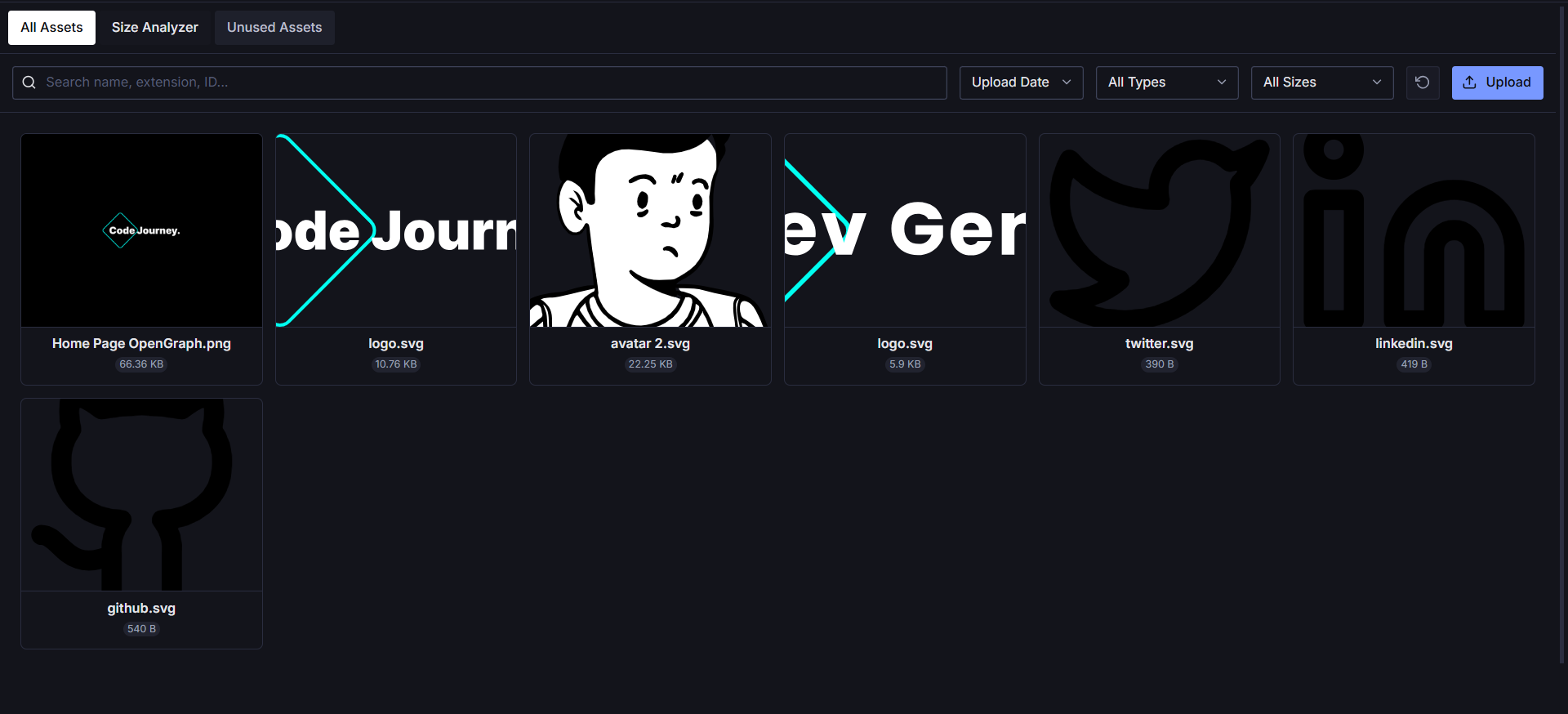
Live Document & PDF Previews
Preview PDF files, Word documents, Excel spreadsheets, PowerPoint presentations, and text files directly inside the grid and list views with seamless, scrollbar-free inline rendering.
Skeleton Loading Screens
Enjoy smooth visual feedback with custom shimmer skeleton screens across All Assets, Size Analyzer, and Unused Assets tabs.
Complete Dataset Size Analyzer
Identify storage and performance bottlenecks. The Analyzer scans your full asset library by file weight and dimensions, allowing you to sort by size to locate unoptimized media across your entire dataset.
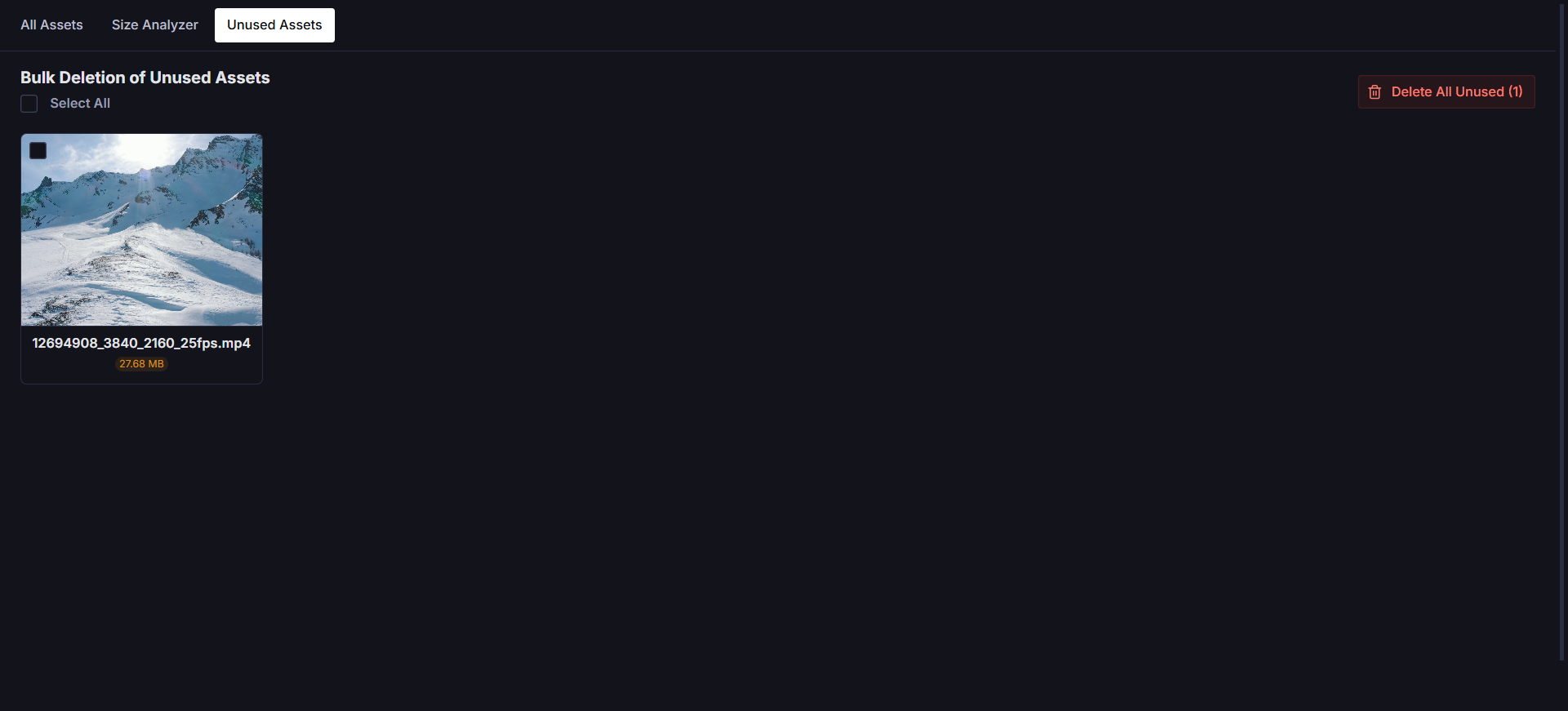
Unused Asset Detector & Bulk Cleanup
Keep your dataset lean and save on storage costs.
- Smart Detection: Automatically finds assets not referenced by any document.
- Multi-Select: Use checkboxes to select specific assets for deletion.
- Bulk Delete: Delete all or selected unused assets with a single click after a safety confirmation.
Duplicate Prevention
Stop uploading the same file twice. The plugin automatically checks for existing filenames during upload and warns you if a duplicate is detected, keeping your library clean and organized.
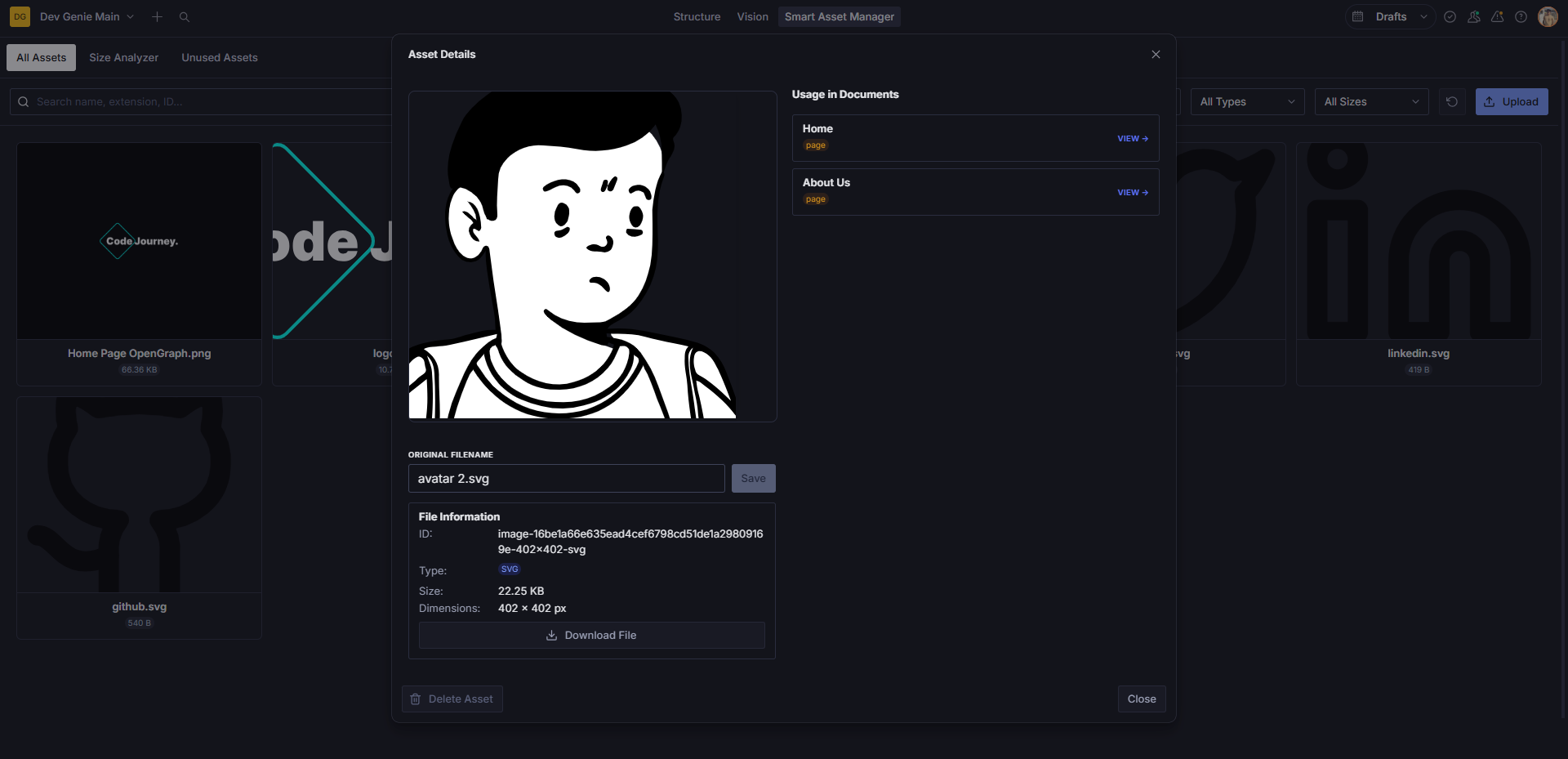
Deep Usage Tracking
Never delete a critical asset by mistake. Click any asset to see exactly which documents are referencing it. You can even click a document in the usage list to jump straight to the editor.
Batch Uploads
Upload multiple files at once. The plugin provides clear progress feedback and handles batch processing efficiently, with a smart 1-second delay after completion to ensure Sanity's backend has indexed your new files.
⚠️ Compatibility Note
| Package | Version Requirement |
|---|---|
Sanity Studio (sanity) | ^5.0.0 or ^6.0.0 (Required for v2.0.0+) |
Sanity UI (@sanity/ui) | ^4.0.0 |
React (react, react-dom) | ^18.0.0 or ^19.0.0 |
| Styled Components | ^6.0.0 |
Legacy Studio Support (Sanity v3.x): If you are using Sanity Studio v3.x or earlier versions of
@sanity/ui(v3/v4), please installsanity-plugin-smart-asset-manager@1.2.0:npm install sanity-plugin-smart-asset-manager@1.2.0
Installation
npm install sanity-plugin-smart-asset-manager
# or
yarn add sanity-plugin-smart-asset-manager
# or
pnpm add sanity-plugin-smart-asset-manager
Usage
- Add the plugin to your
sanity.config.ts(or.js):
import {defineConfig} from 'sanity'
import {smartAssetManager} from 'sanity-plugin-smart-asset-manager'

export default defineConfig({
  // ...
  plugins: [
    smartAssetManager(),
    // ...
  ],
})
Custom Configuration (Optional)
You can customize the tool title, internal name, and navigation icon:
smartAssetManager({
  title: 'Media Hub', // Custom tool title in Studio navbar
  name: 'custom-asset-manager', // Custom tool route name
})- Open your Sanity Studio. You will see a new Smart Asset Manager tool in your navigation bar.
Why This Plugin?
Sanity's default media library is great for selection, but maintenance can be challenging as libraries grow. Smart Asset Manager provides the power tools needed for:
- Performance Optimization: Find and replace heavy assets.
- Cost Management: Remove gigabytes of unused files.
- Workflow Efficiency: Batch upload and deep usage insights.
⚖️ License
MIT License © Code-Journey. All rights reserved.
Licensed under the MIT License. You may obtain a copy of the License at LICENSE.
⭐ Support & Feedback
If you find this plugin helpful, intuitive, or visually stunning, please consider leaving a star on our repository! Your appreciation helps keep us motivated to design, update, and maintain premium developer tools.