Cats widget
Random cats for obvious reasons
Install command
npm i sanity-plugin-dashboard-widget-catsv2 install command (deprecated)
yarn add sanity-plugin-dashboard-widget-cats@studio-v2sanity-plugin-dashboard-widget-cats
This is a Sanity Studio v3 plugin. For the v2 version, please refer to the v2-branch.
What is it?
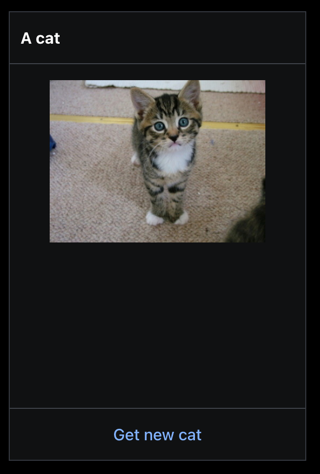
An example dashboard widget for [@sanity/dashboard][dashboard-plugin] that shows a random cat.
This plugin mostly exist to show how a simple widget can be made.
Install
npm install --save sanity-plugin-dashboard-widget-catsor
yarn add sanity-plugin-dashboard-widget-catsEnsure that you have followed install and usage instructions for @sanity/dashboard.
Usage
Add it as a widget to @sanity/dashboard plugin in sanity.config.ts (or .js):
import { dashboardTool } from "@sanity/dashboard";
import { catsWidget } from "sanity-plugin-dashboard-widget-cats";

export default defineConfig({
  // ...
  plugins: [
     dashboardTool({
             widgets: [
                 catsWidget(),
             ],
         }
     ),
  ]
})
Configure
The widget size can be controlled using layout.width:
dashboardTool({
        widgets: [
            catsWidget({ layout: { width: "small" } }),
        ],
    }
)
License
MIT-licensed. See LICENSE.
Develop & test
This plugin uses @sanity/plugin-kit with default configuration for build & watch scripts.
See Testing a plugin in Sanity Studio on how to run this plugin with hotreload in the studio.
Release new version
Run "CI & Release" workflow. Make sure to select the v3 branch and check "Release new version".
Semantic release will only release on configured branches, so it is safe to run release on any branch.


