Rich Date Input
Provides a timezone-aware date input for Sanity Studio.
Install command
npm i @sanity/rich-date-input@sanity/rich-date-input
A timezone-aware datetime type and input component for Sanity Studio.
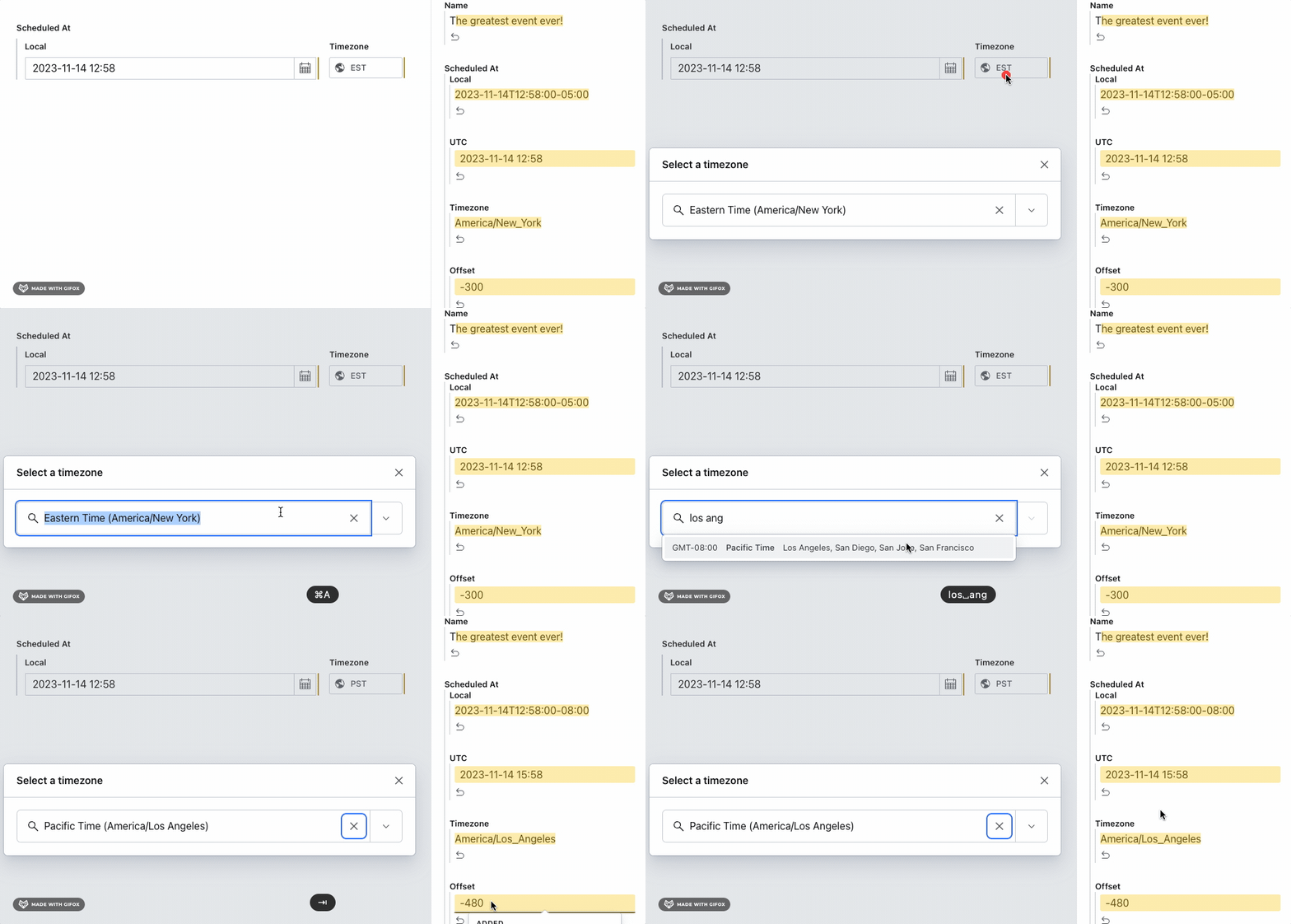
Installation
npm install @sanity/rich-date-inputUsage
Add it as a plugin in sanity.config.ts (or .js):
import {richDate} from '@sanity/rich-date-input'
import {defineConfig} from 'sanity'

export default defineConfig({
  // ...
  plugins: [richDate()],
})
Then, use richDate as a type in your schema:
import {defineField, defineType} from 'sanity'

export default defineType({
  name: 'event',
  title: 'Event',
  type: 'document',
  fields: [
    defineField({
      name: 'scheduledAt',
      title: 'Scheduled at',
      type: 'richDate',
      // this will take the same options available on the datetime type: https://www.sanity.io/docs/datetime-type
      options: {
        timeStep: 30,
      },
    }),
  ],
})
When a user selects a date, the timezone will be stored in the document. They can choose a different timezone, if desired. The date displayed will be the time as it would be in that timezone. UTC will be calculated from the timezone and local time.
The typical data output should be:
{
  _type: 'richDate',
  local: '2023-02-21T10:15:00+01:00',
  utc: '2023-02-12T09:15:00Z',
  timezone: 'Europe/Oslo',
  offset: 60
}
License
MIT © Sanity.io