sanity-plugin-time-seconds
Store playback times as a seconds integer, while allowing input in 00:00 format.
By Sean H
v2 install command (deprecated)
sanity install time-secondssanity-plugin-time-seconds
For entering values in mm:ss format like 03:45, and reflecting them in your sanity model as second numeric values. This input can be used to both reflect a time or a second length. The intention is to make it easier for CMS managers to input these values when referencing playback.
For more info, see this post on how to integrate with your sanity model
Installation
sanity install time-secondsThen you can use the TimeToSecondsField as an input component. Playback marker expects values in mm:ss format, and converts values to a seconds number whenever that criteria is met. The field type must always be "number".
Configure
import TimeToSecondsField from 'sanity-plugin-time-seconds'

{
  name: "adStartTime", //Give your sanity field a name
  description: "Time when ad starts", //Give it a description
  type: "number", //Must always be number
  inputComponent: TimeToSecondsField,
  options: {
    placeholder: "Please enter a value in 00:00 format"
  }
}
Screenshot
This is what the field looks like. On the right, the field's value is an int, representing seconds.
For fields in the schema like:
import TimeToSecondsField from 'sanity-plugin-time-seconds'
{
  name: "adStartTime",
  title: "Ad Start Time",
  type: "number",
  inputComponent: TimeToSecondsField,
  description: "Time in the podcast when ad should start",
  options: {
    placeholder: "Value in 00:00 format",
  }
},
{
  name: "adPlaybackLength",
  title: "Ad Length",
  type: "number",
  inputComponent: TimeToSecondsField,
  description: "Enter Length of Ad",
  options: {
    placeholder: "Ad Length, value in 00:00 format",
  }
}
TimeToSecondsField represents it like:
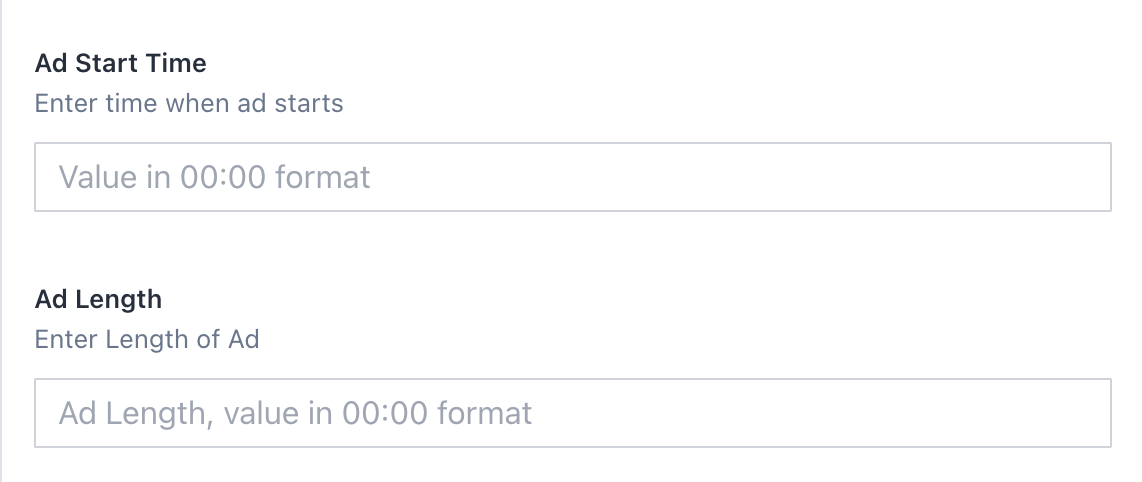
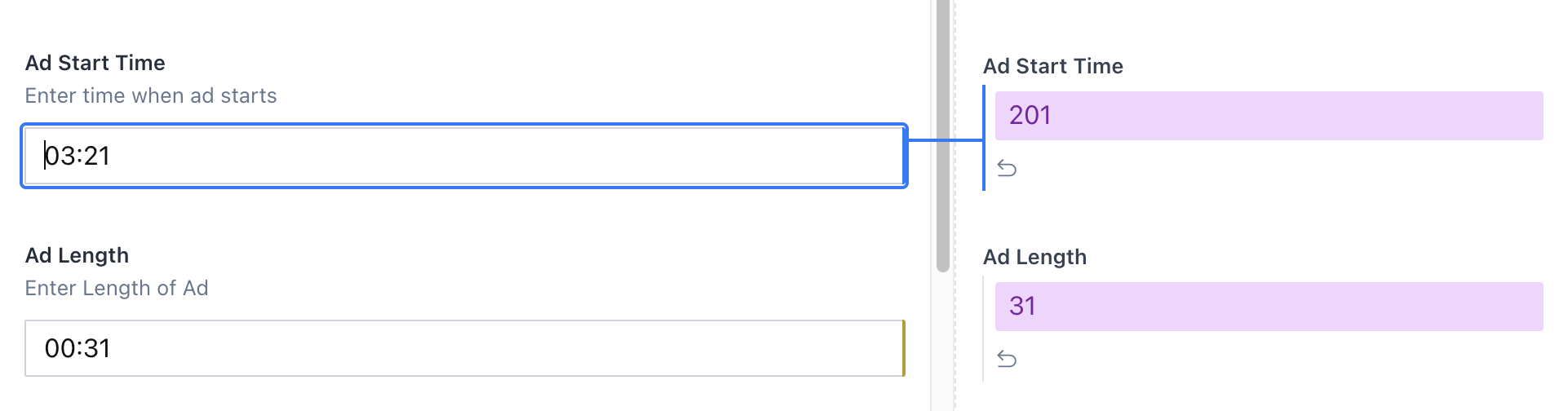
with the value being stored as total seconds int.
