CSV Import
Import data from a CSV, map your fields, control what gets published.
By Chris
Install command
npm i sanity-plugin-csv-importsanity-plugin-csv-import
Import CSV files into Sanity. Map columns to existing document fields, generate new schemas from columns, and import documents directly through the Studio.
Install
npm install sanity-plugin-csv-importUsage
import { defineConfig } from 'sanity'
import { csvImportPlugin } from 'sanity-plugin-csv-import'

export default defineConfig({
  // ...
  plugins: [csvImportPlugin()],
})
A new Import CSV tool appears in the Studio nav.
Features
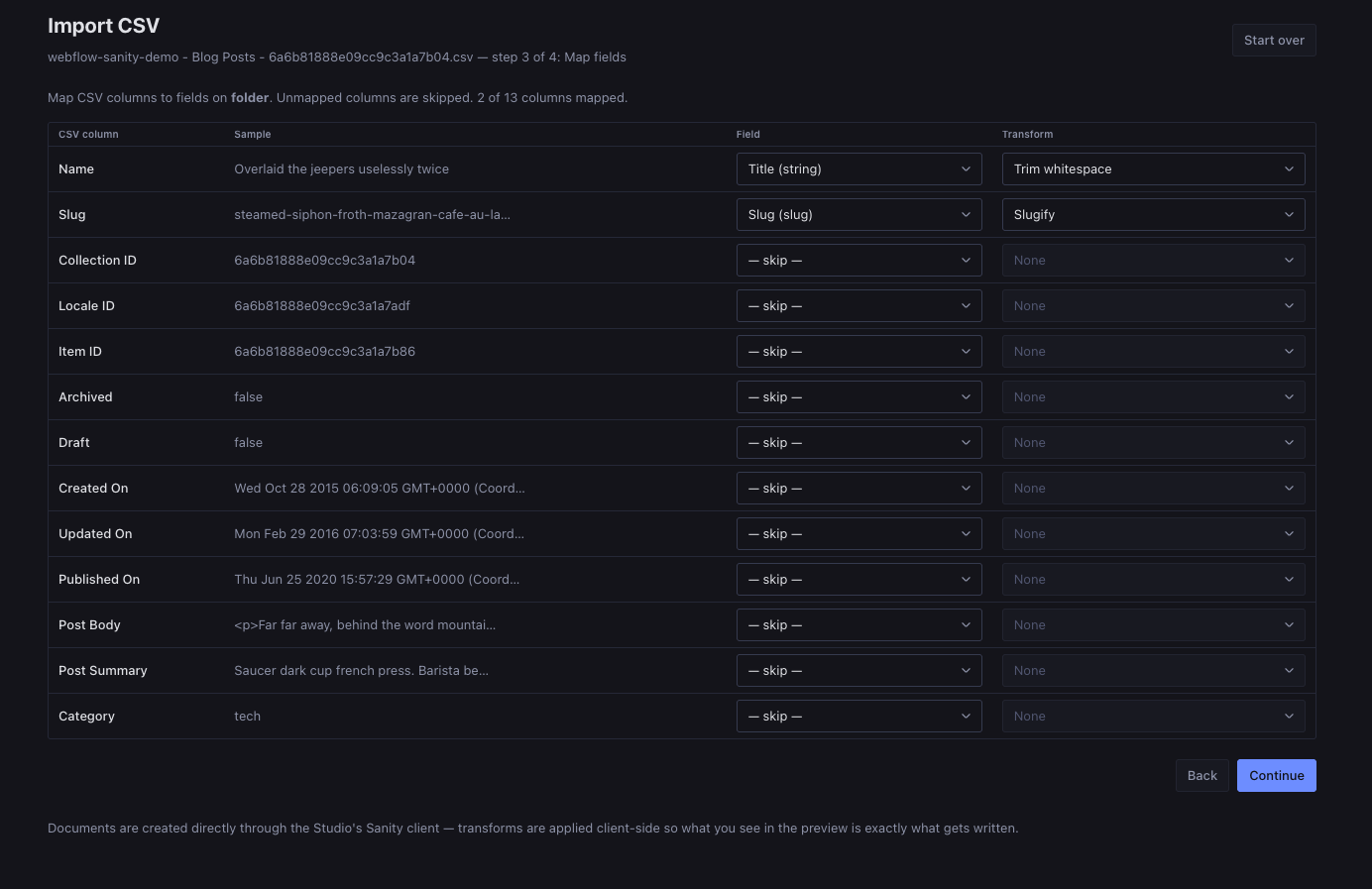
- Upload any CSV: auto-detects comma, semicolon, and tab delimiters; handles quoted cells and escaped quotes.
- Map to existing types: column names are auto-guessed against your schema fields. Pick per-column transforms (trim, slugify, number, boolean, date, split→array, and more).
- Generate a new schema: choose field types per column, then copy or download a
{name}Type.tsfile ready to drop into your Studio's schema types. - Optional project writing: provide a host endpoint adapter to write and register the generated schema during local development.
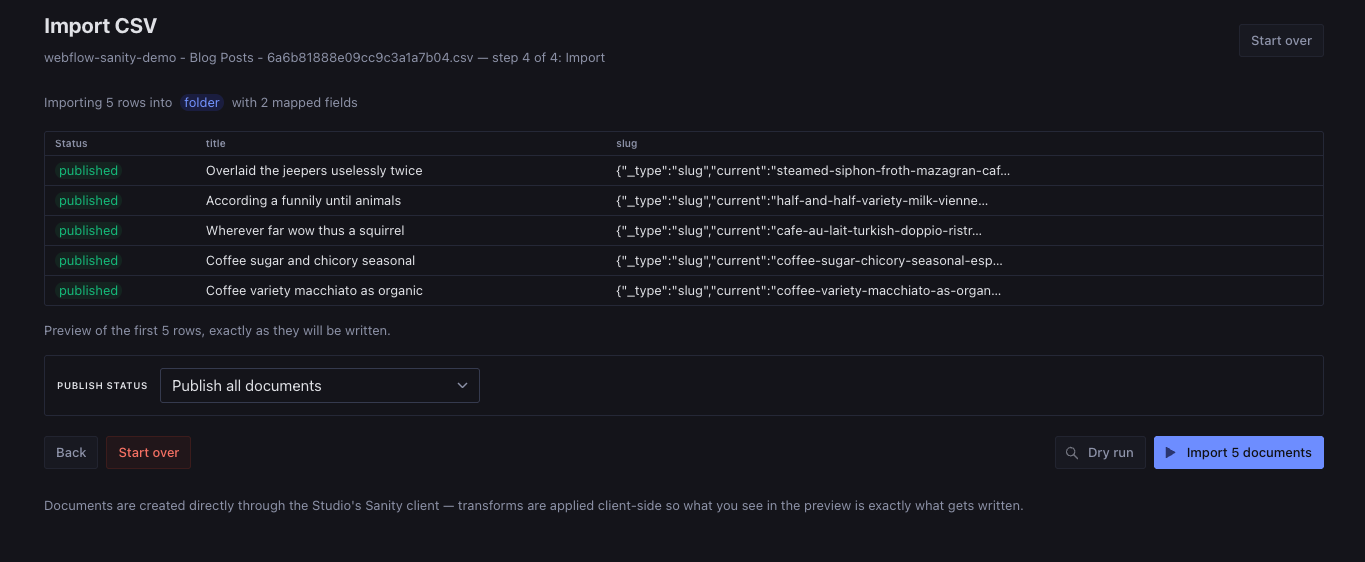
- Per-row publish control: publish every row, create drafts, or let a CSV column decide per row (with an inverted mode for Webflow "Draft"/"Archived" columns).
- Dry run: preview exactly what will be created before writing anything.
- Session persistence: your wizard state survives page reloads.
Screenshots
API
import {
  csvImportPlugin, // the Sanity plugin factory
  parseCsv, // CSV string → { columns, rows }
  buildDocument, // build one Sanity doc from a row + mapping
  generateSchemaFile, // column definitions → schema .ts file code
  toFieldName, // utility: "Product Name" → "productName"
  toTypeName, // utility: "My Items" → "myItems"
  slugify, // utility: "Hello World!" → "hello-world"
} from 'sanity-plugin-csv-import'
Writing a generated schema
The Studio tool runs in the browser and cannot write arbitrary files in the
host project by itself. A host application can opt into a Write to project
button by providing a schemaFileWriter:
import { defineConfig } from 'sanity'
import {
  csvImportPlugin,
  type SchemaFileWriter,
} from 'sanity-plugin-csv-import'

const schemaFileWriter: SchemaFileWriter = {
  // Optional. When false, the button stays hidden (for example in production).
  isAvailable: async () => true,
  write: async (schema) => {
    const response = await fetch('/api/csv-import/schema-file', {
      method: 'POST',
      headers: { 'content-type': 'application/json' },
      body: JSON.stringify(schema),
    })
    const result = (await response.json()) as {
      filePath?: string
      message?: string
    }
    if (!response.ok) throw new Error(result.message ?? 'Schema write failed')
    return result
  },
}

export default defineConfig({
  // ...
  plugins: [csvImportPlugin({ schemaFileWriter })],
})
The writer receives GeneratedSchema with fileName, importPath,
exportName, typeName, and code. The host endpoint should validate the
payload, restrict writes to a known schema directory, update the schema
registry if desired, and only be enabled in a trusted development environment.
See docs/schema-file-writer.md for Astro,
Next.js, SvelteKit, and generic endpoint guidance.
Local development
npm install
npm run watch           # rebuild on changes
npm run link-watch      # auto-push to yalc → test in a Studio
npm run build           # production build + plugin-kit verification